LS Central 29.0 Release Notes
About This Release
Released - October 20, 2026
This version is built on Microsoft Dynamics 365 Business Central 2026, release wave 2.
For more details about this BC major version see: https://learn.microsoft.com/en-us/dynamics365/business-central/dev-itpro/whatsnew/whatsnew-update-29-0
Quick links:
Important Notices!
The LS Central release plan
- We will release new features for LS Central in two major release waves every year – scheduled for April and October, coinciding with the general availability of Business Central Release Wave 1 & 2. Our partners will be granted access to a feature-complete release candidate five to six weeks ahead of time.
-
We will continue to release new events and hotfixes on a weekly basis and cumulative updates as needed.
-
Minor versions will be made available when considered to be needed by our Development team.
-
In SaaS, we will support the last minor version of the current major version and two back. With this release of LS Central 29.0 we will support 27.0 until 29.0, other and previous versions will not be supported but an upgrade path will be maintained for versions as Microsoft does (see https://learn.microsoft.com/en-us/dynamics365/business-central/dev-itpro/upgrade/upgrade-paths).
We expect to follow this process for the 2026 wave 2 version, with an official release coinciding with the release of Business Central 2026 wave 2 from Microsoft.
Disclaimer: In alignment with Microsoft's guidance and best practices, we will deprecate obsolete tables and fields. These will be marked as obsolete in version 29 and permanently removed in version 30. Please ensure that any dependencies are updated accordingly before the removal takes effect.
Note: We want to highlight our new Online Help agent. Compass. Look for the icon in the top right corner.

New or Enhanced Features
Links to quickly navigate this section:
LS Central
Backoffice
API pages and queries
This version of LS Central introduces a number of API pages. The aim is to replace all SOAP webservices with API pages or queries. This work will continue and the remaining APIs will be added in minor versions and is expected to be finalized in LS Central 30.0
Note: The release includes an Open API Document that can be opened in clients such as Swagger, Postman, Scalar, etc. The APIs will also be listed in the online help
API: asnDocuments- replace GetASNDocumentList / GetASNDocumentLines / SendASNScannedLines
Read advanced shipping notice documents and their lines through a new asnDocuments endpoint, and submit scanned receiving lines with its sub mitScannedLines action — together replacing the legacy GetASNDocumentList, GetASNDocumentLines, and SendASNScannedLines services.
Scan submission behaves exactly as before, including barcode resolution, duplic ate-scan detection, and over-receipt handling. Document lines now also carry the vendor trust level from their header. The legacy services stay available and unchanged for an 18-month coexistence window.
API: spgProfiles - replace SPGProfileGet / SecurityCheckProfile
You can now read ScanPayGo profile data - including linked tenders and feature flags - through new REST API endpoints, and resolve the right profile for a store the same way the app already does internally. A related endpoint for logging ScanPayGo security-check results now also accepts new entries, not just reads.
API: kots - replace GetKotStatus
Read kitchen order ticket (KOT) status and line details — sent, started, finished, served — through a new kots endpoint in the LS Central API.
API: mobilePosProfiles - replace MobileGetProfiles
Read mobile POS profile attributes — the private, yes/no club attributes used to personalize the point of sale experience — through a new mobilePosProfiles end point in the LS Central API.
Filter by attribute code or club code to get exactly the profiles you need.
API: salesShipments - replace SalesShipmentListGet / SalesShipmentUpdate
Read sales shipments and update their tracking details through a new salesShipments endpoint, replacing the legacy SalesShipmentListGet and SalesShipmentUpdate services. Everything is read-only except the shipping agent code, shipping agent service code, and package tracking number — the same three fields the legacy update operation allowed. Filter by customer order to pull the shipments for a single order. Both legacy services stay available and unchanged for an 18-month coexistence window.
API: shippingAgents - replace COShipAgentsInfoGet
You can now read each store's default shipping agent and service assignment through the LS Central API call. A new action also resolves the effective default for a store, falling back to the all-stores default when a store doesn't have one of its own — the same logic already used at the POS.
API: vouchers - replace GetVoucherEntries(V2) / SendVoucherEntry / GetDataEntryBalanceV2
LS Central now exposes voucher entry lookup and creation as a modern OData v4 API, replacing three legacy SOAP operations:
- GetVoucherEntries
- GetVoucherEntriesV2, and
- SendVoucherEntry.
Two new read/write endpoints are available under the existing retailCore API group (v1.0), vouchers -- GET and POST.
- Filter by voucherNo to read voucher entries with the same field coverage as the legacy read operation.
- POST creates a new voucher entry with the same persisted result as the legacy write operation, including marking the linked POS Data Entry as Applied once its remaining balance reaches zero.
voucherPinLookup -- GET only. Replicates the PIN-protected lookup behaviour of GetVoucherEntriesV2 for voucher types that require a PIN: filter by voucherNo and pin together; an incorrect or missing PIN, or a voucher type that does not use a PIN, returns the appropriate result without ever revealing whether the mismatch was due to the PIN or the voucher itself.
Note on the plain vouchers GET: unlike the legacy GetVoucherEntriesV2 call, the plain vouchers entity does not itself enforce a PIN -- access is controlled through standard permission-set gating instead, consistent with every other read API in this release. Callers that need PIN-protected access should use voucherPinLookup instead.
API: validationPeriods - replace GetValidationPeriod
You can now read validation period setup data through a new REST API endpoint, validationPeriods. It returns the same records as the legacy GetValidationPeriod service, so existing time-of-day and date-range validation rules used for offers and discounts are available to integrations without any new setup.
API: vatPostingSetups - replace GetVATPostingSetup
Read VAT posting setup data — VAT percentages, calculation types, and sales/purchase posting accounts by VAT business and product posting group — through a new vatPostingSetups endpoint in the LS Central API.
API: inventories - replace GetInventoryStatus (+ GetInventoryLookup / GetInventoryMultiple(V2) / GetItemInventory / IMDocumentPost)
Read and replicate inventory data through three new endpoints in the LS Central API: inventories for stock levels and delta replication, itemInventories for sourcing-location lookups, and inventoryDocuments for posting inventory management documents. These sit alongside the existing inventory web services, so nothing changes for clients that don't switch over.
API: stores - replace GetStores / GetStoreBuffer / GetStoreOpeningHours / GetStoreImage
Read store data and opening hours through a new API endpoint, or use the getDetail action to pull the same full store details you get today.
New retailCalendars and calendarGroupLinkings endpoints also let you browse any retail calendar directly and see exactly which store uses which shared calendar. These sit alongside the existing store web services, so nothing changes for clients that do not switch over.
API: hierarchies - replace GetHierarchy / GetHierarchyNode / GetHierarchyDeal / GetHierarchyDealLine / GetHierarchyLeaf / GetHierarchyV2(ValSched)
You can now pull your hierarchies — the item, content, and deal trees you use to organize your online store or app — through a new OData v4 API, alongside the hierarchy web service you already use.
- Query hierarchy details, nodes, deals, and images directly, or fetch a store’s whole hierarchy tree in one call.
- The existing hierarchy web service keeps working exactly as before, so you can move to the new API on your own schedule.
API: offers - replace GetOfferHTML
You can now read offer HTML content through a new OData v4 endpoint under the retailCore API group (v1.0), replacing the legacy GetOfferHTML SOAP/OData service.
- The offers endpoint exposes offer number, language, URL, and HTML content (streamed as a BLOB) with full parity to the legacy service.
- This gives integrations a modern alternative to legacy SOAP services for pulling localized offer HTML.
- The endpoint is read-only, so you keep managing offer content in the LS Central back office.
API: customers - replace GetCustomer / GetCustomerInvoices / GetCustomerCard
Added a read-only OData V4 API for Customer master data (GET /api/lsRetail/retailCore/v1.0/companies({id})/customers), filterable by No., Name, E-Mail, and Phone No. Replaces the legacy generic SOAP table read for Unified Commerce / ecommerce integrations. Write operations are not yet supported (Phase 1, read-only).
API: items - replace GetItem (+ GetItemWithBarcode, GetItemCard, ItemSalesInfo, GetItemHTML)
You can now pull item HTML content, item variants, extended variant values, variant registrations, and barcode-based item lookups through new read-only OData v4 endpoints. Each endpoint requires a distribution store filter, so results always reflect what’s actually available at that store.
API: publishedOfferItems
LS Central now exposes published-offer item lookup as a modern OData v4 API, replacing LS Omnis bespoke SOAP request LOAD_PUBLISHED_OFFER_ITEMS.
- The new read-only endpoint publishedOfferItems is available under the existing retailCore API group (v1.0), filtered by publishedOfferNo.
-
The response reflects the same Discount Type resolution logic as the legacy call (Offer, Periodic Discount, and Coupon families), and totalNoOfEntries always reflects the full unfiltered item count, even when the result is truncated with the standard OData $top parameter.
API: mobilePlu / inventoryTerminalStore
LS Central now exposes two additional read-only OData v4 entities under the existing retailCore API group (v1.0), replacing legacy LS Omni lookups: mobilePlu (mobile PLU catalog pages per store) and inventoryTerminalStore (POS terminal to store mapping, including the store name).
API: validationSchedules
LS Central now exposes store validation-schedule resolution as a modern OData v4 API, replacing a legacy SOAP integration path used internally by LS Omni. Four new read-only endpoints are available under the existing retailCore API group (v1.0):
- hierarchyDates,
- validationSchedules (with expandable validationScheduleLines)
- dateSchedules (with dateScheduleLines)
- and timeSchedules (with timeScheduleLines).
ValidationScheduleLines additionally nests dateSchedule and timeSchedule directly, so a client can resolve the full four-level graph in a single call instead of chaining three separate requests:
- $expand=validationScheduleLines($expand=dateSchedules($expand=dateScheduleLines),timeSchedules($expand=timeScheduleLines)).
API: spgSecurityCheckLogs / mobileLicenseRegistrations / posTerminals
You can now read POS terminal setup, feature flag settings, mobile app license registrations, and security check logs through the LS Central API. This adds four new read-only endpoints alongside the existing ones, giving integrations a consistent, modern way to pull this data instead of the older, generic backend lookup.
Action required by partners:
- Note: the feature-flag endpoint returns rows as configured (terminal-specific, store-level, or global) without resolving fallback precedence — a consumer that needs the effective flag for this terminal must query and merge tiers themselves (terminal-specific overrides store-level overrides global).
API: currencies / shippingAgents / items / itemVariantRegistrations
You can now read item, currency, shipping agent, and item variant registration data through the LS Central API. This adds four new read-only endpoints alongside the existing product group and member endpoints, giving integrations a consistent, modern way to pull this core reference data instead of the older, generic backend lookup.
API: memberAttributes / memberDevices
You can now pull member attribute definitions and registered member devices straight from the LS Central API, alongside the other member data endpoints. This gives integrations reading loyalty profile data — a member's custom attributes or registered self-service devices — a modern OData source instead of the older, generic backend lookup.
Add Retail Product Group, Item Category, and Retail Image Link API endpoints
You can now pull retail product group data through a new API instead of the old generic SOAP table read. Look up a product group by its code or item category, and expand the result to see every item assigned to it.
A companion API returns item category codes and descriptions, with its own expandable link to the product groups in that category.
A separate, generic image-links API lets any integration retrieve the images linked to a product group — or any other record that has linked images.
CustomerGet
Added a read-only OData V4 API for Customer master data (GET /api/lsRetail/retailCore/v1.0/companies({id})/customers), filterable by No., Name, E-Mail, and Phone No. Replaces the legacy generic SOAP table read for Unified Commerce / ecommerce integrations. Write operations are not yet supported (Phase 1, read-only).
Vendors - replace GetVendor / GetVendorItem / GetVendorCard
Read vendor data through three new read-only endpoints — vendors, vendorItems, and a vendor card lookup — replacing the legacy GetVendor, GetVendorItem, and GetVendorCard services. vendorItems returns every item-vendor link rather than just each item's primary vendor, so expect more rows than the legacy service returned, and use the new distributed-to-store filter to narrow results to a single store's distribution. The legacy services stay available and unchanged for an 18-month coexistence window, so you can move across when it suits you.
TenderTypes - replace GetTenderType
You can now read tender type configuration — cash, cards, checks, vouchers, and member points — through the new tenderTypes API. It returns the same data as the GetTenderType service, including POS behavior, rounding and amount limits, and posting accounts, so you can move your integrations over whenever it suits you.
Build LSC Member Point Entry
You can now read the member loyalty point ledger — point sales, redemptions, expiries, adjustments, and transfers, with their source document, point and remaining-point amounts, expiration date, and the club, scheme, store, and POS terminal they came from — through a new OData v4 endpoint.
- This gives integrations a modern alternative to the legacy SOAP web service for pulling point entries. The endpoint is read-only; point entries are still created by the LS Central point posting routines.
- The three enum fields come back both by name and as ordinal companions (sourceTypeOrdinal, entryTypeOrdinal, and pointTypeOrdinal), so an integration moving off SOAP can keep the numeric mapping it already uses. Filter and sort on the named field — the ordinal companions support neither.
- The ledger grows without bound, so scope every request, normally by card or account number.
Build LSC Member Scheme
You can now read Member Scheme setup — card numbering, discount and price group defaults, club linkage, and upgrade or downgrade thresholds — through a new OData v4 endpoint. This gives integrations a modern, documented alternative to the legacy SOAP web service for pulling member scheme data.
Build Currency Exchange Rate
You can now read currency exchange rates — currency code, starting date, exchange and adjustment rate amounts, relational currency and its rate amounts, the fixed-rate setting, and the LS Central POS rate amounts — through a new OData v4 endpoint. Filter by currency code to narrow the result.
- This gives integrations a modern alternative to the legacy SOAP web service for pulling exchange rate data.
- The endpoint is read-only, so you keep maintaining exchange rates in the LS Central back office.
Build Data Translation Language API Page
You can now read the languages set up for LS Central data translation — the language code and its name — through a new OData v4 endpoint.
- This gives integrations a modern alternative to the legacy SOAP web service for pulling the data translation language list.
- The endpoint is read-only, so you keep maintaining translation languages in the LS Central back office.
API: wishLists - replace WishListGet / WishListCreate / WishListDeleteByID / WishListItemModify / WishListLinking / WishListModifyQtyUsed
Wish lists are now available as a modern REST API (GET/POST/DELETE /api/lsRetail/member/v1.0/wishLists, plus itemModify/linking/modifyQtyUsed actions), alongside the existing SOAP web services for a minimum 18-month transition period.
API: returnPolicies - replace GetReturnPolicy
You can now read return policy rules — whether refunds are allowed, required manager privileges, the allowed refund period, and the messages shown to customers — through a new OData v4 endpoint, scoped by store, item category, product group, item, or variant, just like the existing return policy setup.
Discounts - replace GetDiscount (+ GetCrossSelling)
Read periodic discount setup — multibuy, discount offers, total discounts, and tender type discounts — through new read-only discounts and discountLines endpoints, replacing the legacy GetDiscount service.
- Offer headers carry the status, type, price group, validation period, and validity dates; lines carry per-item pricing, discount amounts, and the quantity thresholds that trigger an offer. GetDiscount stays available and unchanged for an 18-month coexistence window.
- Look up related selling items through a new read-only crossSellingItems endpoint, replacing the legacy GetCrossSelling service.
- For each item and store, you get all linked cross-selling recommendations — useful for building personalized product suggestions in member-facing channels.
- The GetCrossSelling service stays available and unchanged for an 18-month coexistence window.
Card API lookup-parameter parity: itemCardLines, customerCardLines, vendorCardLines missing legacy params
You can now look up an item card by barcode, not just by item number. You can also narrow an item card lookup to a specific variant, scope stock figures to a single store or location, and switch to a matrix view that lists sibling variants — like other sizes of the same color — with their own stock levels.
- Customer and vendor card lookups gain a matching option: you can now ask for confirmation that a customer or vendor exists without pulling back any of their other details.
- These three lookups replace older web services partners relied on for point-of-sale and integration scenarios.
- The older services supported these same lookup options; without them, the newer lookups weren't a complete replacement. This closes that gap.
Action required by partners:
- None. These are additional, optional lookup options on lookups you may already use. If you only look items, customers, or vendors up by number today, nothing changes for you.
API page to replace StoreInvTransSendV2 SOAP webservice
Submit store inventory transactions through two new endpoints, replacing the legacy StoreInvTransSendV2 service
- Post lines to storeInventoryLines one at a time or several at once in a single batch request, then read storeInventoryWorksheets and call its completeTransaction action to finish the worksheet.
- Line processing matches the legacy service, and when a batch partly fails you get a result per line.
- StoreInvTransSendV2 stays available and unchanged for an 18-month coexistence window.
Retail Receiving/Picking
Store staff can now see the vendor's order number and enter the vendor's shipment number on the Retail Receiving page.
This helps when the store receives goods before the vendor invoice arrives. The Vendor Shipment No. field also shows on the Retail Posted Receiving page. When you receive a purchase order, the Vendor Invoice No. and Vendor Shipment No. you enter now also update the purchase order.
A store that receives goods usually has the vendor's delivery note, not an invoice. Staff can now record the delivery note number during receiving instead of waiting for an invoice number.
Action required by partners:
- None. To show the fields, personalize the Retail Receiving page if it has been customized.
Periodic Discount Offers and Coupons
Discount Offer - No. Field Lookup
The custom No. field OnLookup in the discount offer Line was removed to restore the standard inline lookup dropdown.
Block or Cancel Issued Coupons - Store Coupons / Return Coupons
Previously, any coupon that was issued with a transaction on POS was not cancelled if the transaction was returned. This was fixed.
New Coupon Header enum- #698
The Coupon Header Affects field is now an extensible enum instead of an option field.
Field "Offer Type" in table "LSC Trans. Disc. Benefit Entry" changed from Option to Enum
Offer Type on transaction discount benefit entries is now an extensible enum, so extensions can add their own offer types. Existing values keep their numbers, and Mix&Match now reads 'Mix and Match'.
Coupon management: SetLoadFields + header caching + member-coupon-list filter event
- Retrieving a member's coupon list is now faster, and there is a new integration event for tailoring which coupon entries are considered. GetMemberCouponList (in LSC Coupon Management) loads only the fields it needs and skips a redundant coupon-header read when consecutive coupon entries share the same coupon code.
- A new event, OnGetMemberCouponListOnBeforeCouponEntryFindSet, lets extensions add filters to the coupon-entry query before it runs. Which coupons are returned is unchanged — this is a performance and extensibility change only.
Action required by partners:
- None. Optionally, extensions can subscribe to the new OnGetMemberCouponListOnBeforeCouponEntryFindSet event to add filters to the member coupon query.
Statement
Enhancement Request for LSC Posted Statement Navigate Functionality
Previously, the Navigate functionality on LS Central Posted Statements identified related entries using the External Document No. field. The functionality was enhanced to use LSC Statement No. as the filtering criteria, aligning it with the existing statement lookup behavior and ensuring that all relevant entries related to the posted statement are consistently returned during navigation.
Statement posting failed when a posting exception covered non-inventory items
- Previously, when a Posting Exception with Transfer Process Transfer was set up at Item Category or Retail Product Group level, and that category/group contained non-inventory items, statement posting failed with an error stating the item must be set up as inventory.
- The system now skips the transfer step for non-inventory items.
BOM Aggregate for Statement
This new feature should not impact current customers, as the feature is disabled by default. To use the feature, enable Aggregate BOM at Statement Posting in the Retail Setup. And Prevent Negative Inventory must be off to avoid statement posting error if it hit negative balance.
- When enabled, at the statement posting the system will skip the posting of the BOM and insert the records into a new table BOM Staging Lines.
- Then the BOM Staging Lines records are processed by a LS Scheduler Job, that sums up the records and posts the "consumption" and adds the BOM item to inventory.
Ecom
OmniWrapper:OrderCreate - Performance improvements
Customer orders coming in through the Commerce Service now handle coupons faster and put less load on the database. When a web order carries coupons, LS Central takes fewer locks and reads less data while moving those coupons onto the resulting transaction.
Action required by partners:
- None — the improvement applies automatically after you upgrade.
GetInventoryStatus improvements
Inventory replication to Commerce Service is now up to three times faster. A full sync of 15,000 inventory records that used to take over a minute and a half now finishes in under 40 seconds.
- Affected components: GetInventoryStatus (Commerce Service SOAP integration), LSC Item Distribution lookup, LSC Web Applic. Sync Utility
- Integration touch points: Commerce Service SOAP endpoint (ODataRequest operation); LS Central Inventory Lookup Table and Item Distribution setup
- Configuration/setup changes: None
- Breaking changes/upgrade impact: None — behavior-preserving performance refactor, no change to request/response shape
Reported timings:
- 1,000 records: 5s → 1.5s
- 5,000 records: 25s → 8s
- 15,000 records: 1m40s → 40s.
Store Inventory
Store Inventory Worksheet
Previously, it was not allowed to add a new lot or serial number item in store inventory journal unless it already had a posted transaction in Item Ledger Entry.
The system now allows adding a new item with lot no. or serial no. without posted transaction in Item Ledger Entry.
Retail item
Update Tool Tip on Item Family field on Retail Item
Text from Tool Tips was removed, on Family field which is no longer relevant.
Item Status for Block PO, rather than Purchasing
Split Retail Item Status to Block Purchase Create and Purchase Process instead of a simple Purchase block.
Performance and Locking
Web POS Light — redundant line re-pricing removed from CalculateBasket
CalculateBasket in Web POS Light no longer re-prices transaction lines that were already priced when they were inserted. Two redundant recalculations have been removed from the flow:
- the per-line VAT/price recalculation (ChangeVATBusOnLine and ChangeGenBusPostingGroup) — each line already carries the header's VAT and Gen. Bus. posting groups and its price from insert time; and
- the explicit line pre-total recalculation (ReCalcLinePreTotal) — RecalcSlip already runs it for every item line.
No functional change: calculated prices, VAT (including reverse charge), and periodic discounts are identical to before. Each line is now calculated with fewer repeated price-list lookups.
RecalcSlip - Customer Prices and Performance
- Bugfix: Turn on Disable Customer and Member Prices on the POS functionality profile, and the POS now keeps the standard retail price on every sale — even when a customer or member is attached. Before, the setting was skipped whenever the sale had a customer or a member price group, so customer and member prices still slipped through.
- The default web store customer is now treated as a regular sale too, so web orders don't pick up customer-specific prices by mistake.
Action required by partners:
- None. If you use Disable Customer and Member Prices, double-check the result matches your intent — with it on, customer and member prices are now fully suppressed at the POS (in some cases they still applied before).
Wish List
Mark wishlist items as Customer Order
When you add wish list items to a POS transaction, LS Central now marks the transaction — and the lines from that wish list — as a customer order automatically. You do not need to flag it by hand anymore.
- This removes a manual step for cashiers and closes a gap where a wish-list-driven sale could get missed as a customer order, so orders flow straight into fulfillment without extra clicks.
- Affected components: Wish List → POS transaction line creation (POS wish list add-to-basket flow)
- Integration touch points: POS transaction line and POS transaction customer-order flags; no external endpoints
- Configuration / setup changes: None
- Breaking changes / upgrade impact: None — additive behavior on the existing wish-list-to-POS flow
Customer Order
Customer Order Fulfillment - Distance-Based Sourcing Restriction
This release adds a new fulfilment rule that lets retailers set a maximum distance between sourcing locations and the customer’s delivery address. When enabled, the system will only consider locations within this distance when fulfilling customer orders.
Member Management
Member Management performance improvement
Improved performance of member point offer lookup at the POS
- Optimized how the POS finds active member point offers when calculating bonus points on a sale.
- The lookup now reads offer, item, store, and transaction data with reduced isolation and loads only the fields it needs, and it skips item and transaction reads entirely when no point offers exist.
- This lowers lock contention and speeds up point calculation on busy terminals.
This is an internal optimization only — the points members earn are unchanged.
Update Member in Ongoing Transaction
Editing a member's details during an open transaction — for example, adding an address — now updates that member's information on the transaction right away, so a later lookup returns the current details instead of what was there when the transaction started.
Membership information showing in POS Journal - option to change
A new option was added to the POS Functionality Profile allowing users to configure which member details are displayed on the POS transaction line.
Multiple Entra Applications
Multiple Entra Applications
Manage multiple Microsoft Entra applications for web services:
- Create and manage several Microsoft Entra ID applications in LS Central, and assign each one to specific POS terminals or groups.
- Web service and replication traffic then spreads across different Entra applications, so you are less likely to hit Business Central operational limits.
- LS Central can create the Azure app for you and shows each app's secret expiry dates, so you can renew them in time.
Action required:
- None to keep running as-is.
- To use it, open the Entra Setup card to create your Entra applications, then run the POS Credentials assisted setup to assign them to POS terminals or groups.
Miscellaneous
"Registration Number" on Retail Customer Card
Registration Number field was added to LSC Retail Customer Card page.
Request for report to save values
Previously, LS Report LSC Retail Item Sales would not save values after Print or Preview & Close.This was added.
Remove telemetry framework code from System app
The telemetry framework code was removed from LS Central System App. Telemetry signals are now sent through the Telemetry Framework for LS Retail Solutions extension.
Token vault
The Token Storage in LS Central has now been obsoleted and all Token functionality moved to the EFT Extension for LS Pay and is now called Token Vault. All Token Storage object that were in the LS Central app have been obsoleted.
Adjust LS Central Token Vault functionality to EFT extension for LS Pay
Card-on-file payment tokens now use the token vault provided by the EFT Extension for LS Pay instead of LS Central's own legacy Token Storage. The POS web services that read and write payment tokens (GetTokenEntry, SetTokenEntry, GetContractTokens) now call into the EFT extension instead. A new Cards on File page (replacing the old one) lets you view, set a card as default, and activate/deactivate a member's stored cards, working exactly as before.
Action required by partners:
- The Token Storage in LS Central has now been obsoleted and all Token functionality moved to the EFT Extension for LS Pay and is now called Token Vault. All Token Storage object that were in the LS Central app have been obsoleted.
- No action needed for the web service migration itself - the old SOAP endpoints keep working (marked obsolete, not removed) for POS clients as old as version 26.0. If you call these endpoints directly from a custom integration, plan to move to the EFT Extension's own token vault endpoints before they are removed.
- If you have customized the old Cards on File page (page 10012044), plan to move that customization to the new page before the old one is removed in a future version.
Cards on file for members
The Cards on file list for members now uses the Token Vault within EFT Extension for LS Pay. You still see the same list and the same actions: set a card as default, and activate or deactivate a card. You can use them from the member contact card and from the activity contact card. The old page is obsolete (page 10012044).
Action required by partners:
- If you customized the old Cards on file page, move that customization to the new page. The old page will be removed in a future release.
Token web services
To maintain backwards compatability the webservices SetTokenEntryV2 and GetContractTokens in version 29 now store and retrieve tokens in the Token Vault within EFT Extension for LS Pay. So if a customer is using a POS client in versions 26.x, 27.x or 28.x then the legacy Token Storage functionality within the POS will continue to work and the tokens will be stored within the new Token Vault
The EFT extension's token vault has no equivalent for GetTokenEntry, SetMemberCardToken, GetMemberCardToken and DeleteMemberCardToken.
All six services are marked for removal three major versions from now. Until then, they keep working for clients as old as version 26.0.
Action required by partners:
- If you call GetTokenEntry, SetMemberCardToken, GetMemberCardToken or DeleteMemberCardToken, switch to the token vault endpoints of the EFT extension for LS Pay before support for these services ends.
- Set up the token vault on every head office that has the EFT extension installed. SetTokenEntryV2 and GetContractTokens now require this setup even when using an older POS client against a LS Central back office in version 29, and return an error if it is missing.
Old token vault objects removed
The Token Vault objects are obsolete in the LS Central app. LS Central now uses the Token Vault within EFT Extension for LS Pay.
Update Legacy Card functionality to use new Token Vault
Card on file on the legacy card engine
- With this release, Token Storage is obsoleted and its functionality moves into the EFT Extension for LS Pay under the new name Token Vault. LS Central now depends on the EFT Extension for LS Pay, so it's included automatically with every LS Central upgrade — no partner action is needed to add that extension to a customer's environment.
- An upgrade step automatically migrates any locally stored legacy card-on-file tokens from the old Token Storage into the new Token Vault — no partner action is required for this step itself.
- Where local legacy tokens do exist (most likely on an offline POS configured this way), the upgrade step moves them into the new Token Vault's local storage; it never pushes them out to a remote/cloud Token Vault.
- Card on file now works the same way on the legacy card payment engine as it does on the EFT Extension for LS Pay engine. Adding a card to file (POS Command AddCardToFile) and paying with a saved card (POS Command CardOnFile) behave the same as before — only where the token is stored has changed, so both engines now manage cards on file consistently.
- If you are already using card on file on the legacy card engine, your POS commands and lookups keep working exactly as configured — nothing changes there.
- The one thing every store now needs, legacy or EFT Extension for LS Pay, is the Token Vault Setup itself, since both engines read and write tokens through it.
Action required by partners:
- Using Legacy Card Engine: the only action required is to set the Token Vault Setup configuration according to the instructions provided by the LS Pay online help. POS commands and configurations have not changed, so no action is needed there.
- Using EFT Extension for LS Pay card engine: stores also need the new #TOKENVAULTSELECTION POS Lookup configured, in addition to the Token Vault Setup configuration — see the how-to topic and the separate EFT Extension for LS Pay Card Engine release notes.
Token Storage Utility is locked down — action needed for customizations
- If you have a customization that calls codeunit LSC Token Storage Utility or reads or writes table LSC Token directly, act before your customers upgrade to this version. Every function on the utility now returns false (with an explanatory error, for StoreToken) instead of touching the old token table — the underlying legacy storage is no longer written to or read from at all.
Action required by partners:
- Move any customization off LSC Token Storage Utility / table LSC Token and onto codeunit LSCEFT Token Vault in the EFT Extension for LS Pay before your customers upgrade to this version. Call the codeunit's public API — don't read or write table LSCEFT Token directly; the codeunit is what routes each call to local or remote storage based on the Token Vault Setup configuration.
Platform Web Services email
71487 Handle new warnings from AppSource before they become errors
Updates the codebase to comply with new AppSource validation rules, addressing obsoleted procedures, uninvoked triggers, and missing table field properties before they become blocking errors.
Staff Management
Synchronize cashier logon (MSR or otherwise) to automatically do staff login.
- Staff management - Automatic Time Registration when POS Staff Log on.
- Automatic time registration entry creation when a staff member logs on at the Point of Sale, eliminating the need for manual clock-in via the back-office time registration screen.
- When a cashier or other staff member logs on to the POS, an arrival time entry is automatically created if one does not already exist.
- A confirmation banner is shown on the POS display upon success.
- If the staff member has no linked employee record, or already has an open entry, the process silently exits without interrupting the logon flow.
Roster View Enhancements
Users can configure the Staff Day Plan (Roster View) summary and external view directly from the page, with their selections preserved between sessions and the roster contents updated according to the selected summary mode.
The Total Section switch was removed and included in the total view options. Also the External View was separated from the list selection and can now be directly assigned on its own.
Support 2nd shift per day in shift patterns in staff mgmt.
Shift patterns can now schedule two separate shifts on the same day. On a shift pattern line, set a second work shift alongside the first — with its own start and end times, after-midnight flag, and hours — so one pattern can cover, for example, a morning and an evening shift. When you generate a roster from the pattern, each day that has a second shift gets two roster lines, one per shift.
Action required by partners:
- None. To use the feature, fill in the second-shift fields on a shift pattern line, then generate the roster as usual.
Test Apps
Convert LSCentral_Tests / Forecourt_Tests to SaaS-compatible test library dependencies
The LSCentral_Tests and LSCentral_Forecourt_Tests autotest apps were converted to depend solely on Microsoft's Cloud-compatible test library, and retargeted from OnPrem to Cloud. A handful of email-mock tests that relied on an OnPrem-only Microsoft mock have been temporarily disabled, with TODOs to reinstate them once a Cloud-compatible mock is available.
- As a result, the full autotest suite now compiles and runs against SaaS (Cloud) BC sandboxes — not just OnPrem — enabling validation of LS Central there as well.
Partner impact:
- None. This is internal test infrastructure only; no partner-facing functionality has changed.
Fashion
Variant Framework: Optimized Weight Calculation
Variant weight calculations in the Variant Framework pages were optimized, improving performance when loading large volumes of Variant Values.
POS
UI Control enhancements
Device dialogs improvements
Device dialogs have been refactored and share the same new design as the POS message dialogs. This covers the print, cash drawer, scanner, serial, EFT, Hardware Station, and authentication dialogs. You can customize them like any other POS panel.
Message banner UI refresh
Message banners at the top of the POS have a new look. Info, success, warning, and error banners now have a clearer border, an icon for each type, a subtle shadow, and dark text that's easier to read. They are also less transparent, so the text stays legible over any screen.
One-line messages stay compact. Longer messages get more room, up to about four lines. To copy the text of a banner or error, select it. The POS no longer copies error text to the clipboard on its own, so it does not overwrite what you copied.
To change the colors, set one color per message type. The border and icon colors follow from it.
Menu pop-up curvature
Menu Pop-ups now apply the global control curvature if it’s higher than 0 in the POS Interface Profile.
Update journal design for the general POS
Improvements were made to the POS Data Table journal skin functionality. POS coupon journal lines now have the #SL_COUPON skin and mix and match journal lines now have the #SL_MIXMATCH skin.
Improve default Input Control look
The default style of the Input Control and Record Zoom controls have been updated. The padding inside the inputs have been increased to 12px. The default input border has been set to 1px with a light grey color (#E5E4E7). The input border focus color has been changed to a dark grey color (#97949C). The Keyboard Assist icon was replaced with a Three-Dot icon in a light grey color (#E5E4E7).
Update duplicate Message Banner if other parameters changed
POS Control Interface's PosMessageBanner, which shows a toaster message from the top of the POS UI could be shown but not explicitly hidden. If a text is sent which was already on the screen, the duplicate message would be ignored, but now it respects timeout/verbosity changes.
- This means, if a message is shown with a 30 seconds timeout, it's now possible to hide the message sooner, by sending the same text with another timeout value.
POS message dialogs customizable
- Standard Business Central Message, Confirm, Error, and Strmenu dialogs typically use the native BC dialog look and feel.
- In versions 27-28, these dialogs were turned into auto-generated POS Panels, with an automatic timeout option in the POS Control Interface, with the option to opt-out of this behavior by checking the Use Legacy Dialogs option in the POS Interface Profile setup.
- In version 29.0, the default look of the dialogs was aligned with the recent enhancements in the design-language of the POS, while also offering the option of fully customizing them.
- If no dialog panels are defined in the database, POS creates and uses a default #BC-DEFAULT panel, so the default look works out-of-the-box.
- To customize all dialog types, define a POS Panel with #BC-DEFAULT as the Control ID.
- To customize one dialog type, define:
- #BC-MESSAGE
- #BC-CONFIRM
- #BC-ERROR or
- #BC-STRMENU; when it exists, it is used instead of #BC-DEFAULT.
- The generated default dialog includes minimal built-in Style Profile defaults. Define:
- POS Colors #BC-INFO,
- #BC-ERROR,
- #BC-SUCCESS or #BC-WARNING to change the shared semantic palette for BC dialogs and the updated Message/Error banners.
- Statusbar backgrounds, borders and close icons are derived from those semantic colors, so each status type only needs one configured base color. Define:
- POS Skins #BCDLG_BG or
- #BCDLG_BTN, and
- POS Fonts #BCDLG_BTN,
- #BCDLG_DESC,
- #BCDLGTYPE_CAPT or
- #BCDLGTYPE_ICON, to change the generated default panel without creating any POS Panel controls.
- Fonts or Skins whose IDs start with #BCDLGTYPE_ automatically use the active dialog type color, so the same caption or icon resource can change color for Message, Confirm, Error and Strmenu dialogs.
- Custom dialog panels can be designed like other POS Panels and may include normal POS Controls, such as buttons with translatable text, POS Tags, glyphs, images and videos.
- The client only populates and repositions the known dialog Button Pads:
- #BC-DEFAULT-CAPT,
- #BC-DEFAULT-DESC,
- #BC-DEFAULT-ACTS and
- #BC-DEFAULT-LIST, with the same suffixes used on specific panels.
- A minimal panel needs either CAPT or DESC for dialog text, and either ACTS or LIST for generated action buttons. If both text parts exist, single-line text is shown in CAPT and multi-line text is shown in DESC.
- If both action parts exist, larger selections use LIST while the main actions remain in ACTS.
- Visible Menu Buttons on ACTS/LIST are used as templates for the generated buttons.
- The client only populates and repositions the known dialog Button Pads:
- Other controls can still be placed freely as static design elements. While a BC dialog is open in the background, POS Commands do not reach BC until the dialog is closed. A POS Control can only have one active Position, so use separate Control IDs when the same visual element needs to appear on multiple dialog panels.
- The auto-generation logic was also used for other hardcoded panel looks like:
- The POS Input Controls with type Option/Boolean,
- Accent Buttons on the Keyboard menu,
- the Idle Timeout (Auto-logoff splash-screen) panel, and
- Device Dialogs.
EFT Extension for LS Pay
There are now two ways to process card payments:
- Legacy (card payments as they've always worked) and
- EFT Extension for LS Pay, a new engine that talks to LS Pay directly from the POS.
Legacy stays the default, so upgrading takes no action — card payments keep working exactly as before unless a switch is made to the new engine.
POS to use EFT Extension
Choose EFT Extension for LS Pay as the card payment engine
-
Two ways to process card payments are now available: Legacy (card payments as they've always worked) and EFT Extension for LS Pay, a new engine that talks to LS Pay directly from the POS. Legacy stays the default, so upgrading takes no action — card payments keep working exactly as before unless a switch is made to the new engine. To start using EFT Extension for LS Pay, set the new Card Payment Engine option on the Retail Setup page. This is a company-wide choice — stores cannot be split between engines within the same company — and it takes effect after logging off and back on at each POS.
Here's what's supported on each engine today:
| Operation | Legacy | EFT Extension for LS Pay |
Notes |
| Card sale | Supported | Supported |
Amount, tip, cashback, VAT, currency, and receipt all work the same. |
| Pre-authorization | Supported | Supported |
Update a pre-authorization Supported Handles multiple open pre-authorizations on one sale. |
| Finalize a pre-authorization | Supported | Supported | A confirmation of the amount is needed before it's sent to LS Pay. |
| Cancel a pre-authorization | Supported | Supported | A confirmation prompt now appears before the cancellation is sent. |
| Void a card sale | Supported | Supported | A confirmation prompt now appears before every void. |
| Void a card refund | Supported | Supported | Same as above. |
| Void a finalized pre-authorization | Supported | Supported | Treated as a void of the underlying sale. |
| Void an offline payment | Supported | Supported | |
| Card refund (not linked to a sale) | Supported | Supported | |
| Referenced refund (linked to the original sale) | Supported | Supported |
Requires two POS Terminal settings to be turned on. |
| Offline payment | Supported | Supported | On Legacy, offline handling is set on the POS Terminal; on EFT Extension for LS Pay, it's set on the EFT Device. |
| Add a card to file | Supported | Supported |
The card must be linked to a member contact. |
| Pay with a card on file | Supported | Supported |
Completes as an ordinary card sale — there's no separate transaction type to look for. |
| Card type mapping | Supported | Supported | One shared configuration — set it up once, and whichever engine is active uses it. |
| Client Transaction ID generation | Supported | Supported | Three generation strategies, configurable per device. |
| X-Report / Z-Report card totals | Supported | Supported | |
| Receipt and slip printing | Supported | Supported | |
| Card details embedded on the receipt | Supported | Supported | Controlled by a POS Terminal setting; when disabled, no card details appear on the receipt. |
| Decline receipt | Supported | Supported | A declined payment still produces its own slip. |
| Signature verification | Supported | Supported | Now handled within EFT Extension for LS Pay. |
| Reprint a card slip from a past transaction | Supported | Not yet supported | Coming in a later release. |
| Recover an interrupted or incomplete card transaction | Supported | Not yet supported |
With EFT Extension for LS Pay, a few things work slightly differently:
- A confirmation prompt is displayed before every card void or pre-authorization cancellation. Before finalizing a pre-authorization, the amount must be confirmed first.
- A declined or failed void now fails cleanly — the original payment is never left half-voided.
- A payment can only be voided, or have a referenced refund issued against it, on the engine it was taken on. Switching engines blocks reversing an older payment, with a message explaining why.
- When an offline payment retries, both the failed online attempt and the successful offline attempt appear as linked records, each with its own printed slip.
Card-terminal (EFT) setup has a new home
-
Card-terminal setup now lives on a new EFT Device page instead of the old POS EFT page. On upgrade, existing card-terminal setup carries over automatically — nothing needs to be re-entered. On the legacy card engine, the setup can still be edited from an action on the EFT Device page; once EFT Extension for LS Pay is active, that legacy view becomes read-only and the EFT Device page is where changes are made. For more clarity a banner is displayed at the top of the EFT Device card to show which card payment engine is currently selected. For full detail, see the online help topic EFT Device vs. POS EFT Device.
Card on file now works the same way on both card engines
- Card on file now works the same way regardless of which card engine is in use. Token storage moves into the Token Vault, part of EFT Extension for LS Pay — so even on the legacy engine, the Token Vault Setup now needs to be configured, though the POS commands and lookups for adding a card to file and paying with a saved card don't change. See the LS Pay online help for how to configure the Token Vault Setup.
- On upgrade, any locally stored card-on-file tokens move automatically into the Token Vault — no action is needed for that step. Where card on file is already used on the legacy engine, everything keeps working exactly as configured.
Important for partners with customizations
Token Storage Utility is retired — update customizations before upgrade
If a customization calls codeunit LSC Token Storage Utility or reads/writes table LSC Token directly, action is needed before customers upgrade. Every function on the utility now returns false instead of touching the old token table — it no longer stores or retrieves real tokens.
Legacy card payment functionality is now marked obsolete
All legacy card payment functionality, including IEFTUtility (the largest interface in this area), is marked obsolete as of LS Central 29.0. The code isn't removed — it stays in the codebase and continues to work for at least the next two major versions — but any customization built on it now triggers an obsoletion warning, and it's a clear signal to start planning a move to EFT Extension for LS Pay ahead of eventual removal.
⚠ Action required
Action required for Legacy card functionality
- Nothing, to keep using card payments as they are today — Legacy stays the default after upgrade.
- The Token Vault Setup must be configured (see the LS Pay online help). Card on file now runs through it even on Legacy — a new requirement, though existing POS commands and lookups for adding a card to file and paying with a saved card don't change.
- Card-terminal setup should be spot-checked after upgrade. It carries over automatically to the new EFT Device page and can still be edited from the legacy action there.
- Any customization calling codeunit LSC Token Storage Utility or reading/writing table LSC Token directly must move onto codeunit LSCEFT Token Vault (EFT Extension for LS Pay) before customers upgrade — the old API silently stops storing real tokens.
- No immediate action, but start planning: all legacy card payment functionality, including IEFTUtility, is now obsolete. It keeps working for at least two more major versions, so there's time — but any customization built on it should move to EFT Extension for LS Pay before then.
Action required for EFT Extension for LS Pay
- Retail Setup → Card Payment Engine must be set to EFT Extension for LS Pay, and every affected POS logged off and back on.
- The Token Vault Setup must be configured (see the LS Pay online help), plus the #TOKENVAULTSELECTION POS Lookup (see How to: Configure Cards On File at POS).
- Before switching, confirm that card-slip reprint and recovering an interrupted transaction are not required — neither is available yet on this engine.
- Card-terminal setup carries over automatically to the new EFT Device page — that's where it's managed going forward.
- Any customization calling codeunit LSC Token Storage Utility or reading/writing table LSC Token directly must move onto codeunit LSCEFT Token Vault before customers upgrade — the old API silently stops storing real tokens.
Miscellaneous
Payment panel as a popup
A new field Close on new Transaction was added to POS Panels.
If checked, the Panel is automatically closed if still showing modally when a new/next Transaction is created on the POS.
Customer Deletion Validation for POS Records
You can no longer delete a customer while that customer is still tied to point-of-sale transactions.
- When you try to delete a customer that is referenced by one or more POS transactions that have not been posted — or that are already posted — the system now stops the deletion and shows a clear message explaining why.
- This protects referential integrity and prevents the statement-posting errors and manual corrections that previously occurred when a customer was removed while POS transactions still pointed to it.
Customers that are referenced only by voided or training transactions, or that have no POS transactions at all, can still be deleted as before.
Add event to allow overriding POS data entry number series validation
You can now hook into number series validation for POS data entry types with a new event, so you can allow alphanumeric number series — for example on gift card or voucher entry types — without changing core code.
Action required by partners:
- None to keep current behavior. To allow alphanumeric number series, subscribe to OnBeforeValidateNumberSeries on table LSC POS Data Entry Type and set IsHandled to skip the built-in check.
Obsolete LS1 LS2 and LS3 fonts in POS bundle
The LS1, LS2 and LS3 demo data fonts were removed from the POS bundle. If you are still using these font, you need to manually install them.
LS Receipt with Weight fails (Measurements Canada requirements)
In Functionality Profile the configuration Print Currency Symbol in Amount Header was changed to be Print Currency Symbol in Amounts and is now a selection.
- The default setting is as before that no currency symbol is printed in the Amount header (No Currency Symbol). If Currency Symbol in Amount Header is selected then the functionality is as it was before when the configuration was activated.
- This configuration is now an extendable enum which allows for customizations in both localizations and in partner customizations.
Refactor InsertCardPaymentLine functionality
The functionality that creates the Card payment lines has been refactored using interface pattern. The behavior in the POS and towards the user is unchanged.
- New integration event was added: OnBeforeProcessCardPaymentLine in codeunit LSC CardPaymentEvents. This event fires before any card payment line is created, for all card transaction types (Sale, Refund, PreAuth, Add Card to File, etc). except Void card payment which goes through another path. Subscribers receive the transaction context, POS transaction, line and card entry.
Event OnBeforeAskForQRCode moved to LSC POS Devices Events
Event OnBeforeAskForQRCode was moved to LSC POS Devices Events and a new parameter added to return the QR code to the POS. Previous expected the QR code to be added to TransctionContext.SetCurrInput.
Restaurants
Multiple seatings on a dining table
You can now seat more than one party at the same dining table at the same time. Each party keeps its own guests, orders, kitchen orders, comments, and bill, so a large or communal table doesn't have to sit reserved for a single booking anymore. Reservations and allocation also allow multiple reservations per table — a table that's already half full can still be offered to a new party that fits in what's left.
- Restaurants with big or shared tables — communal seating, food halls, large booths — can now fill every seat instead of blocking the whole table for one party, without giving up per-party billing, kitchen tracking, or reservations.
Affected components:
- Dining table seating and allocation engine, reservation and automatic allocation logic (bulk day-allocation and walk-in), floor plan/timeline occupancy and statistics, POS panels for seating, per-group kitchen order (KOT) status and billing.
Integration touch points:
- Dining Area setup (new seating handler option), POS interface profile (new panels, buttons, and menu lines). No external system touch points.
Configuration/setup changes:
- New Dining Table Selection Handler option on the dining area, plus new POS panels/buttons/menu lines that must be added to the interface profile.
Breaking changes/upgrade impact:
- None. It is opt-in per dining area — any dining area left on the default handler keeps today's single-seating behaviour exactly as before.
Action required by partners:
- On each dining area that should allow it, set Dining Table Selection Handler to Multiple Seatings on Dining Table.
- Add the new seating panels, buttons, and menu lines to your POS interface profile — staff won't see anything until those exist.
- Dining areas you don't change are unaffected.
Opening a panel's menu design from the running POS
Add the SHOW-MENU-SETUP command to the context menu of a POS menu that serves as a template for buttons on a button pad control. Clicking the command opens the stored design of that menu on top of the running POS, so you can view and edit the button layout without searching for it in the menu list. The command requires the manager key.
The command works on these panels:
- Allocation Panel: graphical, period, timeline, time heading, table and paging buttons.
- Overview Panel: graphical and grid buttons, and top menu buttons (hospitality type selection).
- Multi-seating Allocation Table Popup Panel: block buttons.
- Multi-seating Overview Table Popup Panel: block buttons.
- Multi-seating Reservation Table Popup Panel: block buttons.
Add per-account refund policy and refund account substitution for income/expense lines
You can now control whether an income or expense line - like a tip or a service charge - gets refunded when you return a POS transaction. Set each income/expense account to allow or block returns, and optionally redirect the reversal to a different account than the original. Refunded income/expense lines now show in red on the POS journal, just like refunded item lines, and the income/expense account card shows the G/L account and refund account names next to their codes.
Action required by partners:
None to keep current behavior. To stop a specific income/expense account from being refunded, set its Allow Return field to Never. To post refunds for an account to a different account, set its Refund Account field.
Add indentation to deal item lines
Added indents to deal item lines.
Web service that returns full item hierarchy for restaurant menu
A new webservice, GetHierarchyV3, was added that returns the same dynamic content the Self Service Kiosk uses and contains the current item hierarchy / menu and all the needed information about the items on the menu, such as item modifiers, unit of measures and more.
Self Service Kiosk
Cross selling improvements
To improve the usability of the cross selling popup on the Kiosk the menu was redesigned depending on the number of cross selling infocode are configured.
Run Item modifers in the set sequence
Item modifiers on the POS (such as, milk or flavour prompts for a coffee item) are now triggered in the Sequence order configured on the Item Infocodes / Infocode Assignments setup pages, instead of alphabetical order of the infocode's code.
- A one-time upgrade automatically assigns distinct Sequence values to any existing item that has multiple modifiers sharing the same Sequence, preserving today's prompt order until a store deliberately changes it.
Action required by partners:
- None. The Sequence fix-up runs automatically as part of the upgrade. To reorder modifier prompts for a specific item going forward, set distinct Sequence values on the Item Infocodes / Infocode Assignments page for that item.
Design and refinement of allergens
Customers see which allergens an item contains, much like the nutritional information. Allergens come from the item attributes you already use on the POS.
- Customers can check allergens at the kiosk without asking staff. The kiosk shows the same allergen data as the POS.
Affected components:
- SSK profile and profile card, allergen lookup for kiosk menu items, SSK web template (item info and checkout views), attribute option values
- New Allergen Attribute Group field on the SSK profile. It names the attribute group whose attributes the kiosk treats as allergens.
- New allergen tab text type for SSK texts.
- Attribute option values use the existing Option Value (Cust.) and Hide Value for Customer fields to control the wording customers see.
Action required by partners:
- To show allergens on a kiosk, open the SSK profile card and set Allergen Attribute Group to your allergen group, for example Allergens-14. Leave it blank to keep allergens hidden.
Make add to cart more visible in the Self Service Kiosk
When an item is added to the cart in the Kiosk a popup with the item is displayed in the top right corner of the screen to emphasis the item has been added to the ongoing order.
Dining Reservations
Edit reservation details from the availability lookup
You can now change a reservation's guest count, date, and dining preferences directly from the dining availability lookup, without opening the reservation card.
- Select Change Specifications to update the number of guests, the date, or the section and table preferences, then confirm the time slot as usual. If you close the lookup with changes you haven't confirmed yet, you're asked whether to keep or discard them.
- Select Revert Specifications to restore the original values.
Booking agents can now fix a reservation on the spot – bump the guest count, move the date, or swap the section – while they are already looking at availability for it, instead of backing out to the reservation card and losing their place.
Edits go through the same validation and permission checks as editing the reservation directly, so capacity and overbooking rules still apply, and the actions are only available where a live reservation backs the lookup.
Action required by partners:
- None.
View reservations affecting an availability line
You can now drill down from the reservation counts on the dining availability lookup straight to the reservations behind them. Select the Reservations/Guests, Allocated Reservations/Guests, or Non-Allocated Reservations/Guests figure on any availability line to open the matching list of dining reservation entries – the exact guests, party sizes, and times that make up that number. Select a reservation in the list to open its card.
- The reservation entries list also shows a new Dining Table Allocated column, so you can see table-allocation status at a glance.
Booking agents and hosts no longer have to guess who's driving a busy interval. They can jump straight from a count to the guests behind it and act – call a guest, or reassign a table – without leaving the availability lookup.
Action required by partners:
- None.
Activity products: dining section/table preferences and demand-aware (net) availability
New or enhanced features – Restaurants / dining
- Choose which dining preferences you use – Nominate per dining area which attributes guests can express a preference for: dining-area section, dining table preferences, allergens, and up to four more of your own. Set them on an activity product and they carry onto the group booking and every reservation made from it. Pick values from a list and clear the ones you no longer want; adjust them per booking, and they carry through for package products.
- Show availability as Gross or Net – Pick a display mode per dining area. Gross counts only reservations already seated at a table and is the default, matching earlier versions. Net also subtracts bookings that are made but not yet seated, so you can see the demand that is coming. Switch between the two right from the availability lookup.
- A truer picture of pending demand – In Net mode the deduction is based on the tables those pending parties would actually occupy, rather than an average table size, so the figure matches what the room can really still seat. A party of two no longer costs three seats in a room of large tables.
- Spot overbooking across the whole booking – A time slot is flagged as overbooked when the booking's length runs into a later, fully-booked slot, and the availability shows how far over it is (for example, -10 seats). Where a booking spans several slots, the tables and the seats shown now describe the same stretch of time.
- More on the availability lookup – The lookup now also shows the reservation capacity and a reservations/guests total, so you can see the headcount limit and the demand behind the figures without leaving the page.
- Separate online reservation limits – Set a dedicated online capacity for web bookings. A web booking is accepted only if it fits both your overall capacity and the online limit, so you can ring-fence seats for online guests. POS and back-office bookings don't use the online allotment.
- Overbooking controls – When capacity or tables run out, overbooking goes through only where your product and user settings allow it; otherwise the booking is blocked with the reason shown.
- POS Front Desk improvements – Edit the number of guests per line with live availability feedback, and get more consistent handling of the group's total guest count.
Action required:
- Availability keeps working as it did: new and existing dining areas show Gross availability unless you switch them to Net. Switch one to Net and its figures will look lower than before – that is expected, as Net counts pending demand that Gross ignores. Whether a booking is accepted does not change with the display mode; that is still decided by your capacity and table availability.
- To show the new reservations/guests figure on the POS reservation desk, add the matching source expression and data-table column to your POS layout.
Replenishment for LS Central
See this document: Important Update: Replenishment Changes in Upcoming LS Central Releases
Break Down Reorder Point and Maximum Inventory When Creating Item Store Records
- When using the Create Item Store Record action in the Replen. Control Data List, Reorder Point and Maximum Inventory values for items with variants can now be automatically broken down and distributed across the newly created Item Store Records, by Variant Weight or Dimension Pattern.
- This breakdown is activated through the Item to Item Store Rec related fields on the Integration FastTab of the Replen. Setup page.
Replenishment Moves to a Dedicated Extension
In version 29.0, Replenishment functionality is separated from the core LS Central application and delivered as a dedicated extension. Replenishment will be available as the Replenishment for LS Central extension, which requires LS Central as a prerequisite.
- This change gives partners and customers greater deployment flexibility. Replenishment is a substantial module, so customers who do not use it no longer need to install it — resulting in smaller databases, faster deployments, and simplified maintenance.
Filter Items by Brand in Replenishment Calculations
A Brand Filter field was added to the Replenishment Template and Replenishment Item Quantity (RIQ) Template, allowing you to filter items by brand. When specified, the filter is applied during Replenishment Journal and RIQ calculations, which helps you narrow the scope of items processed. The Brand Code field has also been added to the RIQ table to support this functionality.
Replenishment Transfer Rule Improvements
- Replenishment Transfer Rules now give you finer control over how limited stock is shared out to your locations. You can organize locations into groups and give each group its own transfer type, and you can restrict a rule to only the locations you have explicitly listed.
Mix Transfer Types in One Rule with Auto-Sequence Group
- A new Transfer Type option, Auto-Sequence Group, lets a single Transfer Rule mix Auto-Single and Auto-Full. When it is selected, each Transfer Rule line is assigned a Sequence Group (A, B, or C) and its own Transfer Type (Auto-Single or Auto-Full). All locations within the same sequence group share one transfer type.
- During calculation the groups are served in order - Group A first, then Group B, then Group C. Each group is distributed according to its own transfer type and the priority of its locations, and whatever quantity remains is handed to the next group. This means you can, for example, fully stock your flagship locations first (Group A, Auto-Full) and then spread the remaining stock evenly across your smaller ones (Group B, Auto-Single) - all within one rule.
Send Stock Only to the Listed Locations
- A new option on the Transfer Rule header, Consider Only Locations in Transfer Rule, lets you limit a rule to exactly the locations it lists. When the option is enabled, locations that are excluded or not listed in the rule receive zero quantity and do not consume any of the available stock. When it is disabled (the default), those locations are still served last with the lowest priority. This option applies to the Transfer Replenishment Journal; it does not affect Purchase Replenishment with cross docking.
Discount Performance Fields Get Their Own FastTab
On the Discount Offer, Multibuy Discount, and Mix & Match pages, and their archived counterparts, the Actual Discount Performance and Planned Discount Performance fields have moved into a new Discount Performance FastTab.
Add Supporting Index on Replen. Planned Stock Demand Table
A supporting index key (Original Entry No.) was added to the LSC Replen. Planned Stock Dem. table, improving performance when Replenishment Journal lines with Planned Stock Demands are deleted.
Add Items to Replenishment Journal – New Vendor Filter Option for Replen. Item Quantity Calculation
A new Vendor Filter (Item) field was added to the Add Items to Replenishment Journal report for Purchase and Transfer replenishment. When Calculate Inventory is enabled, you can use this field to filter vendors directly at the item level when calculating Replenishment Item Quantity (RIQ).
- This reduces the number of items included in the RIQ calculation, enabling faster processing.
Force Inventory Calculation Field Added to Replenishment Templates
A new Force Inventory Calculation field was added to the Replenishment Template page for Purchase and Transfer replenishment types.
- This field sets the default value for the Calculate Inventory parameter in the Add Items to Replenishment Journal report.
- When a Purchase or Transfer Replenishment Journal is processed manually, you can override this default if needed.
- When processed via a scheduler job, the field ensures the Replenishment Item Quantity is recalculated before the journal is calculated.
Replenishment Setup Fields Move to Retail Setup
Configuration fields move from LSC Replen. Setup to LSC Retail Setup. Old fields on Replen. Setup are now obsolete, pointing to their new home.
Release Calendar:
- Fields moved: Release Calendar No. Series, Release Details Period, Create Purch. Order for Excluded Lines, Days to Keep Logs
- New Release Calendar FastTab added to the Retail Setup page
Vendor Performance:
- Fields moved: Vendor Performance Active, Update After First Order Release
- New Vendor Performance FastTab added to the Retail Setup page
Purchase Contract:
- Field moved: Purchase Contract No. Series
- Added to the Retail Setup page, in the Purchase Order group on the Other FastTab
Skip Planned Stock Demand Creation per Location at Statement Posting
A new Skip Planned Stock Dem. Creation (Statement) field on the Location Card (Replenishment FastTab) lets you choose, per location, whether posting a statement creates Replenishment Planned Stock Demand records for items with the Replenishment Calculation Type Like for Like.
- When enabled, no records are created for the location; when disabled, they are created as part of statement posting.
- The field defaults to enabled for locations that are not Active for Autom. Replenishment and to disabled for those that are, giving you precise control over which locations generate stock demand.
Buyer's Workbench Obsoleted
The Buyer's Workbench feature was obsoleted and is no longer available. The related pages have been removed from the Retail Buyer, LS Central, and Replenishment role centers. Supporting setup records such as Buyer Group and Document Group are unaffected and continue to work as before.
Analytics for LS Central
Add object and table record-count tracking (Table Information/Object are OnPrem-only, cannot be copied into a Cloud-target app)
Track object and record counts from Analytics Setup
- Open Analytics Setup to see two new lists: Analytics Objects, showing every object's type, ID, name, and caption, and Analytics Table Information, showing each table's record count per company.
- Both can be refreshed via a scheduler job, so the numbers stay current without manual upkeep.
- You can delete old entries, but you cannot add or edit them directly.
- Business Central only computes this data on the fly, so it was never available as a real table you could report on or export. The first step toward tracking how a company's database grows over time.
Action required by partners:
- Set up a Scheduler Job (Object Type = Codeunit, Object No. = LSC Analytics DB Info Update) if you want these tables to populate automatically.
Bookings for LS Central
Add SetGlobalMasterRec procedure in Codeunit 10015805 "LSC ACT Label
Procedure SetGlobalMasterRec in codeunit LSC ACT Label Functions were made accessible for partners. It allows the global master record behind the codeunit to be set by passing a RecordRef variable, so partners can customize which record the label functions work with to fit their needs.
Extend the Booking object no. series
The Bookings license was updated with increased number of objects. This does not affect customers running in the cloud, but customers running on-premise license might need license update to use new Booking functionality.
Use the standard Your Reference field on reservations and activity groups
The reference field on reservations and activity groups now matches the standard Business Central Your Reference field, so you can enter up to 35 characters instead of 20. Existing reference values move across automatically when you upgrade, and the field appears in the same place on the reservation and activity group cards.
Action required by partners:
- Upgrade to run the data migration automatically. Then update any custom extensions, integrations, or API clients that reference the old reservation/activity-group Reference field so they use Your Reference before the obsoleted field is removed in a future version. Also make sure that no user data/settings are referring to the obsoleted Reference field in word templates, Matrix/Email scripts and the Required fields settings.
Allow setting the Posting Date on a Membership Subscription Batch before creating invoices
Membership subscription batches now support maintaining the posting date before posting. Users can review and adjust the posting date while the batch is still in draft, and that date is then used when creating the related sales documents.
- The Posting Date for the subscription batch can be edited in the list page while it has the status as Draft.
- The user must set the page editable and change the value of the posting date.
- If the value is blank, then posting date will be set when the Posting of the batch is done, and invoices are created.
Add tasks to the BEO reports
Configurable BEO task visibility was added for Activity Events.
Users can now control task presentation in BEO output with a new Reservation Type setting: BEO show tasks
- No
- Show Per Activity
- Show Per Event Category
This update extends event-view/BEO generation to include task entries and introduces a Task entry type in BEO processing. It also improves the Activity Task Schedule experience with a new Process All Tasks action.
User impact:
- Better control of operational detail in BEO documents.
- Faster task processing from Task schedule page.
- Task visibility in event/BEO views.
Fix keys in POS Data tables related to Bookings and Staff Management
- The POS registration of Staff management and Bookings POS commands was corrected, when creating the data tables for the POS lookups in the modules.
- The field Key No. was incorrectly populated with the field value reference. This did not affect any functionality, but should be set to 0 by default.
- Partners do not need to do any changes to current implementations.
Opening archived Reservation/activity recalls the entry
Open an archived reservation or activity from the History menu and the standard card opens, not a read-only copy. LS Central recalls the entry, opens it, then archives it again when you close the card. Entries that belong to a group still open read-only – to change one, recall the group reservation first.
Refactor disabler for better right click handling on Matrix
Users can now right-click on another reservation while a context menu is already open, and a new context menu will open for that newly clicked reservation.
Improve Quantity Conversion Behavior, Duration Calculation, and Default Time Logic on Activity Product Card
- Moved Duration and Duration Type fields to Default Settings section for better usability.
- Duration and Duration Type are now automatically controlled (read-only) when Quantity Conversion is set, preventing confusing mismatches.
- When Quantity Conversion is None, changing Duration now automatically updates Default To Time and vice versa.
- Cross-midnight time calculations now clear Default To Time with an informational notification instead of producing incorrect wrapped values.
- Descriptive tooltips were added, explaining the behavior of Quantity Conversion, Duration, Duration Type, Default From Time, and Default To Time.
V29 Enhancements
This release bundles a few small fixes across activities, groups, and the schedule:
- The charge restrictions page for an event now reads Event charge restrictions instead of Client restrictions.
- The Client No. tooltip on an activity reservation now explains what happens when you use it — it creates a new client if the field's empty, or opens the existing client's card if it's filled in.
- You can no longer change or extend the duration of a class, a course, or a capacity-based booking from the Activity Matrix's right-click menu, since neither action applies to those bookings.
- Group reservation lines now show the activity quantity as the last column, with a new column right beside it that spells out what the quantity means — for example, No. of minutes — whenever the product defines one.
- Action required by partners:
- None.
New Total View: Summary Per Locations for comparing locations + Added filter option Activity Type on Summary Setup
A new location total view was created, which is accessible from the Booking Role Center.
- This view is based on the Summary Setup, like the other total summary views. The page allows the user to review total summary (based on the summary setup), where each location is presented. This allows for easy comparison of performance between locations.
A new setup field was added on the summary setup to make it easier to filter the summary based on activity type. Previously the user could only filter the entries based on activity product filter, which is also still available for filtering.
Activity Product Quantity change is still not working
Two new POS commands: ACT_CHANGEQTY and ACT_CHANGEPERSONS were added.
- These POS commands can be used when an activity in the journal lines is ready for payment, and the user needs to either change the quantity or the no. of persons.
- If the activity product allows these changes to be processed, then the actual activity is changed to the new values, and recalled into the pos journal automatically.
Note that prior to applying the change the activity is set to status draft, then the changes are applied, and the status is re-assigned to previous value, since the changes might be affected by availability.
- The changes are not processed if the related activity has already been paid, or if its part of a group reservation.
Note: For the ACT-CHANGEQTY command, If the related journal line is not an activity but a normal item journal entry, then standard CHANGEQTY command is processed.
Reservation (10015800) list shows incorrect total of no. of person as confirmed on the Activities tab
The handling of no. of persons in the reservation header section was changed.
- Now the field which presents no. of persons in the reservation is always shown and editable.
- If the related reservation type has the Show No. of persons set, then if the no. of persons is already populated at status change, the automated population of this field is bypassed.
- If the setting is however not turned on, then the automated estimate of persons is always processed.
Reservation types which have the Show Event Category set, are also always bypassing the automated population of this field.
Change the text 'Member Tokens' on relevant pages and web-templates to be rather 'Cards on File'
Stored payment cards now appear as Cards on file across the back office and the POS web template, matching the Card-on-file wording you already use at the POS. The list, the counts on the reservation, activity group, and member FactBoxes, the actions on the list, and the messages they raise all use the new wording.
- Nothing about how cards are stored or charged has changed.
Action required by partners:
- None. The POS command description updates the next time default data runs. Translated builds need the new captions re-translated.
New Member (Client) email processes based on the email templates
A new option was added to send email based on the email templates from the Activity/Booking client card.
Check allowances when lines voided in transaction
The following was fixed:
- Voiding an allowance line on the POS journal now correctly removes only the matching consumption entry and restores the allowance balance.
- Previously, voiding could delete all consumption entries for that allowance on the receipt, including entries belonging to other lines (such as, deal consumption).
- When an item is covered by multiple amount allowances, voiding one allowance line no longer deletes both consumption records.
- Each IncomeExpense line is now precisely matched to its consumption entry by price.
- Voiding a deal header now correctly removes the additional deal item's amount allowance consumption entry and voids its IncomeExpense line, which was previously left behind.
- The item barcode reference is now correctly preserved when other allowance consumption entries remain, and cleared only when the last consumption entry is removed.
Move Special activity matrix fields from the pos menu header and replace Matrix POS cleanup
Booking related fields were removed from the POS menu header table and the logic related to those fields have been changed in the POS matrix template processing.
Support linked resources in the POS framework Matrix
To show availability is now supported correctly when resources are linked in the availability matrix based on pos framework. Previously this was only supported in the javascript framework. Common use of linked resources would be for example event rooms, where a large event room can also be split into multiple smaller rooms for event rental.
Invoice Transaction No. should be populated when an invoice is created but not only at posting.
Bookings — Activity Invoicing
Quote-to-Invoice process improvements
- When converting a reservation to an invoice, the system now automatically deletes the associated quote after the invoice is created.
- If a reservation is not yet in Confirmed status when invoicing is initiated, the user is now prompted to confirm the reservation first. Accepting the prompt will auto-confirm the reservation and proceed with invoicing.
- Retail discounts and offers are now recalculated on the newly created sales document, in line with the Quote Discounts setup.
- Order Date and Shipment Date on the sales document are now correctly set to today's date when the document is created.
- There was an issue where the reservation's Transaction Type was incorrectly set to Invoice even when creating a quote. This was fixed.
- There was an issue where Activity Reservation lines and Group lines were not stamped with the invoice number and transaction type when the invoice was created. This was fixed.
Activity/Reservation/Reservation Activity Line FactBox review
Refinements were done on the reservation and activity FactBox cards. The tooltips were reviewed, and drilldowns were refined. The Postings group was renamed to Related Entries.
Auto-sync activity resource status with Staff Management employee status (block/activate); fix Main Resource on activity transfer
Block or activate an employee in Staff Management and LS Central now updates their linked activity resource for you.
- Block an employee and their resource turns inactive, so it's no longer offered or reservable when booking activities. Activate them and the resource becomes available again — no manual step.
- If the employee still has upcoming activity bookings when you block them, you are warned first and can confirm or cancel, so no booking is left without a resource.
- This applies only to resources in a Human resource group. You stay in control: activating a resource whose employee is still blocked is allowed, but you are prompted first.
Also fixed: the Transfer activities action on the resource card now updates the Main Resource on each moved activity, instead of leaving the old value behind.
Action required by partners:
- None. The sync applies automatically after upgrade.
Activity Matrix: Caption Script Support for Quantity-Based Resources
Matrix View Templates now support a Caption Script on cells that display scheduled/quantity-based resources (resources with capacity type Fixed Quantity, Location/Day/Time Specific Quantity), commonly used for classes and courses.
- When a Caption Script is configured on the template, the matrix cell label is generated by the script engine rather than showing a plain availability number. This allows the displayed text to be fully customized — for example, showing capacity, remaining slots, and bookings in a formatted string.
- Three new parameters are available in caption scripts for the activity matrix context:
- 17 Matrix Resource Capacity Total scheduled capacity for the time slot
- 18 Matrix Resource Availability Remaining available units in the slot
- 19 Matrix Resource Entries Number of booked units (capacity minus availability)
When availability is zero or negative, the cell label is automatically prefixed with Fully Booked or Overbooked respectively, before appending the script output.
- Setup:
- Open the Matrix View Template card.
- Enter a caption script in the Caption Script field, using parameters 17–19 as needed.
- The new label will apply to all quantity-based resource cells when the matrix is refreshed.
- Templates without a Caption Script are unaffected — existing behavior is preserved.
Enhance Resource Status View
The Resource Status view now gives front-line staff a clearer, faster way to monitor activity resources and manage bookings. You can see waiting-list demand at a glance, hide resources that aren’t open, choose how many days to show, and cancel, reschedule, or transfer activities straight from the matrix.
- See waiting-list demand — a new Waiting List column shows how many activities are waiting for each date and time slot, with drill-down to the list. It respects every active filter (location, resource group, reservation type, and activity type).
- Set the date span on the page — a No. of Days field lets you control how many days the matrix shows, without editing a template first.
- Cancel a slot in one step — the cell menu has a new Cancel Activities option that cancels all confirmed activities for the selected resource and time slot after a confirmation prompt, then refreshes the view.
- Only the resources that matter — when a template with time settings is active, resources that are closed or outside working hours for the chosen date and time no longer clutter the matrix as columns.
- Reliable date navigation — moving to the previous, next, or a chosen date now refreshes the resource columns, so you no longer see stale columns after navigating.
- Reschedule any slot — the reschedule flow now lists the reservations in a slot and lets you pick which one to move, instead of only working when exactly one entry exists.
- Transfer within the location — Transfer Activities now scopes the resource list to the current location as well as the resource group.
- Spot bookings faster in transfers — the transfer worksheet now shows the Client Name for each entry, so you don’t have to drill in to identify a booking.
Move an Activity to a Different Reservation
- You can now move an individual activity from one reservation to another directly from the Activity Card and the Reservation Lines list, using the new Move Activity action — without cancelling and re-booking.
- When you trigger it, the system lets you pick the destination from a list of eligible future reservations, asks for confirmation, and then moves the activity together with all its related data: additional items, resource reservations, task schedules, task entries, and comments.
- Package activities move as a whole, including all their component lines. After the move, the status on both the source and target reservations is recalculated, the transfer is logged on both, and a notification confirms the destination reservation number.
- Some activities cannot be moved: component lines, Late Rental Charge lines, and activities that belong to a group booking.
- Rental activities that already have unit entries are also blocked.
- If the target reservation type does not allow the activity type being moved, a clear error message is shown.
Action required by partners:
- None. The Move Activity action is available automatically on the Activity Card and Reservation Lines once upgraded.
Task Schedule Tooltips Missing
The tooltips on the Bookings Task schedule fields were updated.
Additional charge discount does not recalculate the total when set via web service
Set a discount on an activity group's additional charge from outside the client — through a web service, data import, or other code — and the line total now recalculates automatically. Previously the total only updated when you changed the discount directly in the client.
Add Extension Item to Activity when Duration is Extended
Activity Booking – Duration Extension
- Staff can now extend the duration of a confirmed activity booking directly from the reservation.
- When a confirmed activity line is selected, the new Extend Duration action creates a linked extension line that picks up immediately where the original ends, using the same assigned resources.
Setup:
- On the Activity Product Card, use the new Duration Extensions action to define the available extension options for each product. Each option specifies a duration (in the product's duration unit) and a price.
Usage:
- Open a confirmed activity on the Reservation Lines or Activity Card.
- Choose Extend Duration — only available when the product has extensions configured and the line has not already been extended.
- Select the desired duration extension from the list.
- A new confirmed activity line is inserted, starting at the original activity's end time. Resources from the original line are automatically reserved for the extension period. If a resource is not available for the extension period, a confirmation prompt is shown before proceeding.
Status Changes:
- When the status of an original activity line is changed, the linked extension line follows automatically — no manual update required.
Add quick client selection action on Client Name field of Activity list part on Reservation
You can now set or change the client on an activity line directly from the Client Name field on a reservation. Click the field to open the client search, pick the guest or member, and the line updates in place — no trip to the ribbon. The existing Search & New Client ribbon action still works exactly as before.
Action required by partners:
- None.The new field action appears automatically wherever the Search & New Client ribbon action is already available.
Implementation - Bookings API pages
A complete set of Bookings API pages was added under the bookings/v3.0 API group, covering:
- Activity locations
- types
- products
- resources
- resource groups
- promotions, settings
- charges
- reservations (single and group)
- reservation lines and members
- reservation charges
- group charges
- admission entries
- customer entries
- attributes, waivers
- issued allowances
- member details
- membership entries
- membership products
- membership subscription charges, and
- resource activities.
Each new API page intends to replace a corresponding Bookings SOAP procedure, exposing the same functionality as standard OData/REST endpoints (GET, bound actions) while preserving compatibility with existing SOAP-based integrations.
Generate BEO report printouts in Word format instead of the current format
A new Word-based BEO report was introduced:
- Report object ID: 10015829
- Report name: LSC BEO Report Word
This is a new report feature, not a modification of an existing standard report:
- New Word layout for BEO output with improved visual structure.
- Event Information section with reservation totals and balance.
- Details by Category section with improved captions and numeric alignment.
- Reservation comments section in the Word output.
- Pagination/layout improvements for heading and comments placement.
Setup Required:
- To use this new report, assign the report object to the Reservation Type configuration.
- Open the related Reservation Type setup/card and locate the field used for BEO report assignment.
- Set it to report ID 10015829 (LSC BEO Report Word).
- Generate BEO from a reservation (card) that has the related Reservation Type assigned.
Notes:
- If comments are enabled and present on the reservation, they are included in the report output.
If you have multiple reservation types for Banquet Events, each one must be configured to use report ID 10015829 where needed.
Make Reservations + Activity Reservations API editable
The Bookings v1.0 API now supports creating and updating Reservations and Activity Reservations (POST / PATCH), alongside the existing read and action endpoints. Deletion goes through the cancel action.
- Edits are restricted to bookings that are still open (Draft / Waiting List); confirmed reservations are protected and status changes go through the confirm / cancel / set-status actions.
- Adding a package through the API now creates its component activities and their additional charges automatically.
- The client name on a booking can no longer be changed once a member contact is assigned, keeping it consistent with the contact.
Make Group Reservations + Group Reservation Lines API editable
Build and maintain group bookings straight through the API.
- The group reservation and group reservation line endpoints now accepts create and update calls, and you can remove an activity line — so tour operators, school groups, weddings, and event bookings can be driven end to end without falling back on the older web service calls.
- The API follows the same rules you are used to on the Bookings pages.
- Edit booking details while the group is a draft or on the waiting list.
- Once it’s confirmed those details lock — use the status action to move the group along instead. Contact details, reference, description, and salesperson stay editable at any point, as do line comments and descriptions.
- Deleting an activity line is allowed while the group is a draft or on the waiting list, and it clears that line’s activities, members, comments, and charges with it.
- Fully paid lines can’t be deleted, and neither can a group header.
Action required by partners:
- None.
Enable POST (create) on the Waivers API
You can now create a waiver through the Bookings API. Post a waiver for a client, a reservation, or a membership, then capture the signature with the existing sign action — no need for the legacy web service.
POS rental return: settle cross-location charge on full unit release
When a customer rents a unit at one location and returns it at another, Bookings for LS Central now adds a cross-location charge as the last unit is returned. Settle that charge at the POS as part of the return — it's processed along with the rest of the rental payment when all units are released.
You can pre-pay the rental and just collect the cross-location charge on return, or take the whole payment, including the cross-location charge, at the return.
Action required by partners:
- None. Available after upgrading to the version that includes this change (v29).
Default Member Club and Scheme Code from Activity Setup when creating a new client from an activity
When you create a new client from an activity, LS Central now pre-fills the member club and scheme from Activity Setup. If you run more than one member club, the club list opens with your default club already selected, so you do not have to find it each time.
- The new client's scheme comes from the Default Scheme Code in Activity Setup when it's filled in — otherwise the club's own default scheme is used, just like before.
Action required by partners:
- None. Optionally, open Activity Setup and fill in Default Member Club (the club pre-selected for new clients) and Default Scheme Code (leave blank to keep using each club's own default scheme).
eCommerce for LS Central
AL: Add Uom and Quantity in webhook json in hospitality
Unit Of Measure and Quantity was added in webhook item JSON and GetKotStatus API.
AL- Support income account while purchasing voucher/giftcard from ecom
Support was added for Income Account item type in order lines for selling POS Data Entry as gift cards/vouchers.
AL: Add configuration in LS Central to control pos data entry at ecom side
A new Blocked on eCommerce field was added to the POS Data Entry Types and included the Unposted and Webstore fields in the GetDataEntryBalanceV2 web service.
Magento
Magento Voucher Redemption Support in Retail
Implemented support for redeeming and selling vouchers from Magento.
- Supports one-off voucher redemption, where the voucher is fully consumed regardless of the remaining balance.
- Supports Burn-Down vouchers, allowing the remaining balance to be used across multiple transactions until the voucher is fully consumed.
- Supports Burn-Down + Top-Up vouchers, allowing funds to be both redeemed from and added to an existing voucher.
- Supports applying multiple vouchers to a single transaction.
Refactor periodic offer logic out of FindPeriodicOffers
The internal logic that evaluates periodic discounts and offers during POS price calculation has been restructured for improved maintainability and easier performance diagnostics.
- The large FindPeriodicOffers procedure in the POS Price Utility was broken into smaller, clearly named helper procedures.
- This is an internal code-quality change only - there is no change to how periodic offers (Mix & Match, Discount Offers, Multibuy, Item Point) are calculated or applied at the POS.
AL: Add Tip info to storeget
Tips from Store card to GetStore WS were added.
Tips Support in Hospitality from Magento
Support was added for tips in hospitality orders, allowing tips to be included as part of the order payment process.
Shopify
Technical validation issues from Appsource
App Source Validation for LS Central Shopify BC connector.
Feature Request - Support Shopify Order Tags Filter in CO List
You can now filter customer orders by Shopify tag. On the Customer Order List and the Posted Customer Order List, select Filter by Shopify tag and pick a tag to see only matching orders each order's tags also show in a new column.
- This helps partners who tag Shopify orders for dropshipping, embroidery, or express shipping find and group them without leaving LS Central.
- No setup is required and there are no breaking changes.
Send product images to Shopify from an external URL
You can now sync product images to Shopify straight from an external URL instead of always uploading the file from Business Central.
- Set an image location on a retail image, and Shopify pulls the picture from that address whenever you sync useful if you keep your product photography in external storage, like Azure Blob Storage, rather than inside the Business Central database.
-
This release also makes the underlying sync more reliable.
- When you switch an image between an external URL and an uploaded file, Shopify now picks up the change correctly instead of occasionally reusing the old picture.
- Variant image galleries stay in sync too changing or removing an image cleans up the old one on Shopify's side instead of leaving duplicates behind, and a missing or deleted retail image no longer stops the rest of your catalog from syncing.
- No setup changes are needed to keep using image uploads as before this only applies once you fill in the image location field on a retail image.
- There's no impact if you do not use it.
AL: Order Events and more
New Event:
- OnBeforeInsertTempCOHeader
Public Functions:
- MakeGQLId
- GetGQLId
- ShopifySendGQLReq.
AL: LS Central Bulk Image upload to Shopify
BC Shopify: Supports running image update as Scheduler using Retail Image Link pre-actions.
LS Shopify: Improves image update by skipping existing images during initial run, and adds option to update images for selected products.
Collection code from LS to BC
Supports Collection creation, as done in LS Shopify, where collections are created based on Item Category, Product Group or Special Groups.
Add Discount support
Supports Send Discount Offer to Shopify.
Supports Discount Offer, with item list or Item Category, Product Group or Special Group setup.
Item sync is deleting Compare at price
Skip Compare Price option was added for Shopify to skip sending Compare price during price updates.
AL: Make CustomerOrderEditV2 public
LSCCustomerOrderEditV2Utils was made public.
Request to Send Description Field to Shopify for Additional Entities
Option to use Attribute Description instead of Attribute code, and also Description in stead of Code for the Group selected to be used as Shopify Product Type
New checkboxes in Shopify Administration page:
- Use Attribute Description
- Use Description for Product Type.
AL: Possibility to import a single Shopify Order
New Command in Shopify Administration page
- Pull - Selected Order: Gets order by order ID.
AL: Shopify activate Inventory
New Command was added to Shopify Location mapping
- Activate Location: Activate Inventory location for all product for selected locations
New Command was added to Shopify Product mapping
- Activate Locations: Activate Inventory location for selected products
- Publish Sales Channels: Publish Sales Channels for selected products
AL: handle sale of Gift Card in shopify order
Support was added to process Gift Card sold on Shopify by adding Gift Card Item to CO line in Central.
Shopify Administration: Gift Card Item No needs to be set to define what Item to use for Gift Cards.
- Use POS Data Entry Type for gift card item that does not create Voucher entries as Shopify GC cannot be used in Central and no need to have ghost copy of them there.
AL: Returns from POS
New option: Send POS Returns.
- Handle returns done on LS POS for order made in Shopify, and create Return in Shopify as well.
- Returns need to be processed in Shopify to complete the process there.
- Works only with latest 2026-01 Api for Shopify.
AL: Add option to Pull selected products from Shopify
New filter options, to choose which product to pull, under Product Mapping
- Shopify Administration - Related - Mapping Data - Products
- Product Mapping - Action - Get selected Products
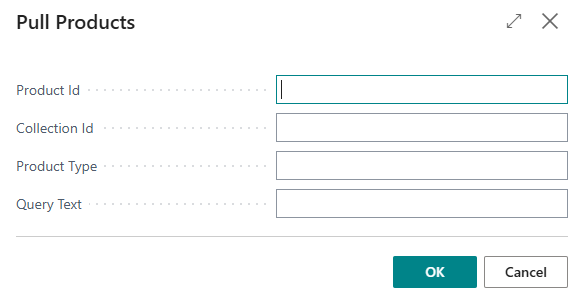
- Product Id: single product or id less/greater than
- Collection Id: single collection
- Product Type: single product type
- Query Text: any available query values allowed, see Shopify graphQL help for products query filtering.
AL: Data translation support for BC extension
Support for Translation as done in LS Shopify.
AL: Migration Orders in pending
Command was added to Migrate orders in BC Shopify to existing Customer Orders in Central that were pulled by LS Shopify.
Self-Checkout Connector
Add "Download Support Package" to SCO Portal
Download Support Package button was added to the SCO Portal Setup page. Support engineers can now pick a date range and download a zip with connector logs, the settings database, Event Viewer entries, system info, and environment variables. No changes to existing functionality.
Implement Customer/Loyalty Card Lookup in SCO POS Adapter
Loyalty/customer card recognition was added on the company's Self-Checkout lane. Cards scanned at the SCO now automatically look up and attach the customer to the transaction via the existing LS Central integration, enabling loyalty points and personalized pricing without attendant intervention.
Detect and Install Required .NET Runtime, Hosting Bundle and IIS Prerequisites
The SCO installer now detects required .NET Runtime, ASP.NET Core Hosting Bundle, and IIS prerequisites.
Missing prerequisites can be installed or enabled before continuing with the SCO installation.
- This prevents SCO from failing to start due to missing system dependencies.
Allow Hardware Station URL to be Updated from the SCO Admin Portal
The Hardware Station URL field was added to the SCO Admin Portal Setup page, allowing users to view and update the Hardware Station endpoint after installation without requiring a reinstallation of SCO.
Show weight and unit price for pre-weighed embedded-price items
Pre-weighed embedded-price items on a company SCO now display the item weight and unit price next to the total price.
Currency scaling was fixes, so weighted-item line and transaction amounts show the correct number of decimals (such as, BHD 3 decimals) instead of inflated values.
- Applies to items sold by weight (unit of measure KG).
Integrate SCOPrintPreviousTransV2 web service into SCO service
The SCO service was updated to reprint previous transactions using the new SCOPrintPreviousTransV2 web service, replacing the legacy LSCSCOPrintPreviousTrans call so that printer and logo setup is correctly applied on the reprint path.
Support new ModificationType “Member” in SCO (SCOModifyOrder)
SCO now supports the new Member ModificationType in the ModifyOrder web service.
- This allows adding or updating a member in an existing transaction, using the same integration flow as customer modification.
- Existing functionality remains unchanged and fully compatible.
Implement Telemetry logging for SCO services diagnostics
SCO service diagnostics and device logs can now be forwarded to Azure Application Insights via OpenTelemetry, enabling cross-terminal and cross-store analysis alongside existing local file logging.
- A dual-pipeline architecture lets partners send telemetry to their own Application Insights instance while controlling which data categories are shared with the LS Retail portal.
- The feature is disabled by default and fully configurable per environment through database settings.
Replace AutoMapper with Mapperly or manual mapping in SCO
AutoMapper dependency (affected by vulnerability GHSA-rvv3-g6hj-g44x) was removed. Mapping logic was replaced with [Mapperly / manual mapping].
LS Central for hotels
LS Central hotels is a separate app extending LS Central.
LS Central for hotels version 29 will be released at a later date.
In the coming days, version 28.2 will be released including some important fixes.
LS Central for pharmacies
LS Central pharmacies is a separate app extending LS Central.
Iceland
IS e-prescription list Web Template Add Last Valid Date
The E-Prescription list now displays the fields Last Valid Date and Purpose Text as columns.
AE National Insurance false triggers event error
Creating an AE Order for customers with foreign Insurance does not throw an error.
Rename Norway, Iceland Demo Data App
Norway and Iceland Demo Data apps were renamed.
Norway
EIK Delegate Request not sent when identifying customer before Final Control
There was an issue where identifying the customer again in POS before Final Control could prevent the EIK LagreFullmaktsdokumentasjon request from being sent when posting a prescription with a delegate. This was fixed.
Rename Norway, Iceland Demo Data App
Norway and Iceland Demo Data apps were renamed.
Sweden
Web Templates – Open Prescription Panel is not rendering correctly – SE AL
Technical issue to enhance the UI experience with no impact on the end-user experience.
Back bindings were added to load the Open Prescription Panel correctly.
Correction on available stock on prescriptions
Ensure that once the prescription is in the POS Prescription Queue and is waiting for posting, the inventory is not decreased twice.
United Kingdom
UK - Code Upgrade
UK Localization compiling on the last Pharmacy Version.
W1 Base
Continue button does not navigate to prescription flow
Open a prescription from a customer order again
- Select Continue on the Prescriptions in process panel and the prescription now opens as expected. Before, the panel simply redrew itself, so you couldn't reach the prescription or final control from a customer order.
Return one step at a time when you cancel
- Cancel out of a prescription or final control panel and you're back on the customer order line you came from. Before, you skipped a level and landed on the order list, losing your place in the pick.
RX lines disappear when confirming a ship CO in POS
Confirm a Customer Order that mixes prescription and retail items in the POS, and the picking panel now updates straight away. RX lines stay on screen with their new status and prescription order number, and retail lines move to To Collect. There is no need to leave the panel and reopen it.
CO panel is closing when confirming a shortage/cancelation
The solution applied now guarantees the Acceptance Criteria for this issue, meaning that the Panel stays open or closes when it should.
Quantity not refreshed on confirm in a PH CO
Confirm a customer order in the pharmacy picking panel and the quantities now stay right. Before, the Qty column dropped to zero and Remaining jumped back to the full order quantity the moment you pressed Confirm, so the panel looked as though nothing had been picked.
Leaving preascription screen is ending in the main POS screen
Leave a prescription you opened from a customer order, and you are back on the customer order, right where you were, not on the main POS screen.
- This works whether you cancel straight out of the prescription or finish the pharmacy flow, approve it, and choose Pay later.
The "PICK" button for RX line should do pickall
When picking or shortageing or cancelling a RX line in a B2C order, the system should mark the entire quantity, because the RX lines cannot be handled partially from CO, any partial modifications should be done only from pharma flow.
Wrong store no used to check if SO should be created from CO
The check either to create a sales order or not for a ship customer order should be done on the store that delivers the order, not on the store that creates the order.
Prescriptions not sent to queue when posting a ship CO
When posting a sales order created form a CO that contains prescriptions, the prescriptions are sent to the Prescription Posting Queue.
Wrong processing of the payments when posting a ship order
Correct the posting of payments for ship CO containing prescriptions with insurance.
Improve display of quantities in Pick panel
Correct the way the PH quantities are displayed in POS.
Prevent posting of a RX SO created from CO if it is not processed first
Prevent posting a RX order before doing the pharma flow.
Wrong panel open when opening an approved prescription in POS
When opening an approved prescription from a customer order, the prescription is opened in Final Control panel.
Remove the field LSC PH Customer Order ID from Sales Line
Marked LSC PH Customer Order ID and LSC PH Cust Order Line No. as absolete.
Add new fields in PH Customer Orders
The following fields were added in customer order header and lines tables, as well in the webservices used by customer orders, to be used by customers for custom data:
Customer Order Header:
- General Comment - Text250
- Pharmacy Comment - Text250
- Customer Comment - Text250
- Generic Text1 - Text50
- Generic Text2 - Text50
- Generic Code1 - Code50
- Generic Code2 - Code50
- Generic Date1 - Date
- Generic Date2 - Date
- Generic DateTime - DateTime
- Generic Boolean1 - Boolean
- Generic Boolean2 - Boolean
- Generic Decimal1 - Decimal
- Generic Integer - Integer
Customer Order Lines:
- Pharmacist Comment - Text250
- Generic Text1 - Text50
- Generic Text2 - Text50
- Generic Code1 - Code50
- Generic Code2 - Code50
- Generic Date1 - Date
- Generic Date2 - Date
- Generic DateTime - DateTime
- Generic Boolean1 - Boolean
- Generic Boolean2 - Boolean
- Generic Decimal1 - Decimal
- General Decimal2 - Decimal
- Generic Integer1 - Integer
- Generic Integer2 - Integer
Insurance handling for prescriptions created from CO
When approving a prescription order created from a CO that is to be shipped, the system adds a payment line in CO using the Insurance tender type. If the prescription is reopen, the insurance payment line is deleted.
FMD - "Medicines Verification Log" Alert ID field is missing
Changes in W1 Extension:
- New Alert ID field (Text[250]) on the Medicines Verification Log table, populated when the log entry is created from the pack verification response.
- The Alert ID column is shown on the Medicines Verification Log page, next to NMVS ID and on Web Templates
- The value is read from the raw data response returned for the single pack verification; if the response contains no alert identifier, the field is left blank.
Implement Pharmacy Customer Orders as part of the Pharmacy Admin Tasks
Activation of Pharmacy Customer Orders and necessary changes to existing Customer Order Controls were moved to Pharmacy Administration Tasks.
Customer Orders – Pharma Data Integration
Customer Orders for Pharma were streamlined to use the standard Customer Order functionality.
- Pharma-specific prescription data is now stored directly on the Customer Order Line, replacing the previous dedicated Pharma tables.
- This provides a more consistent approach for handling Pharma Customer Orders and simplifies the integration with existing Customer Order processes and functionality.
Sales Order not created for ship Customer Order
A new field Always Create Sales Orders for Ship Orders was created in Store card. When set, Click and Collect is turned off on ship-order lines of Customer Orders created through the web service, so the order is fulfilled by a Sales Order shipment.
CO not posted after collecting it in POS
The POS transaction is correctly created without any error and the prescription is correctly sent to the posting queue.
Also Customer order is being posted after finalizing the process.
Customer Orders - Refactor the OnBeforeAddPaymentToCustomerOrder
The subscriber OnBeforeAddPaymentToCustomerOrder was refactored. The subscription was changed to new publisher OnBeforeAddPaymentToCustomerOrderV2.
Also Calculation of Collected amount was changed regarding to new approach.
Customer Orders - Deprecate Status field from CO Tables
Status Field was obsoleted from current list of tables. The fields:
- "LSC PH Total Amount" in Customer Order and Posted Customer Order table were obsoleted
- "LSC PH Lines to Rx" in Customer Order and Posted Customer Order table were added
- "LSC PH Calc. Cust. Order" in "LSC Inventory Lookup Table" were obsoleted ( new procedure was added instead: LSCPH_CalcOpenCustOrderQty)
CO Ship orders - empty sales shipments created
The Sales Shipment is not being created during the Customer Order Line confirmation anymore.
Cancel CO line when Prescription Order is created
Customer Order Cancellation must be handled through the associated Prescription Order (when it has one).
- When a prescription line is deleted, marked as No Delivery, or the Prescription Order is deleted, the related Customer Order and Sales Order are updated accordingly.
- The Customer Order line can be canceled based on configurable settings, and any linked Sales Order line is canceled by setting its quantity to zero. If no lines remain to be processed, the entire Customer Order is canceled.
New Customer Order Setup options allow the cancellation behavior to be configured separately for B2C and B2B orders:
- Do Nothing
- Ask for Confirmation
- Cancel Customer Order Line
Marking a prescription line as No Delivery automatically cancels the linked Customer Order line and Sales Order line, regardless of the configured cancellation setting.
CO Ship orders - the RX flag missing in Sales Line
Fix: Pharmacy fields not populated on Sales Order lines created from Customer Orders
- The event OnBeforeCreateSalesLineFromCustomerOrderLine on the Customer Order Header table is no longer raised after the LS Central refactoring to interface-based Customer Order Line processing.
- This caused pharmacy-specific fields (RX flag, Customer Order Line No., VAT Posting Group) to not be set on Sales Order lines.
- The subscriber was migrated to the OnPopulateSalesLineBeforeValidateUnitPrice event from codeunit LSC CustomerOrderLineEvents, which is actively raised during the new Sales Line population flow.
Confirmation dialog to delete prescription displayed when creating a CO
Confirmation dialog does not pop up anymore.
Wrong sourcing location for PH CO
During the Sourcing Location refactor, due to a deprecated XML version, a piece of code was commented out and never undone. That was corrected under this ADO Issue, and the functionality was recovered.
Go to #COB2CPHLINES panel when closing the prescription panel
There was an issue in the prescription panel flow: when leaving the prescription panel by completing the pharma flow, and choosing to continue with the customer order, the system now correctly returns the user to the CO panel (#COB2CPHLINES) instead of navigating to the list.
Stay in the same panel after creating the prescription order from CO
A new logic was implemented to keep the panel open. If there are still lines pending to be processed, the panel now remains open instead of closed.
Improvements on #COB2CPHLINES panel for PH Customer Orders
The Customer Order Pharma Lines Panel has been redesigned to align with the standard Customer Order Picking Lines Panel, providing a consistent experience while supporting Pharma-specific requirements.
Key changes include:
- RX lines can only be selected or canceled for their full quantity. Partial selection or cancellation is not permitted.
- Scanning or entering an RX item automatically selects the entire RX line.
- RX lines cannot be canceled or marked as shortage once the related Prescription Order has been created.
- FMD checks are automatically performed when scanning an EX item that requires FMD verification.
- The Variant column has been replaced with Prescription No., with a status column available where applicable.
Improvements on #CO_LIST_PANEL panel for PH Customer Orders
Standardized customer orders flow by moving To Pharmacy and To RX into To Pick standard LS Central panel.
RX Order column was added to table view of customer orders in the POS so it is obvious if the table has RX lines or not.
Pharmacy Filtering
Complying with the new Qty. logic.
Pharmacy Update endpoint
UpdateOrderLine is now complying with the new Quantity logic.
Fix subscribers to events that LSC has moved
Pharmacy Subscribers to events that have been deprecated have been re-directed to correct events
Refactor of CreateB2BPrescriptionFromBO
Status checks have been deprecated, and CreateB2BPrescriptionFromBO and the further call stack were reviewed.
Refactor of FinalizeOrderB2BPharmacy
Refactor of FinalizeOrderB2BPharmacy.
Deprecate Status Field on Approval Subscribers
Approval subscribers should comply with the new logic and set the lines ready to be collected.
Deprecate Status Field on Collect Panel
The Pharmacy CO Collect Panel is now compliant with the new quantity logic.
CO RX(s) counter is not clickable
FactBox with counter is now allowing access to the Customer Orders related RX lines.
Customer Orders - Usage of LS Central Picking Panel
Changes were added:
- Unused logic on Picking Panel was deleted.
- Publishers were changed from obsoleted to new correct one, provided by LS Central team.
- LSC CO Line Action was extended.
All Pharmacy Customer Orders endpoints under the new enum logic
The remaining Pharmacy Customer Orders endpoints are now following the same Enum logic as used on PHCOSourcingLocationListV.
Modify Pharmacy Customer Orders XmlPorts for the new status logic
The XMLPorts, from the description, are now adopting the new status‑handling logic introduced for Pharmacy Customer Orders.
Regression tests, using the endpoints, are needed.
Deprecated LS Central XMLPort LSCCOSourcingLocListV2XML
Pharmacy request is now complying with the LS Central Customer Order COSourcingLocationListV4Utils endpoint.
Deprecated LS Central event OnAfterAssignUpdateBufferShipping
The subscriber is now assigned to the event OnAfterAssignCompressedUpdateBufferShipping, which replaces OnAfterAssignUpdateBufferShipping.
Hardware Station for LS Central
New release option- a version of Hardware Station for LS Central, built on .NET 10 only for LS Central version 29 and later versions
Alongside the existing Hardware Station for LS Central, we are soft releasing a first version of a new build of Hardware Station for LS Central that is based on the latest .NET runtime. This new version only works with LS Central 29 or newer and will not work with LS Central version 28 or older. To install this version of Hardware Station there is a new installer and new Update Service package only for that version.
This new version is built on latest .NET runtime is future ready and our direction over time is for the .NET 10 build to become the only Hardware Station. Nothing changes for existing installations at customers sites today.
Existing installations at customers sites can stay on Hardware Station for LS Central that we are also releasing a regular update of — no action needed. It continues to be released with future LS Central versions, with no end date set yet. If you are on LS Central 29+ and want the newer .NET framework, or plan to use the authentication feature coming in the next minor release, you can install Hardware Station for LS Central (requires LS Central 29+) and try it out.
Note: You cannot have both versions of Hardware Station installed at the same time on a machine.
Enhancements and new features:
- Released a new Virtual Station with improved UI, usability and new virtual devices like RFID and Serial
- Hardware Station can now send diagnostic telemetry, including exceptions, to Azure Application Insights
- Added option to print EFT Receipt objects directly through a new PrintReceipt endpoint
- Calling EnableForWeight for scales that don't support Live Weighting now throws an exception
- Device logs now follow the configured Hardware Station log path from Server Config
- Management Portal now supports editing device configuration properties that were previously only available through XML
- Support packages now include the PrintBuffer log and PDF folder
- Printed PDFs are now retained in the /pdf folder for a configurable period through the Management Portal
- Improved OPOS driver availability detection across legacy and current registry locations when the initial location contains no values
- Hardware Station now rejects creating a device whose DeviceID duplicates an existing device of any type
Hardware Station for LS Central
Webhook listener for Adyen (new in Hardware Station for LS Central 29.0)
Hardware Station for LS Central now hosts a built-in webhook listener, so the Adyen payment plugin can receive Adyen webhook notifications when it runs in HWST. Previously this only worked in LS Pay Service.
- Display notifications: HWST receives Adyen's display notifications, so cashiers see detailed, real-time status messages for an ongoing transaction.
- Setup: In the Adyen Customer Area, set the webhook URL to <your Hardware Station for LS Central URL>/webhook/Adyen. For detailed instructions to active notifications in Adyen Customer area, see https://docs.adyen.com/point-of-sale/design-your-integration/notifications/display-notifications/#set-up-in-ca
- No extra LS Pay settings are needed for display notifications.
- Limitations: Referenced refunds and standalone token refunds still require webhooks in LS Pay Service. HWST does not support them.
Requires Hardware Station for LS Central 29.0 or later.
For plugin specific release notes in LS Pay version 2, please see https://help.lspay.lsretail.com/Content/Release-Notes/Version-2/LS-Pay-Release-Notes.htm
KDS and Web KDS for LS Central
Multiple instances of Web KDS running on same server
With this new version it is possible to install multiple instances of the Web KDS on the same server. Each instance runs on separate port numbers with one SQL database per instance.
Configurable kitchen printing layout
Design the layout for printed kitchen orders right on the profile card.
- You no longer need to write a JSON layout file by hand. Use the new printer content profile to choose what each line prints, how wide it is, where it starts, and how it is aligned.
- Build the header and footer, plus item and modifier lines.
- Set a profile on a printer's kitchen station, or pick a different one for individual print operations, such as a print button.
- If you have just upgraded to version 29 and have no profiles yet, select Insert Default Printer Content Profiles to get ready-made layouts for order printing, single items, and delivery tickets with customer address.
- Kitchen and delivery printouts can be tailored without editing files or involving developers. Different print buttons can use different layouts.
-
Affected components:
- New printer content profile (general settings, header, footer, item lines, modifier lines) with list and card pages
- Kitchen station card, to select the profile
- Operation profile, to override the profile per print operation
- Import/Export for the new profile
- Configuration / setup changes:
- New Kitchen Printer Content Profile setup, set up like the Chit, Card, and Line content profiles.
- Profile selection on the kitchen station and operation profile.
Action required by partners:
- After upgrading to v29, select Insert Default Printer Content Profiles on the Kitchen Printer Content Profile list or the Kitchen Station card. Then select a profile on each kitchen station that prints, and on any print operation that needs a different layout. Existing hand-written layout files from v28 and earlier may need to be recreated as profiles.
New design for configuration pages
All the configuration pages of the Web KDS were redesigned for better usability during Web KDS setup and troubleshooting. The new pages match the look of the rest of the product. The main page now has tooltips on fields and buttons.
Making possible to exclude error from printer when Printer has recovered in WebKDS
Printer recovery events are now tracked in their own dedicated queue (PrinterStatusMessage in EventTracker) instead of being mixed into the generic event/error queue.
Generate support package to help on Debugs
Added new API endpoint GET api/Download/CreateSupportPackage that returns a single zip bundling the service configuration sections (FeatureManagement, IntervalTime) from appsettings.json, the five profile/config JSON files (LayoutProfiles, Profiles, Screens, Stations, Stores), all log files from the Logs/ folder, and the webservice connection list with all credential fields (Password, ClientSecret, ApiKey, WebPassword) cleared. Simplifies diagnostic data collection for support engineers.
Update migration tool for version 27 and 28
The MigrationTool from to Standard KDS to the Web KDS was improved and more actual data was migrated.
Create a Endpoint to test API Key with BC
New API key validation endpoint for KDS Service (backend only - LS Central side pending separately).
- KDS Service now includes a new optional POST endpoint (api/Kot/CheckApiKey) that allows callers to verify whether an API key and instance ID combination is active and properly registered. This endpoint performs the same validation checks used to protect all KDS operations, providing a dedicated way to confirm credentials without submitting an actual KOT request. The check runs synchronously against the current API key registry with minimal latency.
- This is a new opt-in feature with no impact on existing KDS behavior. The ReceiveKot endpoint and all other KDS functionality remain completely unchanged.
Date format field too small
You can now use up to 50 characters for date and time format strings in the Kitchen Printer Content Profile. The Date Format field in the Header, Footer, Item Line, and Modifier Line sections accepts longer values, so you can define detailed time formats with seconds, milliseconds, or regional separators without truncation.
Action required by partners:
- None. Existing format strings continue to work unchanged.
Assign Station needs to work with CHIT
When the Assign station is defined as CHIT it should also work as it should.
Adding an offline tool to help connect
A tool was added to help the configuration process, will show some extras errors.
Adding logs on Request fails
A more precise log to get errors was added.
Coursing
Coursing functionality enables the waiting staff to control the flow of the service course by course. Each course can have tasks, such as placing the cutlery or serving bread to the table and each course can be sent to production in the kitchen separately.
The coursing functionality in previous versions was managed from the hospitality point of sale and required the standard KDS, which only supported this for printing. In the new version a coursing overview station type and station role has been added to the kitchen station setup, conductor station with coursing overview role. This station will include the same functionality as the coursing overview in the hospitality point of sale. This way the conductor can manage the flow of the orders from the kitchen or a separate station and does not need to manage this from the point of sale.
Note: You need to install Web KDS v29.0.xxx to use this feature.
Label Management for LS Central
Print and manage shelf labels with the new Label management for LS Central extension. It creates labels per price group instead of per store, so large chains keep far fewer label records and generate labels faster. You can turn shelf labels on or off for each store.
Connect a store to Pricer electronic shelf labels (ESL) to send item updates straight to the labels. When you onboard a store, you can send all of its items at once. Labels also show discount prices and prices in other currencies.
Your current shelf label printing keeps working until you install the extension. There are no breaking changes.
Action required by partners:
Install Label management for LS Central to use price-group labels, per-store enablement, and Pricer ESL. To use Pricer, enter the connection details on the Pricer Integration Setup page and the Pricer store ID on each store. Then run Test Connect and test end to end in your own environment before you rely on it in production.
Telemetry Framework for LS Retail Solutions
LS Central now ships a dedicated LS Telemetry framework that sends structured telemetry to Azure Application Insights.
- From the new Telemetry Setup page, you can define how much detail is logged with a default trace level, and override that level for individual apps — so you dial up detail on the one module you are troubleshooting and keep the rest quiet.
- Extension developers get one consistent way to emit telemetry, with built-in correlation and duration tracking to measure how long an operation takes.
See: Telemetry Setup Page
POS Commands
The following POS commands are new in LS Central 29.0:
| ACT_CHANGEQTY | The activity in the journal lines is ready for payment, and the user needs to change the quantity. |
| ACT_CHANGEPERSONS |
The activity in the journal lines is ready for payment, and the user needs to change the no. of persons. |
|
SPACE |
Adds a single space to the current input. BACKSPACE command changed, so it is only handled in the PosClient code, not in AL. |
| MSEAT-CLEARSEATING | Un-seat a never-ordered group, or clear a paid and served group, at a dining table. Used on a multiple seatings dining table: un-seats the selected group if it has not ordered anything yet, or clears the selected group if it has paid and all its kitchen order tickets have been served. Place the command on the Multi-Seating Overview Group template menu of the dining area; the button is greyed out if the group has an unpaid order, or a kitchen order ticket is not served yet. You can also place it on the Seated and Occ. Order Paid pop-up menus in the service flow. |
| MSEAT-RESERV-SHOWPNL | Show upcoming reservations for a dining table. Opens the Upcoming Reservations Table Popup panel for the selected dining table on a multiple seatings dining area, listing the reservations expected at that table. Place the command on the Free Pop-up Menu ID and All. Free-Res. Pop-up Menu ID (current and future) of the hospitality service flow, or on the Multi-Seating Overview Group or Multi-Seating Allocation Group template menu of the dining area. |
| MSEAT-RESERV-STATUS | Change the status of a reservation shown in the Upcoming Reservations Table Popup panel. Marks the selected upcoming reservation as a no-show (parameter NO-SHOW), or cancels it (parameter CANCEL), on a multiple seatings dining area. Place the command on the Multi-Seating Reservations Group template menu of the dining area, or on the Upcoming Res. Pop-up Menu ID of the hospitality service flow. |
| MSEAT-SHOWMENUPOPUP |
Show the pop-up menu for a multiple seatings group or reservationOpens a pop-up menu of further actions for the selected seating group or reservation. The pop-up menu is set up per state in the hospitality service flow, so it can offer different actions depending on the state of the group or reservation. The command runs on whichever multiple seatings pop-up panel is open. Place it on a button of the group template menu of each panel that offers a pop-up menu: Multi-Seating Overview Group, Multi-Seating Allocation Group and Multi-Seating Reservations Group menu of the dining area. |
See POS Commands in the LS Central Help and the corresponding Excel list with filters for a complete list of POS commands.
Fixed Issues
Links to quickly navigate this section:
| LS Central | Replenishment for LS Central | Pharmacies |
| KDS and Web KDS | Hardware Station | eCommerce |
| Fashion | Restaurants | |
| POS |
Expand All / Collapse All button:
LS Central
 LS Central fixes
Backoffice
Barcode
Error when scanning long GS1 barcodes on POS
The GS1 barcode process was enhanced to handle longer data bars.
GS1 barcode fixed lenght fields terminated by <GS> cause issues
Handling of GS1 barcodes with the Group Separator <GS> symbol improved both for GS1 version 1 and 2 so that these barcodes are correctly processed on the POS.
Wrong price on NEQ_QTY for barcode with price
There was an issue with price in barcode using negative quantity. This was fixed.
Batch Posting
Batch Posting: enable extensible Type enum in Document Setup
Enum Extensibility Fix in Setup Field
Removed ValuesAllowed from the Type field in Batch Posting Document Setup, so all valid enum (including enumextension) values can be selected.
Statement Batch Posting Problem
Added validation if a Posted Statement with the same number already exist.
Close the Open Statement page after posting.
Customer Order
Aborted transaction - still results in full payment status
Voiding a Customer Order deposit transaction on POS before it was fully paid no longer creates an incorrect Customer Order Payment record or changes the order's paid status.
Negative distance values are allowed
Fix was verified.
When Gift Card is sold in CO, it gets stuck in unPosted mode
Customer Order related Sales Orders created thru Ecom and included Gift Card where not relesed for use when Customer Order was posted. This was fixed.
Invoice delivery orders in parts — even when paid by card
You can now invoice it batch by batch when the customer has paid the whole order with a single card payment. Each batch posts smoothly, and the card payment always matches the order total — even for orders in another currency. You can then ship a delivery order in more than one go
Before, the first batch posted fine but the next one failed, and the paid amount did not add up on the finished order. This was fixed.
Customer Order - Bank Transfer incorrect message
There was an incorrect message when picking Customer Order on POS that had tender type Bank Transfer and was already applied.This was fixed.
CO Web Service Functions (Codeunit 10016661) - CustomerOrderLinesLocked is infinitely recursive (calls itself instead of the Impl)
There was an issue that prevented mobile and omni-channel POS apps from checking whether a customer order was being edited on another till. This was fixed.
- The check now works as expected: when your app asks whether the order lines are locked, it gets a clear yes-or-no answer straight away instead of the request stalling and timing out.
- Staff can once again see when someone else is already working on an order, so two people no longer risk editing the same order at the same time.
LineNo not saved in case of WishListCreate
Wish List Create and Wish List Modify were changed so that the web services uses the pre defined Line No. from the XML messages instead of issuing new Line No. when creating new lines in the Wish List.
Ecom Ship orders - Payment and GL Entries
Posting a Ship order created through the ecommerce integration now creates the payment line and general ledger entries correctly, matching what already happened for Click & Collect orders.
Action required by partners:
None.
Getting error while placing order with coupon
There was an issue where an error oocurs Coupon Header not found while placing an order through ecom in CustomerOrderCreateV6. This was fixed.
Customer Order Status Setup question
Customer Order line and header statuses are now derived from your CO Line Status Setup and CO Status Setup configuration instead of fixed, hardcoded values.
A custom status code you have set up is now picked up correctly as orders move through creation, picking, and collection.
Action required by partners:
- None to keep current behavior. To use custom status codes, add matching entries to CO Line Status Setup.
Autotest failing on develop and hotfix latest
Autotest for CO Status Log for FreeText and IncomeExpense changed to explicitly look for CLOSED status.
Getting error while canceling an unposted delivery order
There was an error when canceling an unposted delivery order from Back Office via Omni web service. This was fixed.
- Canceling a delivery order (Ship Order) created from the web caused a runtime error: The Customer Order Header does not exist because the order was being posted twice during the cancel flow.
- The CheckForWebPreAuthPaymentToShip procedure now skips redundant posting when the order is being cancelled, since the main UpdateOrderLines flow already handles it.
- Delivery orders created from web/Omni can now be cancelled from Back Office without error. Click and Collect orders were not affected.
When CO creates SO with rounding GL account line, posting does not communicate picked qty back to CO line. Fails silently.
Posting a sales order that contains an invoice rounding line now updates Qty. Picked and Qty. Collected on the linked customer order lines instead of skipping the update.
Cancel Order option is not taking into account the "Processing Status Setup" in the pick phase or collect phase - With Webservices
When a customer order cannot be canceled because the Customer Order Change Permissions setup doesn't allow it, the error message now tells you exactly which status combination is blocking it, and points you to Customer Order Change Permissions to fix it — instead of an unrelated, disconnected setup screen.
Customer Order lines are marked as click and collect = true on ship orders
Customer Order — POS Collect with inventory transfer
- When pressing Collect for a Customer Order at POS and the POS store has no inventory of the requested item, sourcing locations configured as ship-only (Will Ship Orders = Yes, Orders can be Collected = No) are now offered in the sourcing-locations lookup as collect-with-transfer options.
- Selecting such a location creates the Customer Order together with a Transfer Order that moves the item from the remote sourcing location to the POS store where the customer collects it.
- Previously these locations were excluded from the lookup.
Customer Order — Optional upfront Sales Order for POS ship orders from stores
- A new opt-in setup field Derive C&C from Sourcing was added to Customer Order Setup (Click and Collect group).
- When the field is left disabled (default), the existing behaviour is preserved: POS Customer Order lines sourced from a store-mapped location are marked as Click and Collect and fulfilled via picking and a Sales Order Posted Shipment.
- When the field is enabled, the line's Click and Collect classification is instead derived from the sourcing location's Orders can be Collected setting.
- A store-mapped ship-only sourcing then produces a regular ship line with a Sales Order created upfront — allowing the order to be routed through the standard back-office Sales Order workflow (rate shopping, carrier integration, label printing).
CO "Put Items Back" scheduler (Codeunit 10000703) - cancel/finalize logic is unreachable dead code (COLineTemp never assigned)
There was an issue where the scheduled Put Items Back process did not cancel and finalize Customer Orders whose items were picked but were never collected before the Collect Time Limit.
- The scheduler previously ran without making any changes to affected orders.
- It now correctly cancels the uncollected picked quantities for order lines that have no payment, records a cancellation entry in the Customer Order status log, and posts fully-processed orders to Posted Customer Orders.
Customer Order Page - Pre Paid Shipment wrong
Customer Order: Pre paid Shipment amount now shows correctly
- The Pre paid Shipment field on the Customer Order, Posted Customer Order, and CO Statistics pages was showing an incorrect or zero amount in several scenarios.
- The calculation has been corrected. The field now reads directly from the Customer Order lines and correctly reflects the shipping cost for both active and posted Customer Orders. Fully canceled shipping lines are excluded from the amount.
CO Payment lines amounts in foreign currency
There was an issue with how payment line in different currency than ledger entry lcy is set to are handled, by putting correct values in Amount and Amount LCY with currency code and factor.
No return transaction available in Posted Customer Order
Bug Fix: Return Transaction Missing on Posted Click & Collect Orders.
Discount Offer with multi currency in basket calc.
Fix was verified.
CO Sourcing not found for Income entry when CO Edit
There was an issue where CO Sourcing was not found for Income entry when using CO Edit. This was fixed.
Unable to post a delivery order paid with loyalty points
You can now post a delivery order that's paid with a mix of tenders, including loyalty points. Previously, combining loyalty points with another payment method (like a credit card) could stop the order from posting.
- Partners running loyalty programs alongside eCommerce or click-and-collect orders can now rely on mixed-tender checkouts completing without manual workarounds.
- Affected components: Customer Order payment-line allocation (CO Utility, CO eCommerce Mgt, CO Web PreAuthorization, CO Web Service Functions Impl); member sales history projection (GetMemContSalesHistUtils)
- Integration touch points: eCommerce/Mobile POS customer order posting, loyalty member sales history API
- Configuration / setup changes: None
- Breaking changes / upgrade impact: None
Getting error while placing order with coupon
There was an issue where an error occurs, when Coupon Header is not found while placing an order through ecom in CustomerOrderCreateV6. This was fixed.
Scan Customer Order No. Barcode in POS
Previously, scanning Customer Order No. Barcode in POS could not find record. It is now fixed.
Customer Order is posted with status code "Collected" instead of "Shipped"
There was an issue where Customer Order lines with sourcing location "SHIP ITEMS" incorrectly received status COLLECTED instead of SHIPPED after picking confirmation in a multi-company (Store/HO) setup. This was fixed.
Ecom
Include Transfer Lines in Net Inventory calculation
The web net inventory calculation can now factor outstanding quantities from open documents into the availability sent to your webshop.
- Per store, on the Web Inv. Calc. Setup, you can include inbound transfer orders and purchase orders/invoices as incoming stock, and deduct outbound transfer orders and sales orders/invoices as committed stock.
- Each source can be set to Exclude, Include (full outstanding quantity), or Coverage (only quantity within a configurable forward/historical date window).
- All new sources default to Exclude, so existing setups behave exactly as before until you opt in.
Item and Inventory Lookup
Taking too much time for job done
To improve performance, the process does not modify the Inventory Lookup Table if no changes are detected. Previously, the process updated all records in the Inventory Lookup Table.
When creating a new item, if the response to the question Do you want to update the POS Inventory Lookup table…? is Yes, the item is added to the Inventory Lookup Table.
Retail-Inventory lookup for Lot item
After running Update Inventory Lookup (from Store Card or Retail Product Group), Lot- and Serial-tracked items with stock are now visible in the POS Inventory Lookup without requiring a prior POS transaction or filter change.
Miscellaneous
Config Pack Error When Creating/Updating Retail Product Group
Previously, Configuration Package imports for Retail Product Groups could fail with a duplicate product group error when processing records that already existed. The import process now correctly updates existing records and inserts new records based on the full primary key (Item Category Code + Code).
LS Central POS - UOMCH POS Command behaviour changed
Previously an Item Unit Of Measure that is set to Not Allowed was able to be used in POS when using UOMCH POS Command. This has now been fixed.
Issue with “Common Item No.” Field after LS Installation - in combination with item variants
Previously, LS Central prevented users from assigning a Common Item No. to items that had item variants when the related validation logic was triggered.
- This restriction also affected customers who were not using Franchise functionality and prevented the use of Common Item No. in valid intercompany scenarios.
- The validation was adjusted so that Common Item No. can be used with item variants without unnecessarily blocking these business processes.
Upgrade Offline POS Issue
Previously, offline POS cannot upgrade due to General Ledger Setup record is missing. This was fixed.
LS Import / Export WS
Previously, importing data from LS26 database into LS27 using LS Import/Export WS is having error due to encoding issue. It is now fixed.
Import Barcode using Configuration Package
Previously, importing Barcode using Configuration Package was not able to detect barcode that is already existed for different item.This was fixed.
Store Sales
Previously, in Store Sales Chart on Retail Store Manager role center displayed incorrect amount when Auto Stock Update was enabled. This was fixed.
Disable Item Ledger Entry creation when redeeming inventory-type gift card as payment
You can now turn off the extra inventory deduction that happens when a customer redeems an Inventory-type gift card as payment.
Previously, redeeming such a gift card during statement posting created a second item ledger entry, deducting one more unit from stock on top of the original sale, inflating shrink and skewing inventory counts.
For more information see How To Set Up Gift Cards in the LS Central Help.
Note. Full link to online help
/Content/LS-Retail/Infocodes/How-To-Set-Up-Gift-Cards.htm
Member Management
Add possiblity to search for Member Contact Name when selecting an Account to link a new member to
When new Member Contact is created in the MEMBERCONTACT POS Command it is possible to link to account. In the link to account panel a new Search Contacts button was added. If pressed then Member Contact is searched.
Member attribute value setup
Boolean member attributes now work in every language, including when people share one database but work in different languages.
- Previously, picking Yes or No on a non-English language could fail with 'Yes' is not a valid option, and a value saved in one language was not recognized in another — so offers and notifications filtered on that attribute could miss members.
- LS Central now stores these values in a language-independent form and shows each person Yes or No in their own language. Values you saved before keep working.
Action required by partners:
- None for everyday use. A one-time upgrade step converts existing Boolean member attribute values, including the offers and notifications that filter on them.
If you integrate through web services, note a breaking change: Boolean member attribute values are now returned as 1 and 0 instead of Yes and No.
- Update any integration that compares these values as text.
Remove ValuesAllowed line in field Type, table Member Point Jnl. Line
All values of the Enum LSC Member Point Journal Type are allowed for field Type in table Member Point Jnl. Line.
Member Posting Utils Job Not Completing & Member Points Mismatch
Update Member Information job (Member Posting Utils codeunit) runs reliably on large batches now.
- The process runs a Commit() after configurable number of processed records. This way the job now saves progress as it goes, retries transactions that are not ready yet, and flags the ones it cannot post. Long runs that used to stall or roll back now finish and pick up where they left off.
- If an entry is not processable the reason is stored in a Message in the entry.
- The entry is rerun for configurable number of times until it is marked as processed and therefore removed from the entries candidates to process in next run.
- The number of retry attempts is store on each entry.
- Unprocessed entries that are marked as processed can be revoked by pressing the Reset Processing Action in the Member Process Order Entry page. Then action clears nonzero counters and clear respective Processed Dates and Time.
- Then those entries are processed in next run.
Action required by partners:
- Optional. Review Member Posting Commit Count and Member Posting Max Retries on the Member Management Setup — both default to 0, which keeps the previous behavior.
- We recommend to set the Commit to 10.000 and retries to 5 (or five times the run per. day).
Points missing from GetMemberContactInfo web service and eCommerce for LS Central
Member point balances now come through correctly when eCommerce for LS Central and other integrations look up a member's contact info.
- Previously, the balance was silently missing from the response, even though the member's points were calculated correctly behind the scenes.
Discount tracking limitation not enforced against line quantity or Promotion usage
Discount tracking limits now correctly enforce the number of times a discount or promotion can be used, even within a single transaction.
- If a member's limit is, for example five uses, buying more than five of the discounted item on one line — or scanning it several times as separate lines — no longer lets the discount slip past the limit. Limits set up by club, scheme, account, or contact all now count usage correctly.
Table "Discount Tracking Entry" is missing Table Relations for Account No. and Contact No.
TableRelation property added to fields “Account No.” and “Contact No.” in table “LSC Discount Tracking Entry”.
Edit member contact on POS
Previously, updating member contact details on the POS did not require confirmation when the OK button was pressed on the Member Contact page. This issue has now been fixed.
POS Member Search Not Filtering by First Name and Surname
Previously POS Member Search could not filter data by First Name and "Surname". This was fixed.
Member Point Journal - Description does not post to Member Point Entries
Previously Description field value was not registered in the Member Point Entry table after being posted from Member Point Journal. This was fixed.
Member Points for Retail Sales Order
Previously, member points awarded in Retail Sales Order based on gross price is incorrect. It is now fixed.
Discount Offer Member Attribute
Previously, in Discount Offer, member attribute value was always blank after selecting from lookup. This was fixed.
Member Club Point Calculation
Previously, disabling Member Club's Point Calculation would not skip the Upgrade/Downgrade job scheduler. This was fixed.
MEMBER_EMAIL command not working as expected
There was an issue, when registering email to Membership Card through POS. This was fixed.
Periodic Discounts offers and coupons
Periodic Discount List Pages
Disabling an offer from the Mix&Match Offer List or the Multibuy Discount List now saves the status change. On the Tender Type Offer List, both Enable and Disable now save.
Bug with Item Point Offer in Sales Return
Previously, when refunding a sales transaction containing an Item Point Offer,
the system created the discount reversal entry but did not create the cor
responding transaction point entry to return the Item Point Offer points to the
member. This was fixed.
Store Coupon - Affect Linked Item affects all item modifiers
Previously, Store Coupons configured with Affect Linked Item incorrectly applied discounts to modifier lines belonging to other items in the transaction, instead of only the qualifying item and its linked modifiers. This has been fixed.
In Discount Offer - The system displays a confirmation message asking whether the existing value should be replaced
Previously, in Discount Offers, declining the confirmation prompt when switching between "Discount %" and "Discount Amount" could clear the existing field value. This has been corrected so that selecting No preserves the original value and leaves the discount offer unchanged.
Unable to create new type of Store Coupons with diff. issuer but using same ref. no.
Previously system didn't allow to create new type of Store Coupons with diff. issuer but using same ref. no.. This has now been fixed.
Mix Match showing wrong Discount Amount
Previously when Mix and Match discount with Discount Type of Line spec., Deal Price was applied at line level, the Offer Price, Offer Price including VAT, and Discount Amount including VAT were not calculated correctly. This has now been fixed.
Mix & Match Promo- Buy A (UOM- Bottle) and Get B(UOM Bottle) free popup setup with UOM
Previously, selecting Trigger Pop Up on POS was restricted for Mix & Match
offer lines with a UOM. This was fixed.
Coupon not redeeming fully
Previously, in POS Transaction, it is not able to apply coupon to a full transaction. It is now fixed.
Store Coupon
Store Coupon able to apply to all items in POS transaction.
Store Coupon and Manufacture Coupon
Previously, in Store Coupon and Manufacture Coupon code was not able to create new code by number series set in HO store. This was fixed.
Cross-Selling and Mix & Match Pop Up
Previously, selecting an item which is configured with Mix and Match Offer in Cross-Selling pop up. in POS will not trigger to open Mix & Match menu. This was fixed.
Price Overview
Previously, Promotion No.'s length in price overview page was only ten characters. This was fixed.
Coupon with Barcode with more than 13 signs crashes
Scan and post coupons whose barcode runs longer than 13 characters. Previously, taking a coupon with a longer barcode as payment caused a text overflow, and the transaction couldn't be posted at the POS. Coupon barcodes of up to 22 characters now work, so the sale completes normally.
Performance and Locking
Performance: SetLoadFields + read isolation on POS transaction read paths
POS transaction processing and member point calculations now read less data from SQL and hold lighter locks. Each affected query loads only the fields it uses (SetLoadFields), and barcode-mask resolution reads the POS Data Entry table without waiting on locks (ReadUncommitted isolation).
All affected functions behave exactly as before — this is a read-path optimization only, with no functional or behavioural change.
Action required by partners:
- None. The improvement takes effect on upgrade with no configuration.
Slow first return after restarting PC - Webservice
Changes were made on the XMLPort mapping to reduce the performance of webservices after POS restart.
Platform Web Services email
Potential overflow NumberSeries Records
Restricted Number Series (No. Series):
- Restricted number series is a No. Series that have the following restrictions.
- The No. Series Code cannot be more than 10 characters.
- It cannot have Dist. Location Prefix or POS Prefix.
- The No. Series lines for a restricted No. Series cannot contain a line with Starting No.,
- Ending No. or Las No. containing more than 10 characters.
- In the No. Series list page there are two new columns. Is Restricted - telling if the No. Series apply to the rules set for a restricted No. Series. Used as Restricted telling if the No. Series is in use somewhere in the system. Restricted No. Series that are in use cannot be deleted.
Today the following tables use restricted No. Series:
- Validation Period – set by Validation Period Nos. in Retail Setup card.
- POS Terminal – set by POS Terminal Nos. in Store card.
- Coupons – set by Coupon Nos. in Store card.
- Item Import – set by Import ID No. Series in Item Import Setup card.
- Discount Tracking – set by Discount Tracking No. Series in Member Management Setup card.
Publish web services - add buttons, please
On the Select Web Services screen (used when publishing/subscribing web services), it is now clear you need to check specific services before registering, and a new Register All button lets you register every listed service in one click without selecting rows individually.
Hardcoded object IDs in the codebase
Hardcoded numeric object, table, and field IDs across the codebase were replaced, with symbolic references (Database::, FieldNo(), and object names). This has no functional impact — it makes the code more readable and less error-prone when IDs change.
Example:
// Before
PAGE.Run(10015876, Member);
DataPrivacyEntities."Table No." := 10015806;
TableLookupSetup."Lookup Field No." := 1;
// After
PAGE.Run(Page::"LSC Activity Contact Card", Member);
DataPrivacyEntities."Table No." := Database::"LSC Activity Resource";
TableLookupSetup."Lookup Field No." := Vendor.FieldNo("No.");
Receipt Printing
Bugfix: Increase CustomerName text length
Field length in report 99001470 was increased.
Gift Reciept Print
Fix was added to the Insert Default Data action in Retail Setup page to not wrongly populate the Post Command value for the Cancel line in the LOOKUP-GIFT POS Menu.
SC-4636-Events needed in LS Central v25
- The OnBeforePrintLineFormatString event has new SectionID and NodeName parameters.
- New overload procedure PrintLine with SectionID and NodeName parameters.
- PrintTenderDeclSlip, PrintTenderDeclLines and PrintRemoveAddTenderLines now trigger new PrintLine overload.
- The OnBeforePrintInfoCodeLine event has new ICode and ISubCode parameters.
Return Receipt in POS
Previously,when Slip If Return was set to None, return receipt was being printed. This was fixed.
Refund, Exchange and Void
Error when voiding a line with a deleted/archived Mix & Match offer on a retrieved suspended order
You can now void lines in retrieved suspended transactions even when a Mix & Match offer previously applied to the line has since been deleted or archived.
Behavior POS Command TOTDISCAM in combination with free item
Applying a total discount with the POS TOTDISCAM command now works correctly even when the last line in the transaction is a free item (price 0). This previously raised a total discount cannot be applied to any item error and showed the wrong payment amount.
Action required by partners:
- None.
Unable to Return Weighted Item Due to Quantity Decimal Rounding Issue
Decimal rounding error when returning scale / price in barcode items corrected ( (qty <> integer).
Return transaction sales type code
Returning a transaction at a different store now posts the item ledger entry using that store's own sales type, instead of keeping the sales type - and its location code - from the original sale.
Prices in refunded transactions
Previously Paid Price in Refunded Transactions were not showing according to the discount. This was fixed.
POS Return Transaction
Previously, POS is allowing select negative amount payment regardless of transaction type. It is now fixed and only refund transaction is allowed to select negative amount.
Reservation Management
Error when paying reservation having no client but assigned to a customer
You can now pay a reservation at the POS when it's assigned to a customer that differs from the one on the active POS transaction. Before, taking payment for such a reservation threw the error "The changes to POS Transaction record cannot be saved" and the transaction never reached the POS journal. Payment now goes through normally.
Action required by partners:
- None. The fix applies automatically after upgrade.
When a user applies a promo code to an activity line, the manual discount is automatically set to zero
Promo code discount not applied when price/discount was previously locked. There was an issue where entering a promo code on an activity reservation or group line had no effect if the reservation's price or discount had been locked by the system, i.e. priorly manually changed by the user. This was fixed.
The discount and price are now correctly recalculated when a promo code is entered.
Increase email field length for reservation procedures
The SetEmail parameter in the Activity Bookings web service procedures has been extended from Text[50] to Text[200].
Affected procedures:
- InsertReservationV3 in LSC Activity WS (JSON) and LSC Activity Web Services (SOAP)
- InsertGroupReservationV4 in LSC Activity WS (JSON) and LSC Activity Web Services (SOAP)
Retail Customer and Vendor
Zero value customer transactions when using Post as Shipment
0-value customer ledger entries are not created during statement posting when a customer uses Post as Shipment.
Create new customer on POS - creates a blank customer card in the Customers No series, along with the card of the new customer
Do not create a blank customer card in the Customers No series when creating a new customer on POS.
Retail Item
Retail Item card - error should come up in two places
On the retail item card, the system now stops you from giving a scale item a base unit of measure that is not the weight unit of measure.
- When you change the base unit of measure of a scale item to a unit that is not set up as the weight unit of measure, an error now appears on the Base Unit of Measure field, the same way it already does on the Scale Item field.
- This validation applies wherever the base unit of measure of a scale item is changed, including through item registration and the Copy to Retail Items function.
Item Template field not copying to new items ( Assign SerialNo/LotNo In CO Picking field)
The field Assign SerialNo/LotNo In CO Picking is now populated when using an Item Template to create a new Retail Item.
Mismatch field Store Length between Store Group Code in Table Store Group and Item Status Link
There was a mismatch in Store Group Code field length between Store Group and Item Status Link table. This was fixed.
Item Template - Mismatch Code Size between Item Template and Retail Product Group
Previously there was a mismatched length error when an Item Template Code of more than 10 characters was inserted in the Item Template Code field on the Retail Item Category page. This was fixed.
Retail Product Group
Previously, there is no validation for Item Category Code and Def. Item Distri. Code field at Retail Product Group page. This was fixed.
Item Import Journal
Previously, Item Import Journal check for errors is not working for Price Calculation Type field error check setup in Vendor Setup due to foreign language in client against english setup in Error Setup Code. This was fixed.
Item Import
Previously, Item creation using Item Import Journal was not getting default costing method from Inventory Setup. This was fixed.
Retail Picking, Transfer and Receiving
Mobile Inventory App - Retail Picking Quantity Behaviour
Outstanding Quantity > 0 used to filter Transfer Lines for Mobile Inventory instead of Qty. to Ship.
Retail transfer order does not support 'Direct Transfer'
Direct Transfer added to Retail Transfer Order.
Retail Sales and Purchase Order
Division , Item Category and Retail Product Code missing in Value Entries table
Add Division , Item Category and Retail Product Code to Value Entries table when Purchase line is Charge item type.
Saved view filter on Store No. returns empty result set on Retail Purchase Order list page
Previously saved view reopened with empty data even when there is data to display on the LSC Retail Purch. Order Store page. This was fixed.
Retail Sales Order
Previously in Retail Sales Order, using Post & Print action only posted without printing the document. This was fixed.
Retail Purchase Order
Previously, receiving prepack item with the setup BOM receiving Explode was not being exploded. This was fixed.
Fix Event bug in develop related to Event created in 87089
The original event was obsoleted and new one added (OnBeforeCheckBlockPurchaseCreateV2) with the new and changed table.
Safe and Cash management
Clear POS Pickup Warning after Z-Report is run
A bug was fixed, where the POS Pickup Warning reappeared after printing a Z-Report, even when the drawer balance was below the threshold.
- The POS Pickup Warning feature is designed to alert users when accumulated payment amounts exceed a configured limit. Previously, after printing a Z-Report, the warning would incorrectly reappear on the next sale regardless of the actual drawer balance.
- The root cause was that payment entries stamped with a Z-Report ID were still being counted in the warning calculation, causing amounts to be double-counted.
- The fix excludes Z-Report-stamped entries from the pickup warning accumulation, ensuring the warning only triggers when the current post-Z-Report balance actually exceeds the configured threshold.
Different Menus in Deposit tender, Remove Tender and Tender Endday
There was an issue where empty buttons show when removing menu lines in tender declaration instead of no buttons.This was fixed.
Safe Management Z-Report Difference Amount showing Transaction from other POS
There was an issue where Safe Management Z-Report Difference Amount showing Transaction from other POS with Statement method Staff and floating cashier off.This was fixed.
Tender Pick-Up Warning not filtering by POS
Previously the Tender Pick-Up Warning was not filtering by POS Terminal No. This was fixed.
Tender Declaration in POS
Previously, posting a Tender Declaration on POS is always compressed. A new setup was added to allow post and print Tender Declaration without compression.
Scheduler, Replication, DD
Enquiry of EPC (RFID) Design in LS Central
EPC (RFID) codes captured at the POS now sync to Head Office with each transaction through SendTransactionV2, so central transaction records are complete for reporting and RFID-based returns. This gives you the EPC data at Head Office needed to identify tagged items centrally and build cross-store return and exchange processes on top of it.
Action required by partners:
- None. The new EPC element is optional (MinOccurs = Zero), so existing SendTransactionV2 integrations keep working unchanged.
Azure Replication Error Handling
If required fields are missing from the replication scheduler setup - such as External Service Provider or Azure Storage Control Location - you now get a specific, actionable error message instead of the unhelpful generic error reported before.
Search
There was an issue where fixed filters on nested relationships in the Search Index were not applied correctly, causing filtered fields such as Language Code to be ignored in search output. This was fixed.
Self Service Checkout SCO
SCO - Request to Display Line Amount for Weighing Scale Items
Add information to SCOAddtoTrans webservice response to return quantity and unit of measure for quantity embedded barcodes.
Statement
Statement posting stamps exploded recipe ingredients with the parent recipe's dimensions instead of their own
Sell a recipe whose ingredients carry different default dimensions than the recipe itself, and the statement now posts cleanly – each ingredient lands on its own dimension values.
- Before this fix, posting either stopped with a Same Code dimension error, or went through but stamped every exploded ingredient with the recipe's dimensions instead of the ingredient's own.
Post Statement Hit Inconsistencies in the G/L Entry
Statement was blocked from using Check source currency consistency.
Fixing gaps in the number series and fixing deletion of empty statements
Resolved number‑series gaps:
- Under certain circumstances, a gap in the statement number series could occur. The number‑series generation logic was improved to ensure consistent numbering and to correctly create the corresponding posted statement, preventing gaps.
Resolved deletion conflict for open statements:
- In some cases, users were unable to delete an open statement because a posted statement with the same number was incorrectly inserted into the Posted Statement table.
- The logic has been corrected to prevent duplicate posted statements and allow proper deletion of open statements.
Note: Renaming an open statement (modifying Store No. and No. fields when not empty) is no longer allowed.
Statement Posting Error due to 10 Character lLmit
The Open Statement page no longer fails to open when the statement number series uses a code longer than 10 characters.
Multiple Charge to Account Issue on Posted Statement Entries
Only one Customer number can be on a Transaction at a time. If one is selected and then later a second one is selected then it overwrites the first selection. If the transaction is posted to a customer then the total amount is posted to the latest active registered customer.
Store Inventory
Retail User: clear error instead of generic string-length failure when Store No. is assigned to a user with a login over 20 characters
If a retail user’s sign-in — such as an external guest account added through Microsoft 365 — is longer than 20 characters, assigning a store to that user now shows a clear message explaining that store assignment isn’t supported for that login. Previously, you’d hit a generic, confusing system error instead.
Action required by partners:
- None. Retail users whose login is longer than 20 characters still cannot have a store or POS terminal assigned — that limitation is unchanged by this fix.
IsBlockPositiveAdjustm called with wrong parameters from Report "Calculate Inventory"
Previously, "Calculate Inventory" could select an incorrect Item Status Link when item status validation was performed before the Location Code was assigned; this has been fixed to correctly evaluate location-specific item statuses.
Store Inventory Journal Posting
Previously, posting in Store Inventory Journal with Enable multiple users to post item ledger entries and values entries at the same time failed due to subscribing to OnAfterPostItemJnlLine event. This was fixed.
Staff Management
Shift Pattern Line Defaults to Current Weekday on Every Add
Add a line to a Day Pattern and it now shows the correct weekday. Previously the new line repeated the weekday of the line you would just have added, so you had to leave the page and come back to see the right day. New lines now show the weekday that follows the last line in the pattern.
Error in Staff management "Work Totals View" per location when location name is longer than 30 characters
Bug Fix: Name truncation error in Work History matrix views
Fixed an error that occurred when work location descriptions or employee names exceeded 30 characters in the Work History matrix pages.
Affected pages:
- Work History (page 10015079) — employee name (First Name + Last Name) column captions.
- Work History Location (page 10015167) — work location Description column captions.
Fashion
Fashion fixes
Issue with Dimension Pattern Distribution in Allocation Plan Cross Docking
Fixed an issue in Allocation Plan Cross Docking where Dimension Pattern Qty. to Distribute was not distributed correctly when Enable Dimension Pattern was enabled before the Allocation Rule Code was selected.
Price List Line Fixes for Item Import Journal
Several issues were resolved related to Price List Line creation when importing items via the Item Import Journal:
- Sales Price Lists are now created according to the Sales Price per Variant setting in the Item Import Vendor Setup, instead of always creating lines per variant.
- The Assign-to No. and Variant Code fields in the Price List Line are now correctly populated during item creation.
Fixed Item Deletion Not Cleaning Up Collection Framework and Attribute Value Records
When an item with variants was deleted, related LS Central data was not always cleaned up correctly.
- Collection Framework records for the item's variants, and Attribute Value records linked to those variants, could be left behind in the database after the item itself was deleted.
- This was corrected so that deleting an item now fully removes its Collection Framework and Attribute Value data, for all variants.
Issue with Purchase Price Factor in Item Import Journal
When importing items using the Item Import Journal, there was an issue where the New Unit Price is not calculated correctly based on the Purchase Price Factor from Vendor Sales Price Margin. This was fixed.
POS
POS fixes
EFT Dialog causes "client callback after write transaction started"
Card payments through the EFT dialog now run cleanly to the end. Previously, finishing a card payment could trigger a runtime error on the POS and add unnecessary processing overhead. Payments now complete reliably and a little faster.
Check Endorsement – wrong design string used in the Print Utility
Check endorsement prints now show the terminal ID once. A wrong design string in the print layout caused the terminal ID to print three times on each endorsement.
POS dynamic menu does not apply attribute filter to special group items
When a POS dynamic menu combines a special group line with an attribute line, the menu shows items that satisfy either condition. Items that are in the special group but are excluded according to the attribute no longer appear.
LS allows to post transaction with payment lower than whole transaction amount
POS no longer auto-completes a sale when the partial cash payment is below the rounded total.
- When a Tender Type was configured with Rounding = Nearest (or Up) and a non-trivial Rounding To, paying less than the rounded total still ended the transaction (e.g., paying 4.00 on a 4.25 sale with Nearest 0.50 rounding - rounded total 4.50 - incorrectly posted the sale with 0.50 unpaid).
- The check now requires the rounded remaining balance to be zero, instead of comparing the raw residual against the rounding step.
Retailers using Nearest or Up rounding on cash tenders. Behavior with Rounding = Down and exact rounded payments is unchanged.
Free Text Comments Keypad Spacebar is not Working
New POS Command added: SPACE. The command can be used to add a single space to the current input. BACKSPACE command changed so it is only handled in the PosClient code, not in AL (SetCurrInput can be used instead if needed).
ADDSALESP_L POS command just saves one Salesperson introduced in the POS
You can now credit more than one additional salesperson to the same sale line at the POS.
- Previously, selecting a second salesperson on a line replaced the first, so only the last one entered was kept.
- Every salesperson you add to a line is now saved and carried through to the posted transaction.
- Adding an additional salesperson to the whole transaction continues to keep only the most recent selection, as before.
Amount in the Infocode (Voided)
Infocodes that record an amount now capture the transaction total.
- When you set up a selection infocode with the Value is Amt./Qty. option — for example, an infocode that pops up when a transaction is voided — the POS now fills in the Info.
- Amount and Amount fields with the transaction's gross total.
- Before, these fields stayed blank, so the voided amount didn't show on the infocode entry.
Action required by partners:
- None. The fix applies automatically to selection infocodes that have Value is Amt./Qty. turned on.
Unknown customer error while choosing post code in POS
Selecting a post code from the lookup panel while adding or editing a customer at the POS now fills in only that field, instead of trying to reprocess your choice as a command. You no longer see the unknown customer error banner when picking a post code.
Issue with Change Salesperson Functionality in POS
Previously, the Change Salesperson functionality in POS could cause repeated validation loops and incorrect salesperson registration; this has been corrected to ensure proper error handling and accurate salesperson assignment.
POS Item Lookup
Previously, in POS Item Lookup panel, scanning barcode is not able to search item. It is now fixed and able to scan barcode in Item Lookup panel.
POS VOID AND COPY command
Previously, void and copy a posted transaction containing a voucher payment is not able to have a voucher return created. This was fixed.
POS Void and Copy Transaction with Salesperson
Previously voided transaction is not record when using Void and Copy function. It is now fixed.
POS Command TEXT
Previously, post and print sales invoice in POS with freetext transaction, the freetext transaction is not posted to Sales Invoice. This was fixed.
POS UOM Pop Up
Previously, when there was more than one button setup for PLU_K command, the button without UOMCH as post parameter did not prompt with the UOM Pop Up. This was fixed.
POS Infocode
Previously, cancelling the infocode during POS Transaction would still print in the POS receipt. This was fixed.
Create Customer on POS
Previously, create a new customer on POS could only be created by No. series. A new setup was added to be able to create new customer with manually putting customer number.
Income/Expense configuration with foreign currency in POS
Previously, it was unable to use the INCEXP command with POS command "CURR_K" when the balance = 0. This was fixed.
POS Transaction
Previously, when voiding a return POS Transaction, the original transaction refund status was not reverted to correct status. This was fixed.
POS Login
Previously, POS login was sending a translated type parameter to GetPosStartStatus. This was fixed.
Copy Posted POS Transaction
Previously, copy posted transaction containing deleted mix&match discount would get error and not able to copy remaining transaction. This was fixed.
POS Manager ID
Previously, relogin with with non-manager staff was not reset. This was fixed.
Restaurants
Restaurants fixes
Index out of bound error when working with 20 Allergens
Arrays were replaced with lists.
Pop-up types not distinguishable in Import Export worksheet
Description of pop-up types improved in the Import Export Worksheet
Refund - Item modifier line returns wrong quantity (ignores Parent Qty. Handling)
Return quantities for item modifiers are now calculated correctly based on the modifier's original sold quantity and its configuration, instead of defaulting to the parent item's return quantity.
- When you return a POS-sold item that has a linked modifier (such as a Coffee with a Milk modifier), the system now returns the modifier at the correct quantity.
- If the parent item was sold once with a modifier quantity of 20 ml, returning that 1 unit now returns the full 20 ml of the modifier - not just 1 unit.
- For multi-unit sales where the modifier quantity multiplies with the parent item, returning 1 of 3 coffees returns a proportional 1/3 of the total modifier quantity.
- For modifiers configured to require manual selection per parent unit, the system no longer auto-selects and returns an incorrect quantity - it leaves the choice to you.
CancelHospOrder web service fails with 'A transaction with this Receipt No. does not exist' when cancelling an already-paid hospitality order
If you cancel a delivery or takeout order through the CancelHospOrder web service after it is already been paid, you now get an accurate message that tells you the order's already paid and cannot be canceled this way, including the order number. Canceling an order that has already been canceled, or one that never existed, also now returns a clear, distinct message with the order number included.
Action required by partners:
- If your integration matches on the exact text of the old doesn't exist error, update it to expect the new wording, which now includes the order number.
Refund - Issue with Parent Item when Select Partial Refund
Return an item that was sold more than once in the same sale — each time with a different item modifier, like Milk, Cream, or Oat on a coffee — and select the line you actually want back. The return now marks and returns that exact line's modifier, not always the first one sold.
Sales Type - Request Description enable with Safe Management and Close Transaction at 2nd Float
There was an issue where Hospitality POS terminals with Safe Management enabled and a Sales Type configured to request a description at the start of a transaction would incorrectly show that prompt during Float Entry tender declarations.
- The prompt now only appears for genuine sales transactions, as intended.
POS Transaction does not exist - Hospitality POS
During busy service, opening a table in the graphical dining table view could occasionally show a POS transaction does not exist error if another till had just closed that table's bill moments earlier.
- This was fixed — the table now opens normally, or shows the regular no order selected message if the selection is genuinely stale, instead of an error.
Statement Posting - Dimensions in Wastage - Neg. Adjustment
You can now post a statement with negative adjustments for several items in a row without one item’s dimensions leaking into the next. Each item keeps its own default dimensions — for example, area or department — no matter how many other negative adjustments are on the same statement.
Fix Mix & Match discount duplication on POS Reorder Qty / Reorder Menu Type
Reorder Qty and Reorder Menu Type at the POS no longer duplicate a Mix & Match discount beyond what the offer allows.
- If a Mix & Match offer is set to apply only a limited number of times per transaction, reordering a discounted line now prices the new line at the regular price once that limit's reached — just like manually re-entering the item already did.
Current availability is not reversed for previous lines if transaction deleted on error in adding lines in webpos
Current availability now stays accurate if a WebPOS order cannot be completed.
- If an item runs low partway through adding items to an order, we no longer leave the available quantity understated for items you had already added earlier in that order.
Discount Allowed After Pre-Receipt in Dine-In Sales Despite Restrictions
In Dine-In POS, applying a discount or overriding a price now respects the Hospitality Type setting Changing Trans. after Printing Bill, the same way adding items, changing quantity, voiding, and reordering already did.
- Previously, staff could discount or reprice a transaction after the bill/pre-receipt was printed with no restriction, bypassing the manager-approval control configured for other transaction changes.
Action required by partners:
- None. This closes a gap in existing behavior — no new setup field was added, so any store already using Changing Trans. after Printing Bill will see it consistently enforced for discounts and price overrides as well, with no configuration change needed.
Currency handling for Kiosk is not correct
Currency handling in Self Service Kiosk was fixed.
LSC Popup BOM Handler.GetPopupTables loses BOM-edit exclusion error (IncPOSMenuLine missing var)
There was an issue where attempting to edit the BOM/ingredient list for a POS transaction line already sent to the kitchen would silently fail to open the popup, with no explanation shown to the user.
- The system now correctly displays You cannot change a line that has been sent to kitchen.
Deal FactBox Shows Zero Sales and Item-Type Deal Posts Incorrect Inventory Quantity
Sales figures on the Deal card's statistics panel now accurately reflect posted transactions for deal-type offers.
- Deal managers can now verify deal performance in real time - seeing accurate transaction totals on the card instead of having to dig into posted data elsewhere.
Improve KDS Cleanup
The regular KDS/KOT status cleanup job now correctly removes stuck or abandoned orders (e.g. from a POS crash or KDS communication error) regardless of their status, instead of retaining them indefinitely.
- A safety floor keeps today's and yesterday's records protected. A new Health Check (Hospitality Setup ? KDS Cleanup Health Check) shows current record counts across the KDS-related tables and recommends whether the cleanup job needs to run.
Action required by partners:
- After upgrading, the first scheduled cleanup run may remove a large backlog of stuck records that has accumulated over time.
- Partners are advised to open the new Health Check first to see the volume, and consider running the cleanup manually during off-hours if the backlog is large.
Amount changes when splitting and unsplitting multiple deals with discount
When you split a discounted deal across guests at the table and then combine those lines back together, the split bill total now stays correct
- Previously, unsplitting a deal that had been fully divided among guests could leave the wrong amount showing on the split bill window.
Selling three of same item when two items should be free results in negative amount added
Fixed a bug where selecting more units of a modifier than the free allowance produced a negative-quantity transaction line.
- In ItemModifier_SplitLinesByPrice, the free-portion quantity was not reduced before the split and NoOfNoPrice was passed by VAR to UpdateSelQty, corrupting it.
- The paid-portion line was then computed with a corrupted value, yielding negative qty.
- The fix sets the original records qty to NoOfNoPrice before calling UpdateSelQty and passes Counter instead of NoOfNoPrice. Affects POS transactions where a modifier group has a free-item allowance and the customer selects more than the free qty of the same modifier.
Split-bill problem when excluding an ingredient
You can now pay for a seat after splitting a bill that includes an item with an excluded ingredient.
- Previously, splitting a bill on an order where an ingredient had been removed from a menu item could block payment entirely -- the kitchen display incorrectly still showed part of the order as not yet sent, even though it had been.
Replenishment for LS Central
Replenishment fixes
Overflow Error When Assigning a Store Group in Allocation Rules
An error that prevented assigning a Store Group with a Code longer than 10 characters to an Allocation Rule was fixed.
Dimensions Not Applied to Transfer Orders Created from the Replen. Stock Demand Worksheet
There was an issue where dimensions were not populated correctly in Transfer Orders created from the Stock Demand Worksheet. This was fixed.
Invalid Variant Records in Replen. Item Quantity Calculation
When recalculating Replen. Item Quantity (RIQ) for items with variants, records for deleted variants were not removed. This was fixed.
Bookings for LS Central
Bookings fixes
Waver document
Known issue: WAIVERSPA Word template is empty in demo data (LS Central 29.0)
In LS Central 29.0, the demo data includes the Word template WAIVERSPA, but no default Word document was uploaded to it. When a user signs a waiver of waiver type Electronic Signature, the waiver opens empty.
Workaround: On the Word Templates page, upload the provided Word document to the WAIVERSPA template.
Match Class/Course reservations by resource instead of product number
Class and Course handling in the Bookings module was refined so participants land on the correct reservation:
- Correct reservation is now found by resource (instructor).
- When you register a Class or Course activity, the system matches it to the existing confirmed reservation based on the resource assigned to the product, instead of the product number.
- Previously, when several confirmed course/class reservations existed for the same date, time, and location (for example, different instructors), the lookup was ambiguous and could attach a participant to the wrong reservation.
- You can now pre-select a reservation when booking a Class or Course.
- The previous block that prevented choosing a specific reservation for these product types has been removed; the class/course entry then resides within that reservation.
- Shared (general) class/course reservations must keep the header Client No. blank.
- A reservation that holds multiple participants must have no client assigned on its header — only then can it collect multiple participant entries.
- A reservation with a client assigned is treated as that single client's reservation.
- No more accidental auto-assignment.
- A class/course entry is no longer automatically attached to a reservation that simply matched on type, date, and time but was not specifically set up to hold such entries.
Action required by partners:
- Review existing Class and Course reservation setups: shared reservations that hold multiple participants must have the Client No. blank on the header, and each class/course product must have its resource correctly assigned so the matching can find the right reservation.
Legacy page references in Bookings
- Booking Role Center startup.
- Activity User page reference was updated to use symbolic naming instead of hardcoded ID.
- Obsolete code path that was attempting to run invalid page ID was removed.
- Activity POS Registration (Bookings).
- LS Table Fields page reference was updated to use symbolic naming.
- Result: Improved code clarity and maintainability.
Issue when drafting group related reservation and then Pay the Group (paygroup)
There was an issue where paying for a group activity did not correctly update the payment and transaction status for all members of the group.
- Previously, only members with status Confirmed had their payment information recorded after posting. Members in other statuses (such as, Draft, Waiting List) were left without a transaction reference and incorrect payment state. This was fixed.
Also , a related issue where the POS posting status was incorrectly applied to Cancelled group members after payment, was fixed.
Bookings for LS Central – Charge to Customer Uses Member Contact Linked Customer Instead of Activity/Reservation Customer Account
LS Central – Activity Charge to Customer on POS
- When charging an activity or reservation to a customer on the POS, the member/contact information could be incorrectly overwritten or not applied at all due to the order in which the client and customer account were set on the transaction for payment. This was corrected — the member contact is now always resolved before the customer account is applied, ensuring the correct account is charged.
- Note: This would only be happening if the related member had customer account assigned to the related member account, and then that account was then changed later on the reservation itself.
- If the member account did not have customer account assigned, or the customer account was the same as assigned manually on the reservation, then the assignment on the reservation was always correctly assigned on the POS transaction.
- For activity group reservations, the client was previously set inside the full record iteration loop, which could result in incorrect or repeated assignments. The client is now set once, before iteration begins.
Max Activity Discount % bypassed via Discount Amount
There was an issue which allowed manually entering discount amount in a reservation, to bypass the user restrictions. This was fixed.
Deposit Invoices - VAT Rate Change
Keep the original VAT rate when a deposit is consumed (Enhancement · Bookings — Deposits · affects 27.1)
- Deposits now remember the item and VAT rate they were collected with. When you apply a deposit to a reservation — at the POS or on an invoice — it keeps the VAT rate that was in effect when you took it, instead of picking up whatever rate the reservation type’s deposit item carries today. To turn this on, set the new Deposit Method field on the reservation type to Itemized.
- When a country changes its VAT rate, deposits taken before the change were re-rated at the new rate when consumed, so invoices didn’t match what the guest actually paid. Itemized deposits keep each deposit at its original rate, so mixed-rate reservations invoice correctly across a rate change.
Affected components:
- Bookings deposit handling — POS deposit consumption, activity invoicing, and a posting subscriber that stamps the payment date on deposit-due entries when a deposit invoice is paid.
New setup:
- Deposit Method field (Summary / Itemized) on the Reservation Type card; new "LSC Booking Deposit Method" enum.
Integration touch points:
- Each reservation deposit entry now stores its originating deposit item; a POS Charge Finalized flag tracks consumed deposits so they are not applied twice.
Breaking changes / upgrade impact:
- None. Deposit Method defaults to Summary (current behaviour); existing reservation types are unaffected until opted in.
Action required by partners:
- None to keep current behaviour. To preserve original VAT rates: set Deposit Method to Itemized on the relevant reservation types. When a VAT rate changes, create a new deposit item at the new rate and point the reservation type’s deposit item at it going forward — deposits already taken keep their original item and rate.
Error Occurs When Adding an Activity After Changing the Reservation Type on a Draft Group Reservation
There was an issue with group reservations not synchronizing the linked reservation (i.e. Paymaster) when the reservation type is changed in the group header. This was fixed.
Activity type validation errors were also improved by showing the reservation type and reservation number.
Invoice transaction should be displayed when the invoice ID is selected inside the group reservation FactBox
There was an issue that caused Group reservation invoice that was not posted to not be shown in the drilldown list to view invoices/receipts from the group transaction field. This was fixed.
Show Transaction Type inside a non-group reservation FactBox like is done on group reservations
The Transaction Type field was added on the reservation card FactBox, to indicate the type of transaction (Point of sale, Invoice, Web transaction) and it is used to finalize the transaction.
Product Resource Requirements has issues when using more than 1 human resource
Enhanced activity resource assignment reliability in Bookings:
- This update improves how required resources are generated and managed for activity reservations, including handling of special cases and prevention of duplicate resource assignments for charge-linked resources. It also refines multi-resource assignment behavior to ensure more consistent and predictable reservation outcomes.
- Now the Required resource setup on the activity products can handle complex products, where the user might need multiple resources assigned. For example a spa product might require a specific person, but also needs any additional human resource as assistant (15 minutes into the booking), plus the room as well.
Note: When an activity product requires a specific resource, and then also more resources in the same resource group, which are either manually or automatically assigned, then always set the Specific requirements first in the order, before the general requirement. This ensures that the specific resource as assigned first, and is not allowed as the extra optional resource in the selection list.
Incorrect use of term 'Location' in Bookings for LS Central
The Caption property was renamed from Location to Activity Location on all fields in Bookings tables that have a data relation to the LSC Activity Location table, to improve clarity and avoid ambiguity with generic location fields.
Changes:
- 35 table files updated across the Bookings folder
Audit and fix arithmetic overflow risks in Bookings
Arithmetic overflow risks were fixed, in the Bookings module where Decimal values (Quantity, Duration, Activity Quantity) were implicitly narrowed to Integer in date/time arithmetic and variable assignments, which could cause runtime conversion errors.
- Improved event extensibility: Obsoleted OnBeforeCalculateDuration and OnBeforeValidateGroupLine events with Integer parameters, added V2 versions accepting Decimal for correct fractional quantity handling.
Overflow Matrix issue when moving activity with multiple human resource assignments
These were fixed:
- An Activity Matrix drag-and-drop bug where the end date and time of an activity could overflow and throw an error.
- An Activity Matrix drag-and-drop bug where activities with multiple resources in the same resource group generated duplicate resource reservations on every drop — each drag previously added an extra reservation on the secondary resource, eventually resulting in multiple overlapping bookings at the same time.
Different price calculation in Bookings for LS Central
- Activity Type Pricing now uses the same Quantity filter semantics as Activity Product Pricing — a price line with Quantity = n is applied when the requested quantity is greater than or equal to n (threshold/minimum), instead of only when it equals n exactly.
- Activity Type Pricing now uses the same No. of Persons filter semantics as Activity Product Pricing — a price line with No. of Persons = n is applied when the actual No. of Persons is greater than or equal to n, instead of only when it equals n exactly.
- Tooltips were added to the Quantity and No. of Persons fields on the Activity Type Pricing page, mirroring the wording used on Activity Product Price & Discount.
Resource swapping fails when activities have partially overlapped arrival times
There was an issue in the Activity Matrix where swapping resources between partially overlapping bookings could be aborted incorrectly because the outgoing reservation was still counted as unavailable capacity. This was fixed.
Pre-receipt prints first deal item name instead of the deal header description
The pre-receipt now prints the deal's name on the Deal line, not the name of the first item in the deal.
Action required by partners:
- None — the fix applies automatically once the hotfix is installed.
Moving reservation on to another reservation from the same resource results in a swap resource message
When you drag an activity onto another activity on the same resource in the Activity Matrix, LS Central now asks whether you want to switch the two activities' times — not whether you want to swap resources, which never applied here. Choose Yes to switch the times of both activities (their resource reservations move with them).
Choose No to overbook the target time instead, as long as both activity products allow overbooking; if overbooking is not allowed, nothing changes. Dragging onto a slot that is already overbooked skips the prompt and simply overbooks.
Action required by partners:
- None. The corrected behaviour applies automatically after upgrade.
eCommerce for LS Central
eCommerce for LS Central fixesMagento
Return transactions are not coming in the webservice
Fix transaction lookup filter in GetSelectedSalesDoc WS code.
CompleteTransaction CheckMaxLines compares cumulative transaction count against a per-request chunk-size field - breaks all multi-chunk and small transactions
Completing a store inventory worksheet no longer fails when the transaction's line count doesn't exactly match the configured maximum lines per request.
- That setting is a per-request chunk size the mobile clients use to split one transaction across several send calls, not an expected transaction total, so completion previously succeeded only when the two happened to coincide. Transactions of any size now complete normally.
Couponcode missing in onelistcalculate
Coupon details on discount lines are now accurate, no matter what order coupons are sent in.
When you calculate a basket through the mobile or web POS services, each discount line returns the code and barcode of the coupon that triggered it, instead of blank or mismatched values.
Shopify
Shopify Connector – English Translation Does Not Generate Localized URL Handle
Shopify Connector now creates a matching web address for a product whenever it translates the product’s title into another language. Previously, translated products kept the default language’s web address, so an English product page could show a French (or other default-language) address instead of its own. This now happens automatically for new products, and you can refresh existing ones from Shopify Shop > Languages > Send Translation.
Action required by partners:
- None for new products, handles generate automatically at creation. For existing products missing a translated web address, run Shopify Shop > Languages > Send Translation once per shop to backfill them.
LS Central Shopify Connector - Order Pull Filter, Sales Channels
The Sales Channel filter on Shopify Order Pull now works correctly. Enter the Sales Channel Code shown on the Shopify Mapping page (populated by Get Sales Channels) to import orders from just that channel — for example, Online Store or POS.
Action required by partners:
- If you already use the Sales Channels filter, re-run Get Sales Channels on the Shopify Mapping page, then re-enter the filter using the Sales Channel Code shown there. The filter no longer accepts a Shopify channel name typed directly, so any previous value needs to be re-entered this way.
Shopify: removal of collections and items in collections
Your Shopify collection sync now correctly batches item removals and confirms each batch succeeds before marking it as complete. When more than 200 item memberships are removed in one sync pass, they are sent in multiple requests instead of one oversized request that Shopify rejects. If a removal batch fails, it is automatically retried on the next sync — no more stuck items.
Shopify Connector - Multiple Payment Lines in CO
Customer orders created through the Shopify connector no longer pick up duplicate payment lines when Shopify sends both a pending and a successful transaction for the same payment. LS Central now only counts the successful transaction, so the order’s payment balance stays accurate.
Shopify Connector - Extend LS Retail Inventory Calculation from a single shop-store sourced figure to a per-location sourced figure
Enable different stock figures for each Shopify location on the same shop. When you set a location filter on a Shopify shop location, the stock sync now calculates inventory from that specific store's location instead of using the shop's default store.
- This lets you set up local pickup or fulfillment scenarios where different Shopify locations show different on-hand quantities.
Action required by partners:
- Before upgrading, review any Shopify shop that uses the LSC Retail Calculation method and has a non-blank location filter set on one or more of its Shopify locations. After the upgrade, those locations report stock from their filtered location instead of the shop's default location — the number may change.
- Shops without location filters configured use default store from the Store card.
Create Customer Orders fails with a string length error when the Shopify payment gateway name is longer than 10 characters. No Customer Order is created
Creating a customer order from a Shopify order no longer fails when the payment gateway name, credit card company, or a shipping address field is longer than the field it maps to in LS Central.
- Previously, a gateway such as Nets Easy Checkout caused the whole batch conversion to abort with a string-length error and no customer order was created; these values are now truncated to fit instead.
Wrong processing of CO Payments during CO Edit
Customer Order Edit was fixed with payment line to generate payment Transaction as done in Order Create.
Shopify order edit was fixed to expire pre-auth payment line when final payment is added to existing order.
Variant Logical Order Not Respected in LS Central and Shopify Sync
Logical order of Options values (Variants) were fixed in Shopify product.
Issue with translations
Shopify translation error, was fixed: The record in table Shopify Locale Data already exists.
Payment Currency issue
Payment balance error was fixed when picking shipping order on POS in different currency than LCY.
Missing sourcing location was fixed in Customer order lines for Shopify to Customer order creation.
Discount does not include non variant products
There was an issue with Discount Sent to Shopify where item without discount, and item with discount on 1 dimension are not sent correctly to shopify. This was fixed.
Business Central Currency & Shopify Order import - Best practice
Change way currency handling is done during Customer Order create from Shopify order if order is in local currency and no currency entry exist for LCY.
Not able to add item using new Shopify Connector for LS Central
Logical Order handling was fixed for Variant Framework when sending Products to Shopify.
AL: Shopify integration: ERR: There is error message in Response XML data
Collection update was fixed in shopify to bypass limit of 250 products per collection.
Shopify inventory not replicating to Shopify Site
Inventory communication with Shopify was updated to API Version 2026-04.
Fix Naming
Naming of objects were fixed.
Missing payment lines on Order Import Shopify
There was an issue when orders from Shopify with mix of fulfilled and unfulfilled where pulled, caused missing payment lines in Customer Orders. This was fixed.
Variant Shopify Id inconsistent
There was a mix up in Shopify Variant Ids when Variant Framework included logical order that was not standard alphabetical order. This was fixed.
Increased Quantity in Edited Shopify Order Not Updating in LS Central
There was an issue with editing Shopify order where qty was reduced or canceled and Customer order edit threw an error. This was fixed.
LSCShopifySchItem (10034382) creates unwanted variants
Set Lable Title, for Shopify Default variant, to locked so cannot be translated.
Inventory Update fixes
Ignore main location if also added to Location mapping during update of Inventory to handle duplicated error while sending Inventory update to Shopify.
Store JSON data for event processing
Fix param value in OnAfterIncomingShopifyOrderData Event.
Item Distribution status not working
Shopify Item Push was fixed to check for Item Distribution status, only Active items is added, if not Active then product is set as Draft or Deleted depending on the setting in Administration page.
Limit text size from shopify
The length of Text values in JSON data coming from Shopify is limited to match Central Text/Code length.
Multiline Value attribute is not syncing to Shopify
Handle multi line text in Attribute Values when used in Shopify Meta Data.
Capturing of Payment data
PaymentId was added to Shopify order payment graphQL request and assigned as Token No in Customer Order Payment line.
Shopify Order Import LS 27
Procedure InsertOrderToBuffer was restored to public.
New Event before send pull request to Shopify: OnBeforeShopifyOrderPull.
Shopify order lines get wrong Unit of Measure for LS Central items with 2+ variant dimensions (Microsoft Shopify Connector defect)
Shopify order lines for items with two or more variant dimensions, like colour and size, no longer pick up the wrong unit of measure. Orders now correctly use the item's sales unit of measure instead of a size or colour value.
Action required by partners:
- None. The fix applies automatically after upgrading. Shopify order lines already imported with the wrong unit of measure still need a manual correction on the Shopify Order subform before they're processed into a customer or sales order.
LS Central for pharmacies
Pharmacies fixes
Norway
Procedures no longer available on NO Pharmacy POS Module
POS Commands were changed from internal to global on the Pharmacy POS Module.
Error when setting ATC filter = TRUE
Turning on the ATC filter in the Item Substitution Search page (opened via Substitution on a prescription line) could fail with an error stating that a record in the Pharmacy Substitution Item table already exists.
- The filter would appear enabled after dismissing the error, but the item list would not be refreshed correctly.
- This was fixed. The ATC filter can now be toggled without error.
The wrong user is mapped to ‘Registered by’ on the prescription order line - which results in incorrect user beeing sent to EIK in KvalitetssjekkUtleveringsMelding & LagreUtleveringsMelding.
Mapping the correct user on Registered by field on the prescription order line instead of using the database user.
Pick Control Panel completely broken by using Norwegian Region settings
Pick control panel now functions properly when having Norwegian region settings.
Decimal numbers block for break pack
Entering Break Pack amounts with a comma instead of a dot on the POS no longer causes an error.
Pilot VA Jar - Pre-Approve not working as expected when tecnichian is logged in
Adding Locked property to the fields on Prescription Commands.Enum.al to prevent translation of the Pharmacy Commands.
- Deleted from the translation file the Commands to prevent unwanted translations.
Norwegian "E-prescription list"
Missing/incorrect translations were added.
"Emergency prescription" LSC PHNO Paper Prescription (10061657, Card)
Missing/incorrect translations were added.
Norwegian "Delegate windows GUI"
The Norwegian translations for the Delegate Window were updated.
Norwegian "E-prescription search" / "Customer search" window (part 2)
Translation for City in Customer Search window and Check PREG in E-prescription Search window was fixed.
"Prescription order" window: LSC PH Prescr. Order (10015351, Document)
Norwegian translations in Prescription Order and Prescription Order Line were updated.
Scan Prescription fails when finding posted prescription order
Scan prescription button now functions properly when inputting a number of a posted prescription order.
Dose Labels are incorrectly printed out when removing one/more package (Part 2)
A missing VAR was added to the publisher in the W1 repo and a corresponding missing VAR to the subscriber in the NO repo.
- Additionally, it was identified that the configuration Use Ctrl. Label Barcode in the Prescription Setup Profile table must be set to true for the solution to work correctly.
Norwegian: Prescription order window (LSC POS Main JS (99008879, CardPart)) & related windows
Norwegian translations for Prescription Panel, Customer Info Panel and Reimbursement Info Panel was fixed.
Norwegian: Animal prescription (LSC PHNO Paper Prescription (10061657, Card))
Norwegian translations were updated in Animal Prescription Order.
Norwegian: FMD window (LSC PH MV Decommission (10037402, Card)) & related pages
Norwegian translation on FMD window, MV Decomission and related pages was fixed.
Agent/Commissioner - Unable to change payment option on the retail sales order
Payment Option action was changed, in Retail Sales Order. It now does not give an error, even when no Other Charge Line is found.
BO. Reimbursement fields are Removed when adding e-prescriptions to Dispatch request
The SkipDownload session variable is not leaking anymore when the Prescription Order page is opened via the Incoming Orders processing flow in the back office.
PO initially loads but fails on first action after user switch
Switching user mid prescription flow no longer clears the prescription order that was already on screen.
Workflow blocked when a Product Group Prescription has no product selected
There was an issue that would make it impossible to confirm lines when the same prescription order had a ProdGrup line with no item selected. This was fixed.
Get Lines in Credit Orders deletes order when ePrescription is inactive
Credit orders are not deleted when using the Get Lines action and selecting an inactive prescription.
Unable to drilldown/open “Other party order payments” from prescription order line
Field Other Party Payments in Order Totals FactBox in a Prescription Order Line can be opened by clicking its value.
Split Line generates invalid POLs and blocks prescription dispensing - B defect/High priority
Split Line action's behavior that prevented prescriptions from being confirmed was fixed.
Norwegian "E-prescription search" / "Customer search" window
Customer-ID on Customer Search Page and Customer First Name on E-Prescription Search Page are labels display correct Norwegian translations.
Missing HentPerson request when identifying a local customer using a name search
Functionality was fixed:
- When searching Pharmacy Customer by Name HentPersonV2 request is processed for appropriate NIN and after user select needed customer and press Ok button on Customer Search Page.
LS 27 – Changing user in the prescription process gives an error message
A login dialog should appear to sign in with another Pharmacy User.
Pharmacy Other Payer: Missing fields on creation
Pharmacy Other Payer card is now visible.
Proxy from previous customer incorrectly registered as pickup person for another customer PDD
The clearing of the Identification Entry and Delegate Entry was fixed.
Translation for agent in pharmacy customer card/edit pharmacy customer has fallen out
Norwegian translations for Agent Assignment, No., Name on Customer Card was fixed.
Translation of pharmacy agent list (Kommisjonærliste) has fallen out in BC27
When searching for Kommisjonærliste, kommisjonærliste is shown.
Command Log - Missing RX-order number in field "Source Key" for many pharmacy commands
All pharmacy commands in the command log should get a correct prescription order number in the field Source Key.
Wrong functionality for Charge Amount on a H‑prescription in Norway
A manual or an automatic substitution on a H-prescription automatically add's the fee.
If changed back to the originally prescribed item, then the fee is removed automatically.
Error Message field is not updated in Posting Queue
When posting a prescription order, error messages in the posting queue are updated with new errors once the old ones are solved.
Sweden
Incorrect Scroll Position Retained When Navigating Between Prescription Lines
When a new line is highlighted on the Prescription handling screen using the arrows, confirm, autopick, or selecting the line manually, the scroll automatically moves to the top, in the right section of the panel.
Issues when adding temp. POA
Somethimes when a temporary delegate is added, there are mixings between the data. SOLUTION: Fixing the search for delegare so the correct data is shown.
W1 Base
Create Order from subscription confirmation fails
Fixed in W1 Extension:
- A customer order was created from a Subscription Confirmation, failed with a duplicate key error.
- The customer order status log buffer was not declared temporary, causing a duplicate entry in the Customer Order Status Log table.
Not possible to access Page LSC PH Disp. Pst. Prodcuctions (10015679)
There was an issue with Dispense Posted Productions list page, it could be found through search. This was fixed.
POS Button for Prescription ready for Final Control
Implement functionality to separate Open Prescription Orders into Open Orders and Final Control Orders buttons on the Customer Panel, along with all related features.
When moving a sales order from one agent shipment to another, the commission fee is incorrect in agent shipment report
There was a situation where a Sales Order with Prices Incl VAT. checked was getting wrong values on the lines when a related Agent Shipment was moved to another Agent Shipment using the Move to Other Shipment Action on the Agent Shipment page. This was fixed.
UAT: Commissioner: when an agent has another bill-to customer its not added to the retail sales order
An instance was fixed, where Customer was not retrieved from Customer card if missing in agent shipment processing.
Commissioner: Missing action "Agent shipment" in retail sales orderAction Agent Shipment is available in page Retail Sales Order.
Dispense line Preview error
Runtime error in Dispense line preview has been fixed. Line Preview now shows number of days according to the assigned Dispense Group.
Incorrect Sales Price action on the Pharmacy Item List page
The Sales Price action now correctly opens the Sales Price page when the old sales experience is active.
Pharmacy and CO Implementation - Record in table already exists
RX POS Transaction Lines are being created regardless of whether LS Central creates additional POS Transaction Lines.
Agents functionality - issue when changing payment option
Functionality fixed:
It is possible to use change payment option function.
Amounts for Agent charges are correct when using change who is paying two or three times.
Hardware Station for LS Central
Hardware Station fixes
- EPC values were normalized, to always return in uppercase.
- There was an issue where creating an RFID device with the Simulator driver caused the device to fail loading on HWST startup. This was fixed.
- There was an error about DeviceID being too big when trying to sync Hardware Profile in LSCentral. This was fixed.
- There was an error when loading Nordic ID Sampo RFID devices, that was fixed.
- There was an issue when updating from v26 would break EFT devices with sensitive data settings. This was fixed.
- Device [undefined] of type [Scale] not loaded scale error message on POS was fixed, with Live Weight enabled.
- There was an issue where cached RFID tags would not be read again when calling StartReading. This was fixed.
- There was an issue with Nordic ID Sampo RFID readers returning no tags when tags are retrieved through the GetSentTags API.This was fixed.
- A service crash triggered by a Nordic ID RFID reader was disconnecting and reconnecting after a network loss. This was fixed.
- Print Invoice was failing on the VIRTUAL_PRINTER with large invoices. This was fixed.
KDS and Web KDS for LS Central
KDS and Web KDS fixes
Print Test command don't show errors
Admin Print Test now surfaces error messages instead of failing silently.
- Three issues were fixed.
- Backend HTTP 404 responses that were returned by Admin endpoints, now arrive at the client with Succeeded = false so the error modal fires correctly when a printer is not found or a station is not associated with a printer.
- The Vue Print Test page no longer crashes when the server returns an error shape without a messages array (for example, an ASP.NET ProblemDetails response on HTTP 500). It now displays a generic We got an error while printing message in both the modal and the result text area.
- When the HardwareStation returns an unparseable JSON body, the Printer connector now reports INTERNAL_SERVER_ERROR with the deserialization exception text instead of silently treating the failure as success.
- KDS administrators using Admin > Print Test to verify printer connectivity. End users are not directly affected. No data, configuration, or production printing flow changes.
Add a Debug flag on the WebKDS to read the configurations from database
When the value is changed to Debug to true it only gets data from the database.
Print does not print to the LocalTime
WebKDS printed tickets were fixed, showing UTC time instead of local time for order timestamps.
- Time-related fields (such as, ordering time, time due) are stored as UTC in the database. When building printed ticket content, these values were formatted directly without converting to the local machine's time zone, so printouts displayed UTC time.
- The formatting utility now converts these values to local time before rendering them on the print.
- Users of WebKDS printing now sees order times on printed tickets matching their local machine's time zone instead of UTC.
When the Line has scrolls, and we bump the last item, it goes back to the first line, but it does not show the Header anymore
The header of lines was fixed.
Multiple Instances not working correctly
There was an issue with the installation package having multiple instance on the correct ports. This was fixed.
Removing fallback to files when no connection is configured
The fallback files were removed when connection to LS Central was not configured.
Concurrent KOT pushes from two POS terminals duplicate-send KOTs to Web KDS endpoint
Kitchen Order Tickets are now protected from duplicate transmissions to the Web KDS endpoint when multiple POS terminals in the same store push simultaneously.
- What was broken: When two or more POS terminals in the same store pushed Kitchen Order Tickets to an external Web KDS endpoint at overlapping times, both terminals could read and transmit the same pending ticket, resulting in duplicate orders sent to the kitchen display system.
- What now works correctly: The system now uses a claim mechanism to ensure exactly one in-flight push handles each ticket per store. If a push fails, the claim is automatically released so the ticket can be retried on the next push cycle. The existing acknowledgement process (where the Web KDS confirms receipt) remains unchanged.
Restaurants and store locations using multiple POS terminals with Web KDS integration will see improved order reliability. No duplicate tickets will reach the kitchen display system when terminals push simultaneously.
- A new optional configuration field, Web KDS Push Claim Timeout (Min.), is available on the Hospitality Setup page (default is 10 minutes) - this allows you to adjust how long the system waits for a stalled push to complete before releasing the claim for retry.
Deleting Station Action History after deleting orders
The Station Action History table were cleaned up.
Test Connection to Web KDS Service - Failed
Web KDS connection test now uses your real store and terminal The Test connection to Web KDS service action now tests against a real store and POS terminal instead of a made-up one, so a successful test actually confirms your Web KDS setup works.
- Previously, the test always failed with a server error, even when the connection, SSL, and API key were all set up correctly, because it sent fake store and terminal IDs that do not exist on your Web KDS server.
- If more than one restaurant is linked to the connection (or none yet), you'll be prompted to pick the store and terminal to test with.
Undo operation for Assign station not working
Undo functionality was broken after performing an Assign Station (Bump to Next) operation. When a user assigned an item to a station and then triggered Undo, the operation silently failed with no visible result.
Menu type header should get time status styling when no skin in style profile
Menu type header did not display time-status background color when no skin is configured in the style profile. This was fixed.
- When Group by Menu Type was enabled and no skin (background color) was set for the menu type style in the style profile, the menu type header line always displayed a white background, hiding the time-based color change. The header now correctly shows the time-status background color when no skin is explicitly configured, matching the behavior of other content lines.
- Kitchen stations using Group by Menu Type with no custom skin on the menu type style will now see time-status color changes on the menu type header rows.
Re-sent the KOT when Transfer orders
A new Hospitalit Type Setup was added to control KOT printouts when transferring order between tables.
Hotfixes
See the LS Central Help for information about hotfixes that have been released since the previous release.