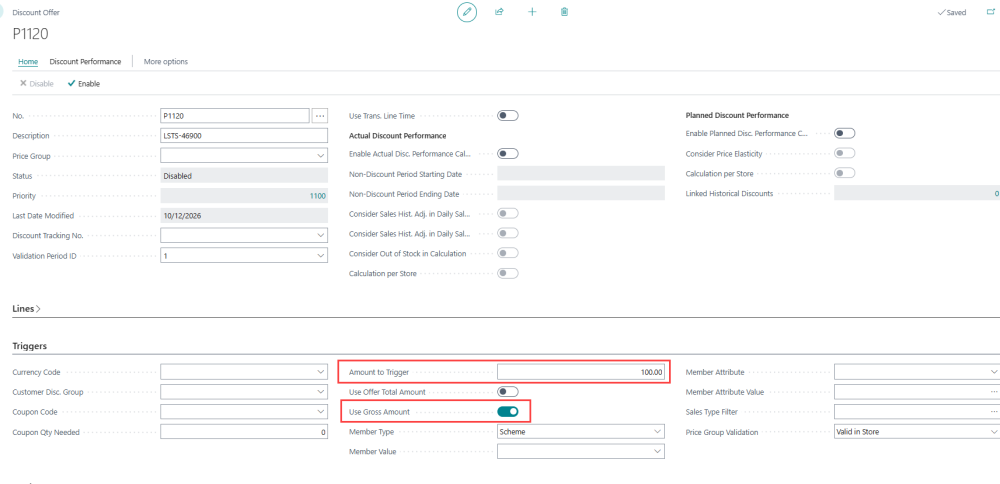
When the POS uses sales tax, the Use Gross Amount field on the Discount Offer page is directly related to the Amount to Trigger value. It specifies whether the gross amount (including tax) or the net amount (excluding tax) is compared against Amount to Trigger when the POS checks whether the offer is triggered. The Use Gross Amount field is turned off by default, which means the net amount is compared against Amount to Trigger.
The field applies only to lines with the Sales Tax VAT calculation type and only to Discount Offers.
Set Up
- Click the
 icon, enter Discount Offer List, and select the relevant link.
 - Open the Discount Offer that you want to set up, and turn on Use Gross Amount.
How It Works
When a Discount Offer has an Amount to Trigger value, the POS calculates an amount and compares it with Amount to Trigger. If the calculated amount is lower than Amount to Trigger, the offer is not triggered. The Use Gross Amount field decides whether tax is included in the calculated amount:
- When Use Gross Amount is turned off, the net amount (excluding tax) is compared against Amount to Trigger.
- When Use Gross Amount is turned on, the gross amount (including tax) is compared against Amount to Trigger.
Example
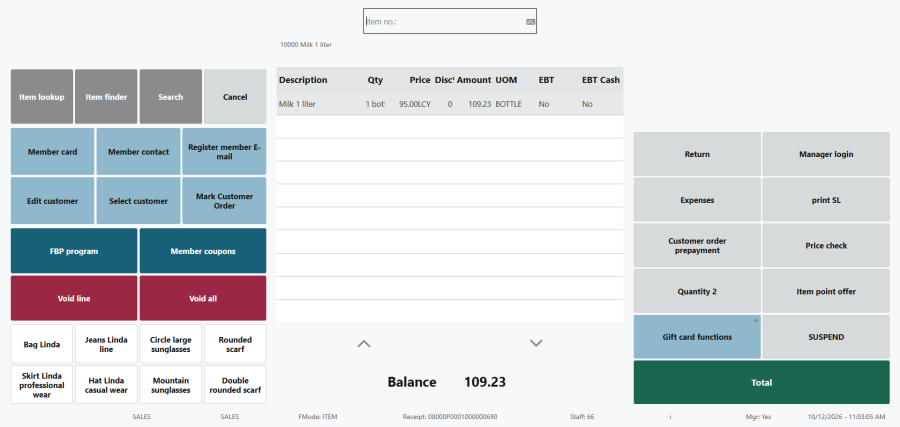
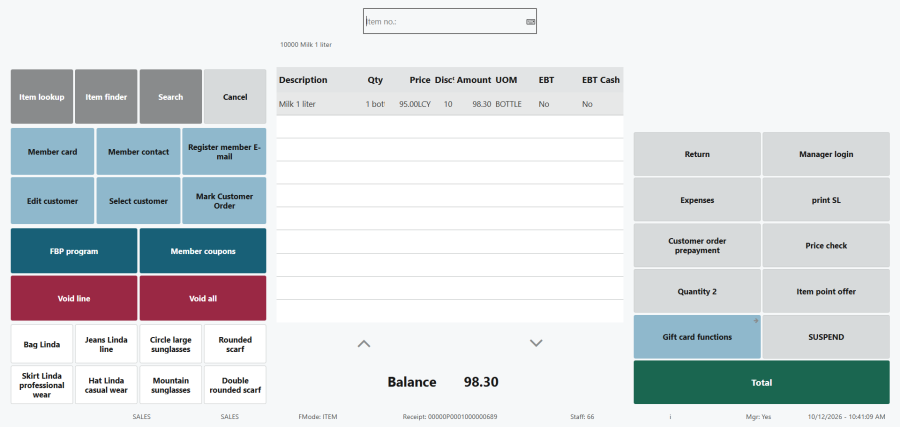
A Discount Offer gives a 10% discount and has Amount to Trigger set to 100. The offer includes the item Milk 1 liter, whose price has been changed to 95.00 net (excluding tax). The total sales tax is 14.98%, so the gross amount (including tax) shown on the POS line is 109.23.
-
If Use Gross Amount is turned off, the net amount, 95.00, is compared against Amount to Trigger. It is below 100, so the offer is not triggered. The POS line shows no discount and the amount stays 109.23.
-
If Use Gross Amount is turned on, the gross amount, 109.23, is compared against Amount to Trigger. It is above 100, so the offer is triggered. The POS line shows the 10% discount and the amount becomes 98.30.
See also