In this article
LS Central - Google Inventory integrates the Google Content for Shopping application programming interface (Google APIs) into LS Central. Shoppers expect options like buy in-store, buy online and pick up in-store, and same-day delivery, so it is key for retailers to list their inventory online.
The Google Inventory integration lets you:
- Show your in-store products and their availability to local shoppers, using local product listings.
- Drive more store sales with local inventory ads.
- Replicate items, variants, prices, inventory, and barcodes from LS Central to Google.
- Validate the product data before it is sent.
Local Product Listings
The integration lets merchants show their in-store products, and their availability based on the inventory, so that local consumers can find the products and buy them in-store.
The products can be found on:
- Google Search
- The Shopping tab
- Google Business Profile
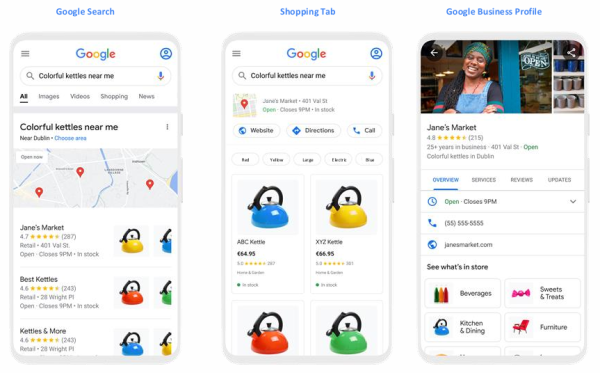
Note: When the setup is complete, free local product listings are served automatically.
Local Inventory Ads
Merchants can drive more store sales with highly targeted ads campaigns.
The ads can be shown in:
- Top of page results
- Image search
- The Shopping tab
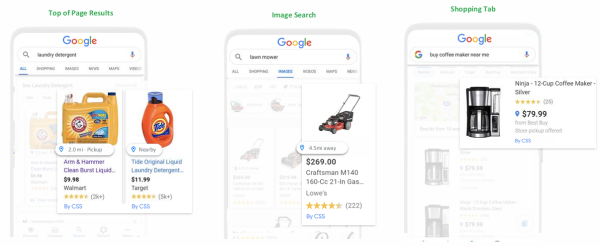
Note: To use the paid local inventory ads, connect your Google Ads account to Merchant Center.
Replicating Data to Google
The following data is replicated from LS Central to Google:
- Items
- Variants
- Prices
- Inventory
- Barcode number
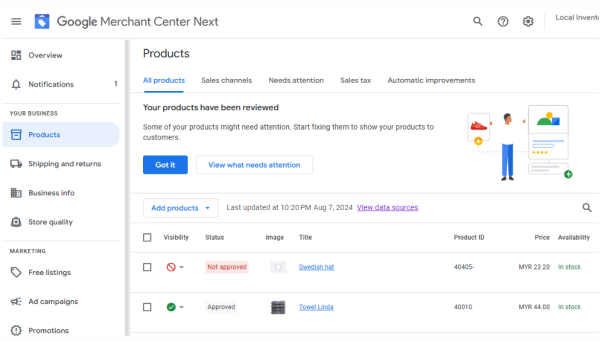
The replication is driven by a Scheduler job, and uses the standard distribution for the store. The items that are sent are visible in Google Merchant Center.
Data Validation
The data can also be validated manually, using the Validate Product Data action on the Google Inventory Administration page.
See also
Architecture - Google Inventory