In this article
Receipt options on the POS Functionality Profile
The Swedish POS receipt must include the information that the tax authorities require. This topic describes that information, the options on the POS Functionality Profile Card that control the receipt, and examples of the resulting receipts.
Receipt Information
The receipt has to include the following information:
- Retailer's name and the SE VAT number or Retailer’s registration number.
- Retailer's address.
- Date and time of the transaction.
- Receipt number, using a number series that goes up in an unbroken series.
- Identification number of the POS Terminal.
- List of items sold and how many units of each sold.
- List of services and how many units of each one sold.
- The unit price for each item with VAT and the total balance for the transaction.
- Total VAT for the transaction.
- Total VAT for each VAT group.
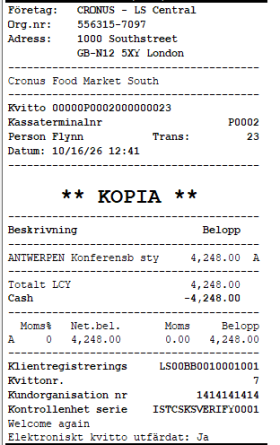
- Control unit serial number.
- The text Elektroniskt kassakvitto, only when the receipt is sent electronically (for example, by email). Paper receipts do not need this text. By default, the receipt shows the line Electronic Receipt Issued: Yes/No. To print the text only on receipts sent electronically, turn on the Electronic Receipt Text Only on E-Receipts option. See Receipt options on the POS Functionality Profile.
- The same information should be on the return receipt and the Cash invoice.
By default, the Swedish localization prints a company block at the top of the receipt. The block contains the company name, the organization number (Registration No. from Company Information), and the address from the Store Card of the store where the sale takes place. If the store has no address, the address from Company Information is used.
Receipt options on the POS Functionality Profile
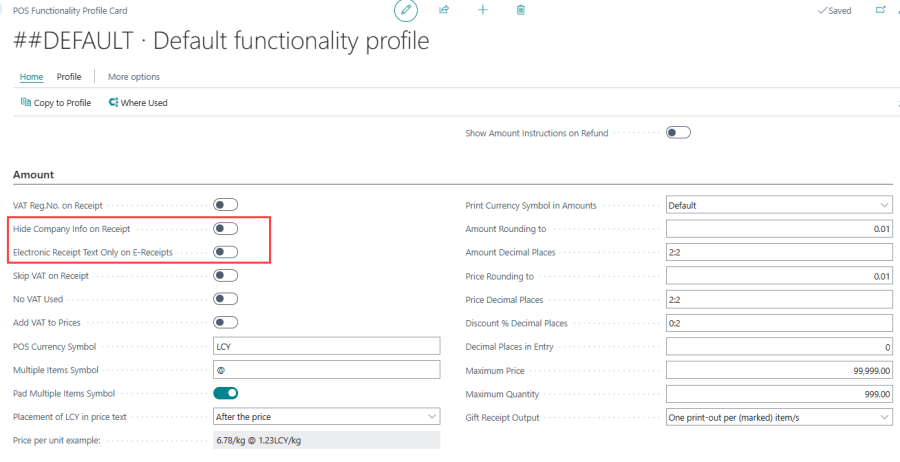
The POS Functionality Profile Card has two options that control the Swedish receipt. Both options are off by default, so existing receipts do not change.
| Field | Description |
|---|---|
| Hide Company Info on Receipt |
Specifies that the company block (company name, organization number, and store address) is not printed at the top of the receipt. Only turn this option on if your own receipt header already shows the company name, the organization number, and the address where the sale takes place, as SKVFS 2014:9, chapter 7, section 1 requires. If you turn it on, you are responsible for the receipt meeting the legal requirements. |
| Electronic Receipt Text Only on E-Receipts |
Specifies that the text Elektroniskt kassakvitto is printed only on receipts sent electronically, for example by email, including return receipts. Nothing is printed on paper receipts and receipt copies. When the option is off, the line Electronic Receipt Issued: Yes/No is printed: Yes on receipts sent by email and No on paper receipts. |
Note: The electronic receipt text is not printed on cash invoices.
Receipt examples
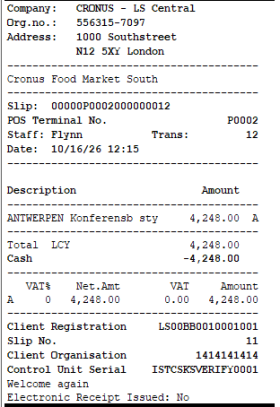
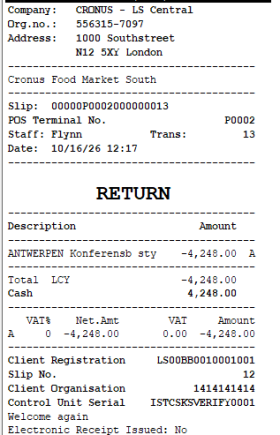
Both options off
Sale and return receipts when both options are off. The company block is printed, and the receipt shows Electronic Receipt Issued: No.
| Sale | Return |
|---|---|
|
|
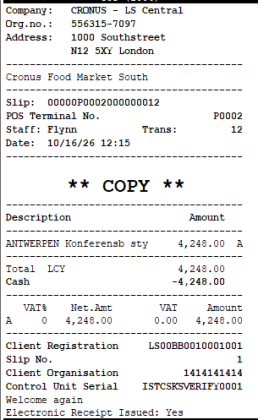
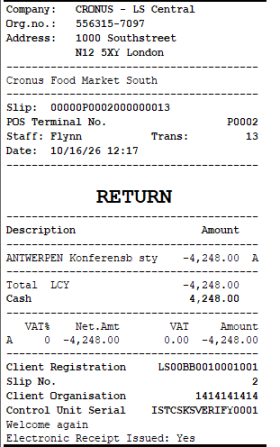
Both options off, receipt sent by email
The receipt copy sent by email shows Electronic Receipt Issued: Yes.
| Sale | Return |
|---|---|
|
|
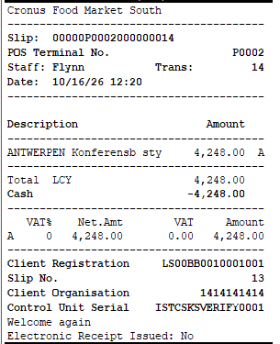
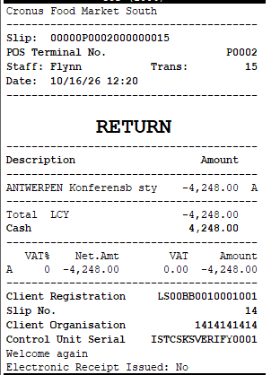
Hide Company Info on Receipt on, Electronic Receipt Text Only on E-Receipts off
The company block is not printed. The Electronic Receipt Issued line is still printed.
| Sale | Return |
|---|---|
|
|
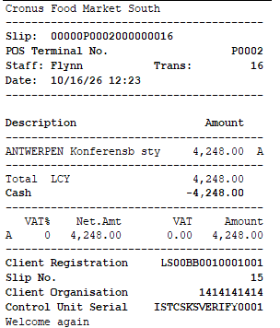
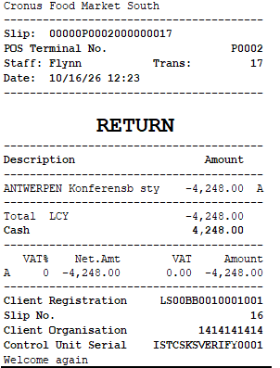
Both options on
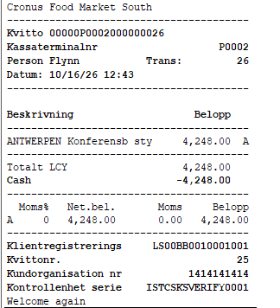
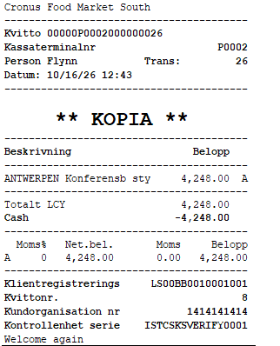
The company block is not printed, and no electronic receipt text is printed on the paper receipt.
| Sale | Return |
|---|---|
|
|
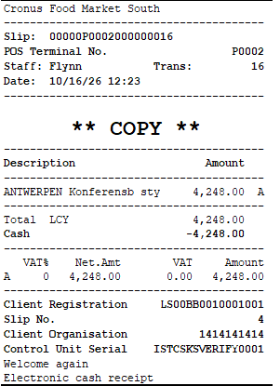
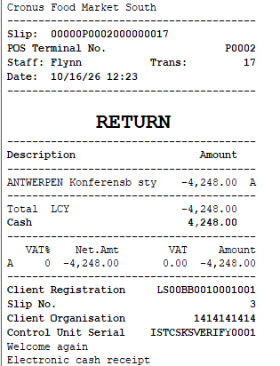
Both options on, receipt sent by email
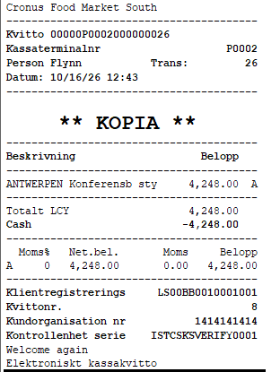
The text Electronic cash receipt is printed only on the receipt sent by email.
| Sale | Return |
|---|---|
|
|
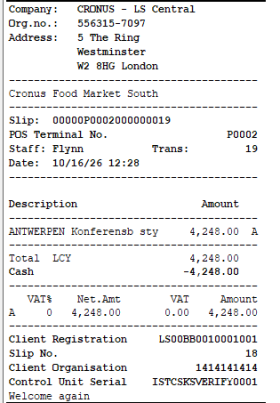
Store has no address
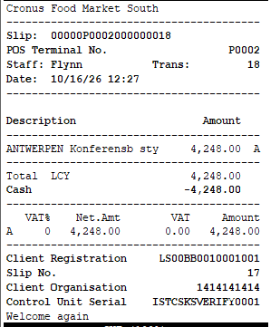
If the store has no address, the receipt uses the address from Company Information. The first receipt is printed with Hide Company Info on Receipt off, and the second with it on.
| Hide Company Info on Receipt off | Hide Company Info on Receipt on |
|---|---|
|
|
Email command canceled
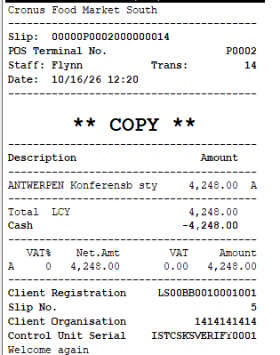
The EMAIL_C command was started, but the email was canceled and the receipt was printed with Print Copy instead. No electronic receipt text is printed on the copy.
| Print Copy after canceling EMAIL_C |
|---|
|
Swedish receipts, both options off and on
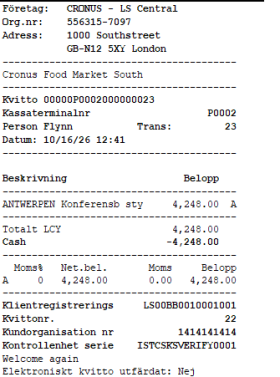
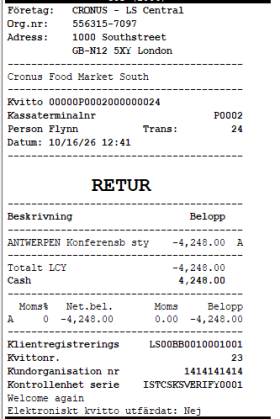
The same receipts printed in Swedish, with both options off and with both options on. The text Elektroniskt kassakvitto is printed only on the receipt sent by email when both options are on.
| Both off, sale | Both off, return | Both off, email copy |
|---|---|---|
|
|
|
| Both on, sale | Both on, copy | Both on, email copy |
|---|---|---|
|
|
|