In this article
When is an item vendor sourced?
Vendor Sourcing lets customers order items in the Magento web store even when there is no inventory for them anywhere in the retailer's network. Instead of showing such items as out of stock, eCommerce - Magento recognizes items that can be sourced from a vendor, shows the expected lead time, and sends the order to LS Central flagged as vendor sourced. LS Central then raises the purchase order on the vendor and handles the order through the normal Customer Order process.
Vendor Sourcing works for Click and Collect orders.
Note: Vendor Sourcing is configured in LS Central. For an overview and the full setup, see Vendor Sourcing Overview and How to: Set Up Vendor Sourcing for Customer Order. Nothing extra needs to be configured in Magento.
When is an item vendor sourced?
An item is vendor sourced only if all these conditions apply:
- There is no inventory available for the item in the selected store.
- There is no inventory available in any other sourcing location (stores or warehouses). See How to: Set Up Sourcing Locations.
- The item is part of the Item Prepayment Hierarchy and has a vendor, see How to: Define Which Items Can Be Vendor Sourced.
- The Store-Vendor Relation and lead times are set up, see How to: Set Relation and Lead Time Between Stores and Vendors.
Items that cannot be vendor sourced are still blocked when they have no stock, as before.
Replication
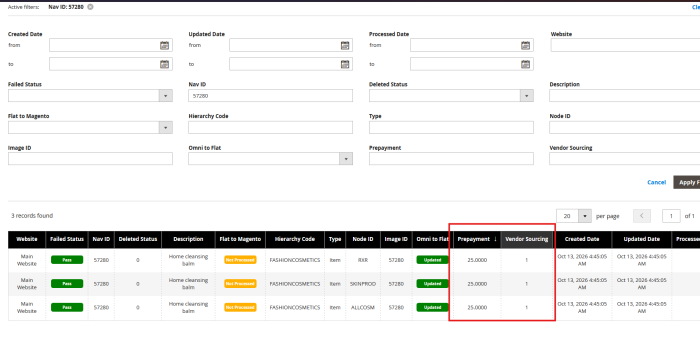
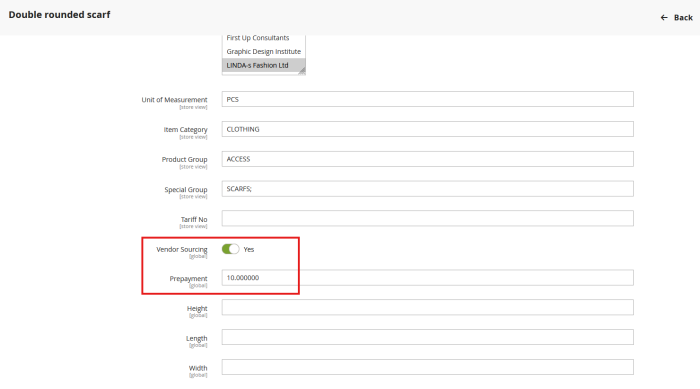
The Vendor Sourcing and Prepayment values defined for an item in the Item Prepayment Hierarchy are replicated from LS Central to Magento together with the hierarchy leaf data (Hierarchy Leaf replication). In Magento, they are available as the Vendor Sourcing and Prepayment attributes on the product.
Items that can be vendor sourced are synchronized with Manage Stock turned off. This allows the customer to add them to the cart and place an order even though the item has zero inventory.
Product page
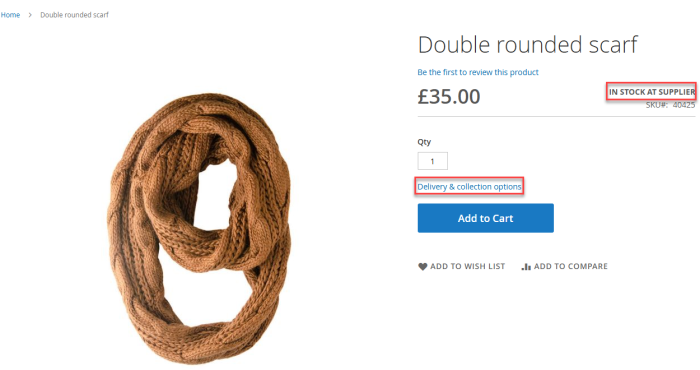
On the product page, vendor-sourced items are not shown as unavailable. The lead time for the item is shown, for example Ordered from supplier, ready in N days. The lead time comes from the Store-Vendor Relation in LS Central.
Checkout
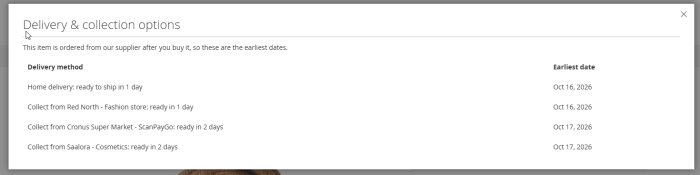
During checkout, eCommerce - Magento first checks the stock of the items in the stores available for the order. If there is no stock, it asks LS Central whether the items can be vendor sourced, and what the lead time and eligible stores are.
- Click and Collect: In the Click & Collect Store window, the customer sees a message for each item in the cart, for example that the item is available at the selected store and can be sourced from a vendor. If the item cannot be vendor sourced at the selected store, the customer is asked to choose a different store or remove the item, and Pick Up Here! is disabled.
- Mixed carts: Vendor-sourced items and items in stock can be ordered together in the same order.
- Payment: Orders with vendor-sourced items require full online payment. The Pay at Store payment method is not available for them. See Click and Collect Payment Methods.
Order in LS Central
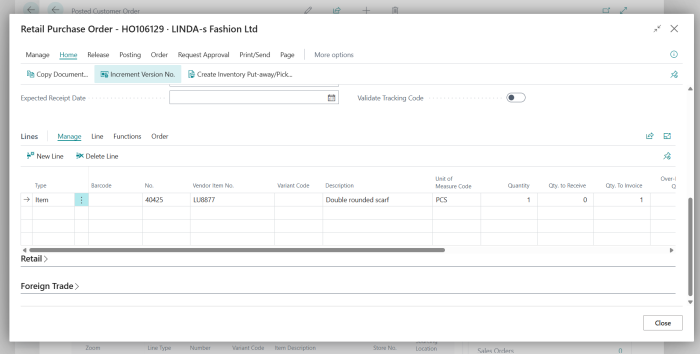
When the customer places the order, Magento sends it to LS Central with Vendor Sourcing selected on each vendor-sourced order line. In the Customer Order in LS Central, these lines show Vendor Sourcing selected, the Lead Time, the Purchase Order No. of the purchase order raised on the vendor, and the store. The prepayment is calculated by LS Central from the Item Prepayment Hierarchy.
When the goods arrive, the order is handled in LS Central as for any other vendor-sourced order, see How to: Receive a Vendor Sourced Order Through Customer Order List. The order status in Magento is updated through the existing picked and ready-to-collect webhooks, see Webhooks.
Order history
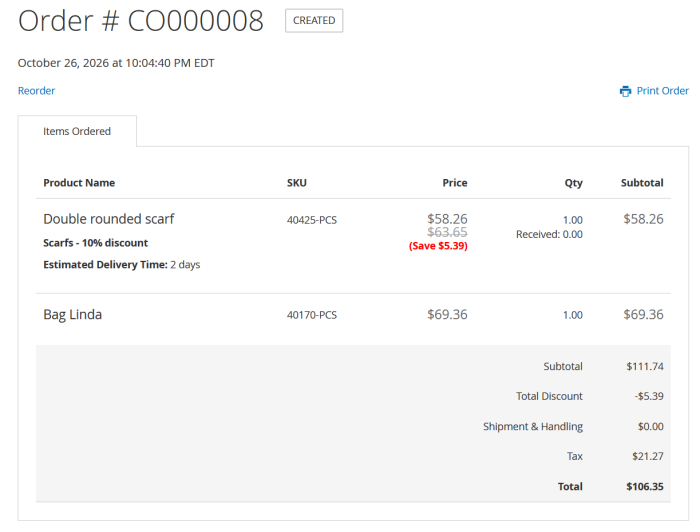
On the order page in the customer's account, vendor-sourced lines show the estimated delivery time (lead time) and the quantity received. The quantity received is updated when the order is picked or collected in LS Central.