In this article
Return All Items (Full Refund)
Return Some Items (Partial Refund)
eCommerce - Shopify integration supports processing returns in LS POS for orders that originated from Shopify. When a return sale is posted in POS for such an order, LS Central automatically registers the returned lines on the corresponding order in Shopify, using the Send POS Returns setting.
Note: Registering the return in Shopify only records which lines and quantities were returned; the refund itself is still completed from Shopify Admin by processing the return there. After the return has been processed in Shopify, pull the order again in LS Central so the order data stays in sync with Shopify.
Initial Configuration
- Open the Shopify Administration page, and open the Setup Card for the relevant store.
- In the System and Web Hooks FastTab, enable Send POS Returns.
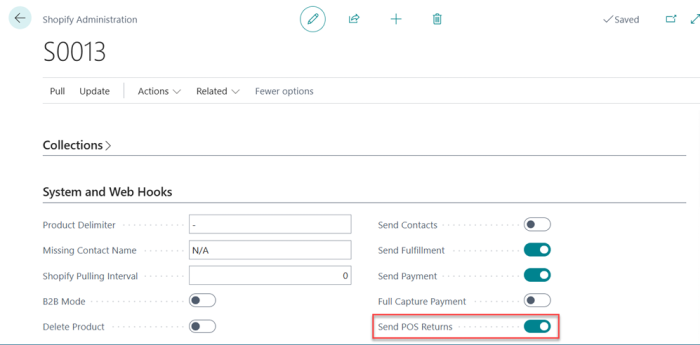
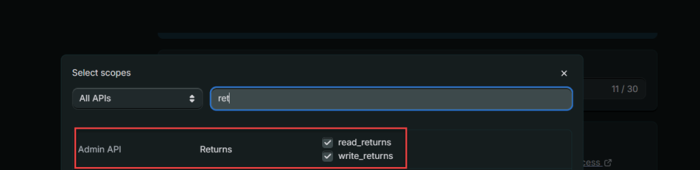
Note: Please ensure that the required API access permissions for returns are enabled.
Return All Items (Full Refund)
- In Shopify Admin, create a standard order with a quantity of 2 for a single item, and check out.
- In LS Central, open the Shopify Administration page for the store and navigate to Pull - Orders to create the Customer Order.
- Post the Customer Order. If Send Fulfillment is enabled, posting sends a fulfillment update back to Shopify, and the order's fulfillment status becomes Fulfilled on both sides.
-
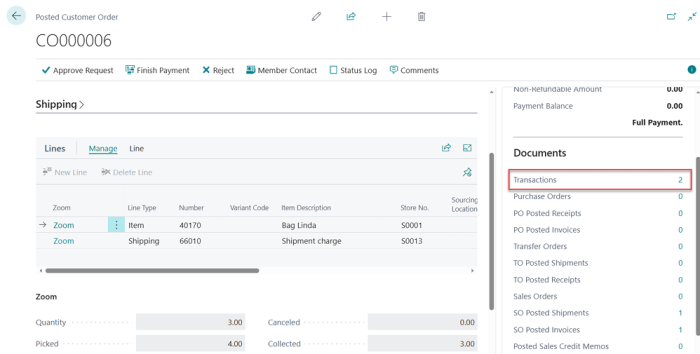
From the Posted Customer Order page, go to Transactions and review the record to capture the Transaction No. for later reference when performing the return on POS.

-
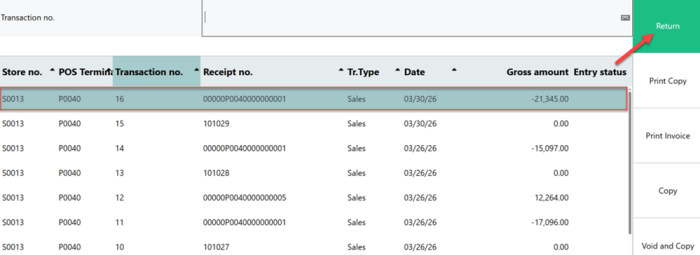
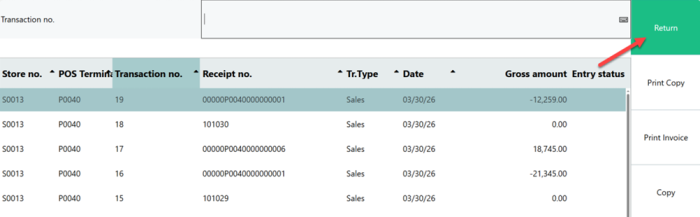
Run the POS and open the Transaction List to view the records. Locate the previously fulfilled order using the Transaction No. from the Posted Customer Order. Select the order and click Return.
-
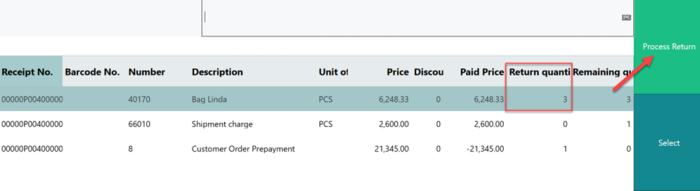
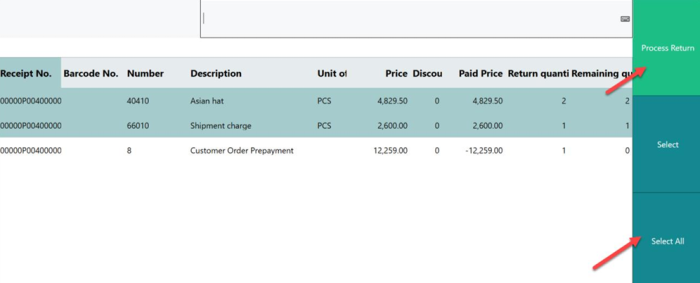
In here, click button Select All to select the items along with the shipment charge. Then, proceed by clicking Process Return.
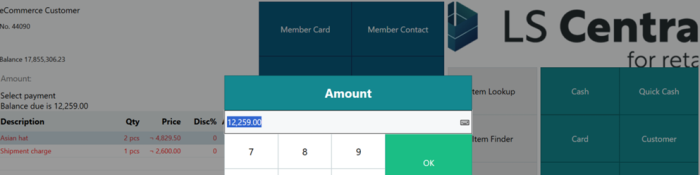
- Confirm that the item quantities and pricing are correct, select Total, and complete the transaction using Cash to finalize the return in POS.
-
Open Shopify Admin, navigate to Orders, and open the corresponding order. Complete the return process by selecting Process and refund.
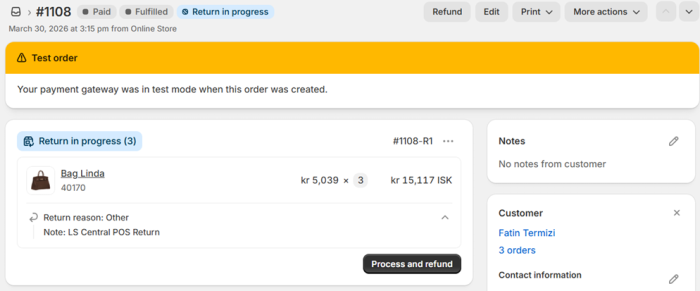
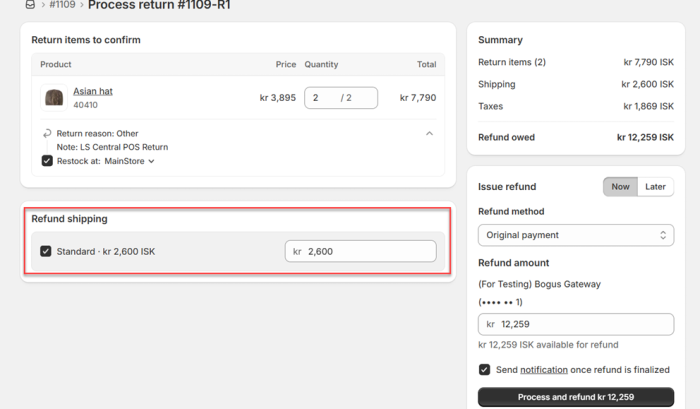
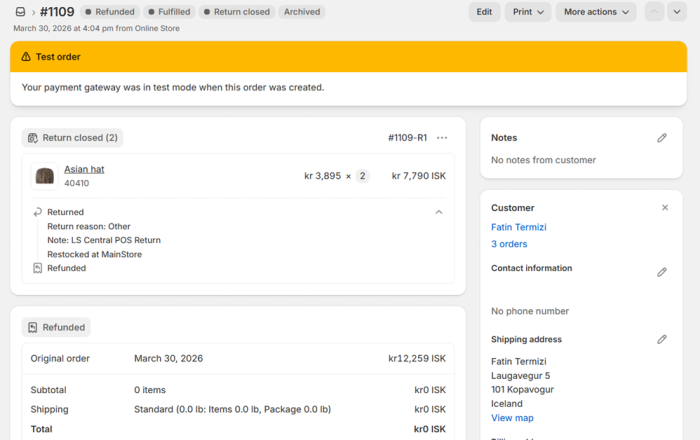
- Once the refund is processed in Shopify, the order's payment status in Shopify Admin updates to Refunded reflect the completed return process.
-
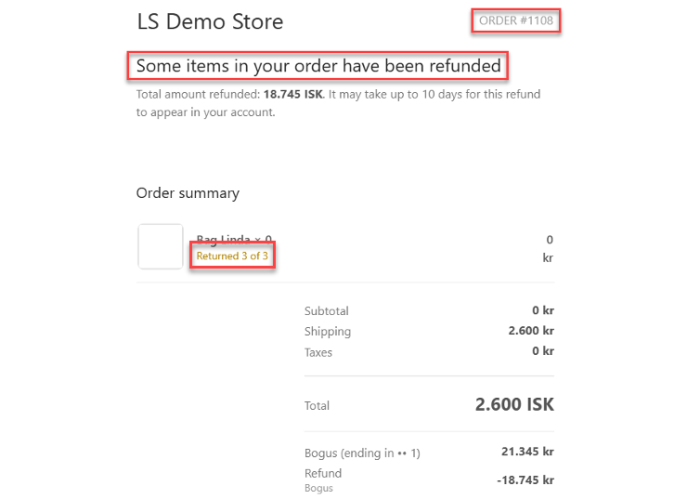
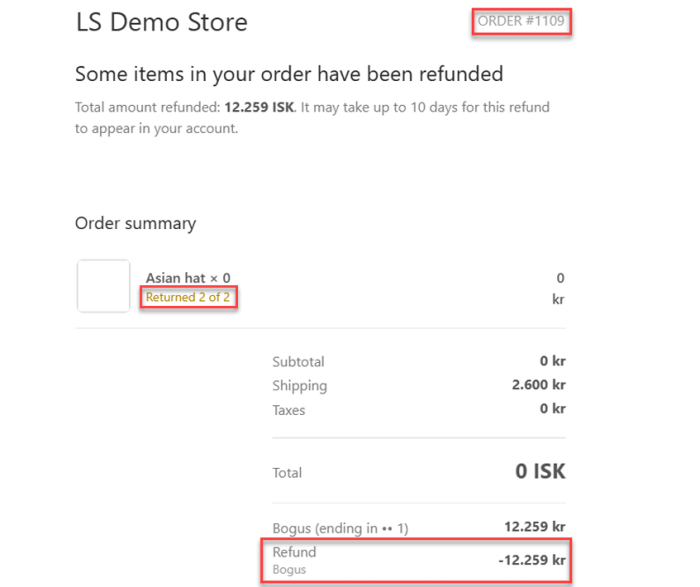
Once the refund process in Shopify is completed, a notification email containing the refund details will be sent.



Return Some Items (Partial Refund)
- In Shopify Admin, create a standard order with a quantity of 3 for a single item, and check out.
- In LS Central, open the Shopify Administration page for the store and navigate to Pull - Orders. Then, open the Customer Orders page, post the order, and ensure the fulfillment status becomes Fulfilled on both sides.
- From the Posted Customer Order page, go to Transaction and note the Transaction No. for later reference when performing the return on POS.
- Run POS and open the Transaction List. Locate the previously fulfilled order using the Transaction No. from the Posted Customer Order, select it, and click Return.
- In the Return Quantity column, enter a quantity that is less than the full quantity sold (for example, 2 of 3), then click Process Return.
- Confirm that the item quantities and pricing are correct, select Total, and complete the transaction using Cash to finalize the return in POS.
-
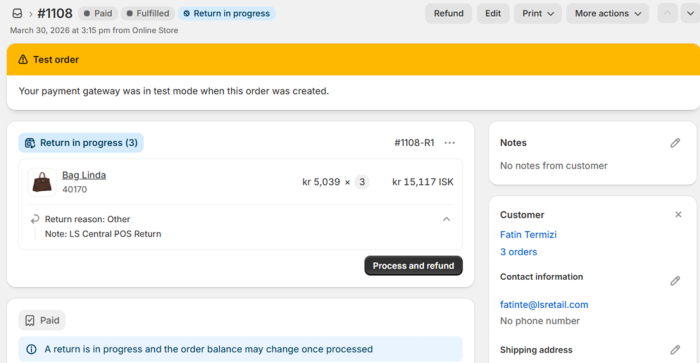
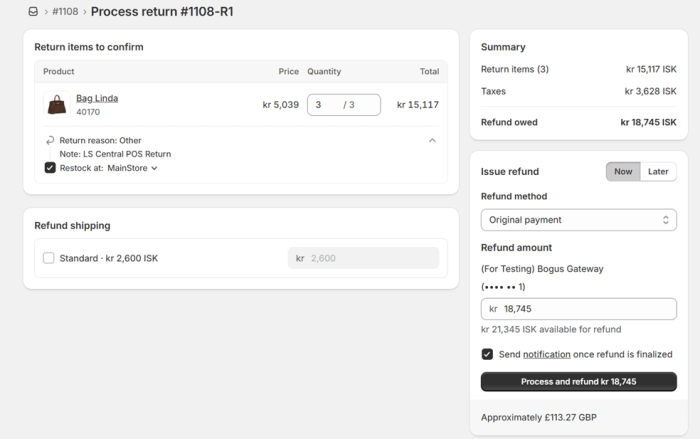
Completing the return in POS automatically sends the returned quantity to Shopify and creates the corresponding return on the order. Open Shopify Admin, navigate to Orders, open the order, and complete the return by selecting Process and refund.
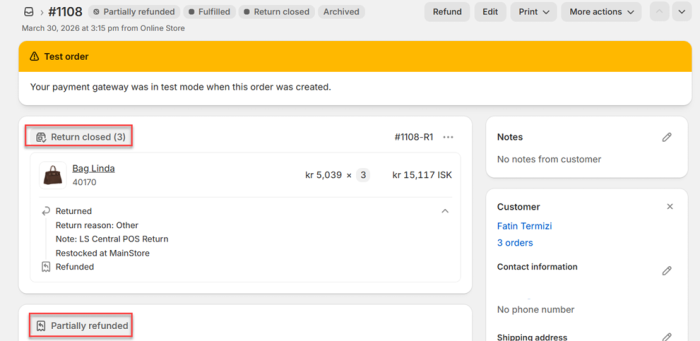
- Once the refund is processed in Shopify, the order's payment status in Shopify Admin updates to Refunded reflect the completed return process.
-
Once the refund process in Shopify is completed, a notification email containing the refund details will be sent.
-
Once the refund process in Shopify is completed, a notification email containing the refund details will be sent.