In this article
eCommerce - Shopify Business Central Connector for LS Central supports synchronizing Periodic Discount Offers to Shopify. Eligible discount offers are replicated as automatic discounts, ensuring that the same percentage-based promotion configured in LS Central are available in the online store.
Collection discount configuration can be done by following these steps in LS Central:
- Click the
 icon, enter Discount Offer List and select the relevant link.
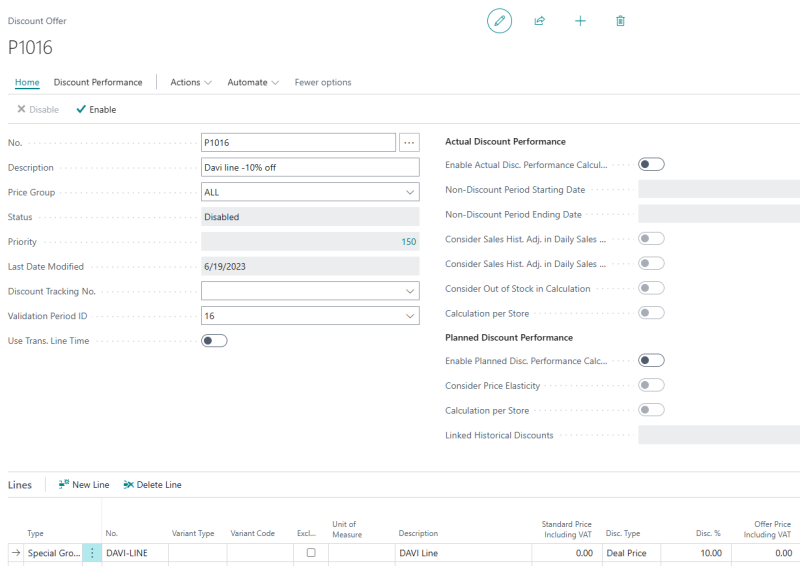
 - Click the New action.
- Enter the Description of the Offer. If there is a start and/or end date for the Offer (and the validation period has been configured), enter or select the Validation Period ID.
To send Discount to Shopify
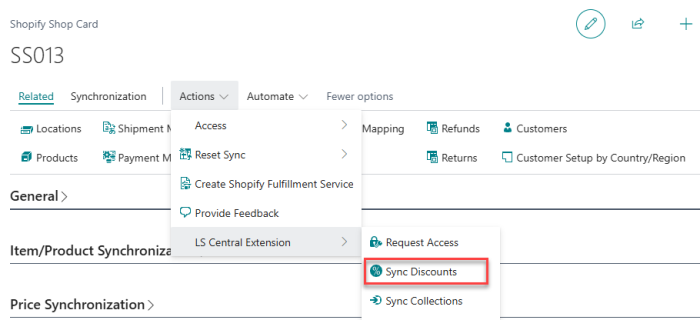
eCommerce - Shopify Business Central Connector for LS Central integration supports sending discount via the Sync Discount action in the Shopify Shop Card page.
When Send Discount is enabled, discounts are sent to Shopify as a discount offer. In this method, the product’s listed price remains unchanged across the storefront.
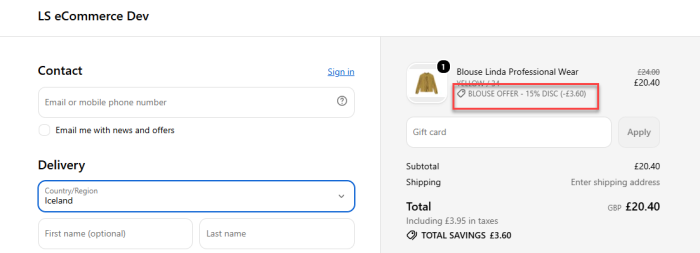
The discount is not displayed on the Product Detail Page (PDP), catalog, homepage, or search results; instead, the discount is calculated and applied automatically at checkout.
- Click the icon, enter Shopify Shop and select the relevant link.
- In the LS Central Extension FastTab, enable Send Discount.
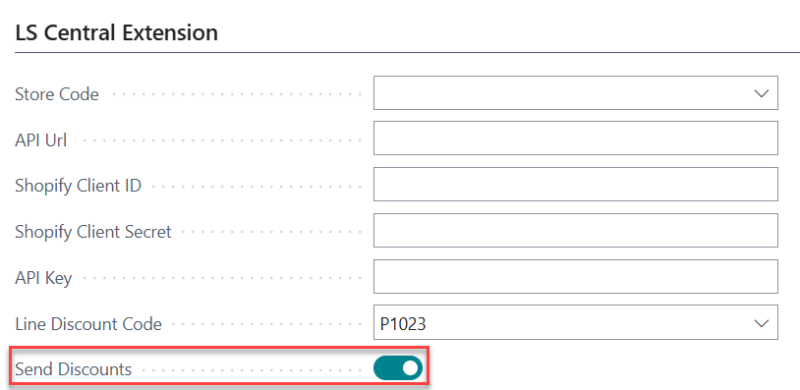
Note: Enable Send Discounts on the Shopify Shop Card before syncing discounts. Otherwise, the Sync Discounts action will be unavailable (grayed out).
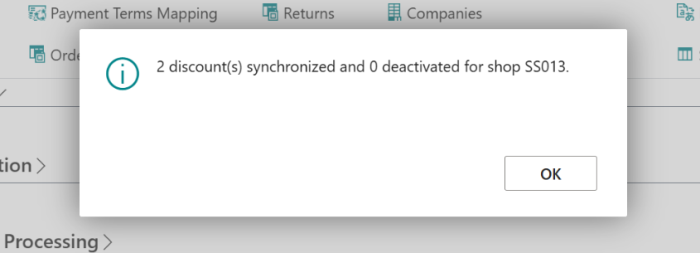
- Click Actions - LS Central Extension - Sync Discounts to send LS Central percentage discount offers to Shopify as automatic discounts. A summary message reports how many discounts were synchronized and how many were deactivated.
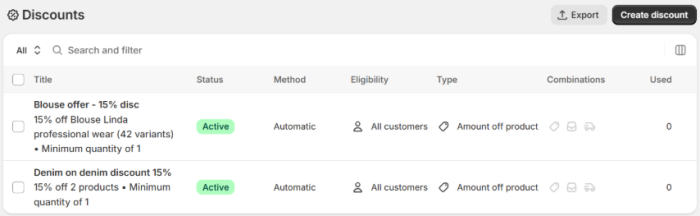
- Open the Shopify Admin web site, and navigate to Discounts. This page should display the discounts previously created in LS Central.
- Open the Shopify online page. Proceed to check out the order, and on the upper right side you can see the discount tag. The discounted price with the original cut price is also displayed on this page.