In this article
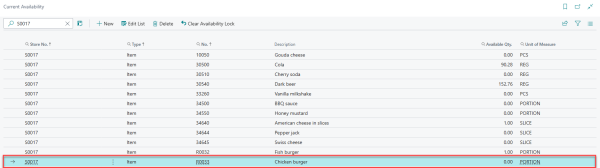
Real time current availability:
- Is used in hospitality scenarios where items may be temporarily unavailable due to stock shortages or operational constraints
- Prevents overselling in high-turnover hospitality environments
- Ensures real-time accuracy for deals and modifiers
- Improves customer trust and ordering experience
- Reduces failed orders and operational issues
For setup and conceptual background of current availability see Setting Current Availability for POS Menu Item or Deal.
Key Concepts
Magento Custom Attribute
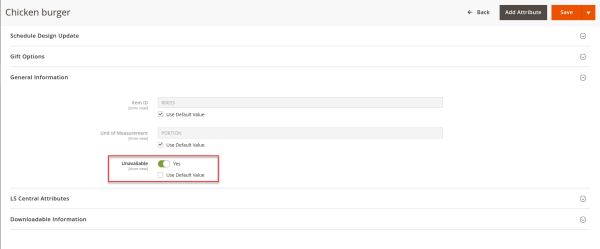
In eCommerce – Magento with a Hospitality component availability for an item is represented using a custom boolean product attribute:
- Attribute code: Unavailable
- Values:
- No – Item is available
- Yes – Item is unavailable
This attribute is automatically updated based on current availability integration.
Inventory Synchronization
The attribute unavailable is maintained by the repl_inventory_sync cron job, which synchronizes inventory and availability information from LS Central into Magento.
Frontend Behavior (PDP and PLP)
On the Magento storefront:
-
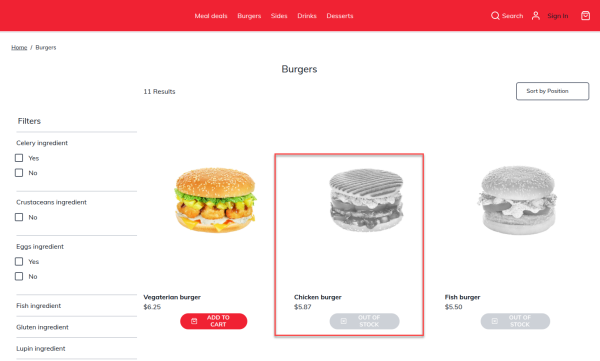
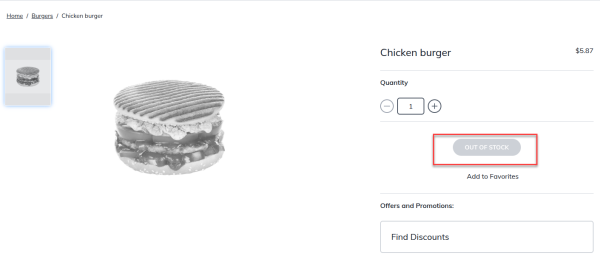
If main item has the attribute unavailable = Yes.
- The main item is grayed out and marked as out of stock
- This behavior applies to both Product Listing Page and Product Detail Page
-
If main item has unavailable = No
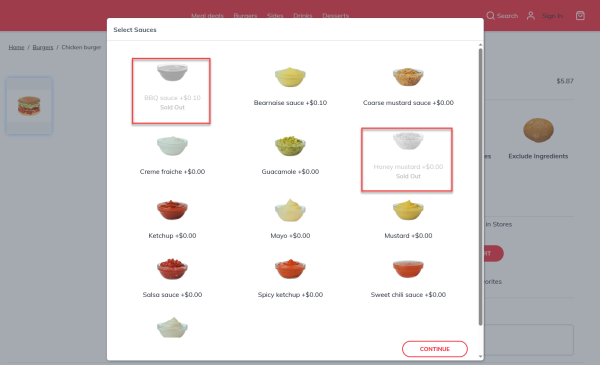
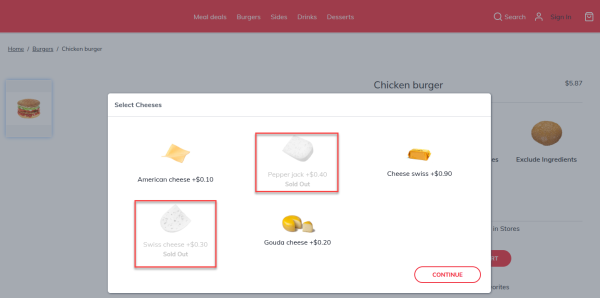
- Each modifier or deal line linked with the main item is grayed out and marked as sold out if unavailable based on real time current availability integration
- This behavior applies to Product Detail Page
QR Code Ordering – Availability Flow
The following flow applies when customers place orders after scanning QR code while sitting from their tables
-
Landing on Product Detail Page (PDP)
When a customer opens a PDP with custom options (deals or modifiers):
- The current availability integration is triggered on page load
- Availability for all configured items in LS Central are fetched
- Results are cached in Magento which are reused for subsequent item selections to reduce repeated calls
-
Selecting Options (Deals / Modifiers)
Based on the cached availability data:
- Available options are selectable
- Unavailable options are displayed as Sold Out
-
Add to Cart Validation
When the customer adds an item to the cart:
- The current availability integration is called again
-
This time the request includes:
- Main Item ID, for example Burger
-
All selected modifier and deal option item IDs e.g.
- Select Sauces = Bearnaise sauce
- Select Cheeses = American cheese
-
If all items are available:
- The process continues to basket integration
-
If any item is unavailable:
- The page reloads
- An error message is displayed identifying the unavailable item
This process repeats until all items are successfully added to the cart.
-
Checkout – Place Order
Before placing the order, multiple validation steps ensure accuracy:
- Before Basket Calculation
- Current availability integration is executed for all items in the cart
- Before Order Create Integration
- Check Availability is executed again
- Successful Validation
- Only if all items are confirmed available the order is sent to LS Central
This layered validation prevents last-second availability conflicts.
- Before Basket Calculation