When the GST Setup is configured to source GST bill numbers from the POS Terminal, each terminal must have its own bill number series assigned. This ensures a unique, unbroken sequence per terminal as required for GST compliance.
To configure the bill number series on a POS terminal:
- Click the
 icon, enter POS Terminals, and select the relevant link.
 - Open the POS terminal you want to configure.
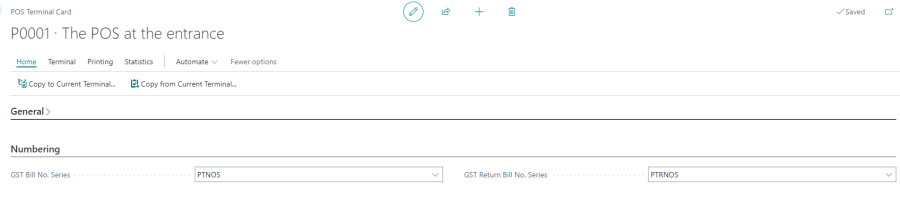
- On the terminal card, locate the Numbering FastTab and fill in the following fields:
| Field | Description |
|---|---|
| GST Bill No. Series | Number series used to generate GST sale bill numbers for this terminal. The series code must correspond to a number series defined in Business Central. The resulting bill number must not exceed 16 characters. |
| GST Return Bill No. Series | Number series for GST return bill numbers (refund transactions) for this terminal. Use a separate series from the sale bill series to maintain distinct numbering for returns. |
Note: These fields are only used when Default GST Bill No. Series in the GST Setup is set to POS Terminal. If it is set to Store, the series on the Store Card is used instead.
For more information, see GST Setup.