When Default GST Bill No. Series in GST Setup is set to Store, each store must have a GST bill number series assigned on its Store Card. All POS terminals at that store then share a single bill number sequence. The generated bill number must not exceed 16 characters as required by Indian GST regulations.
To assign the bill number series to a store:
- Click the
 icon, enter Store List, and select the relevant link.
 - Open the store you want to configure. On the Numbering FastTab, select the number series in the GST Bill No. Series field.
Note: Do not leave the GST Bill No. Series field blank.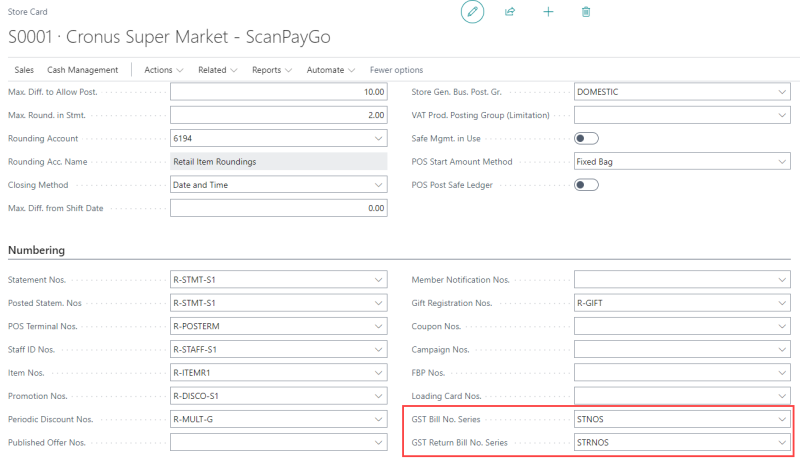
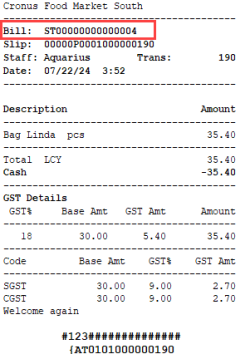
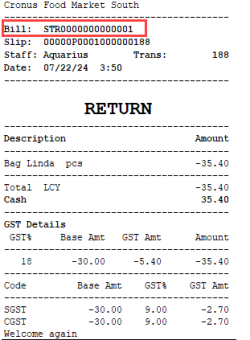
After a transaction is finalized, the bill number is printed on the POS receipt:
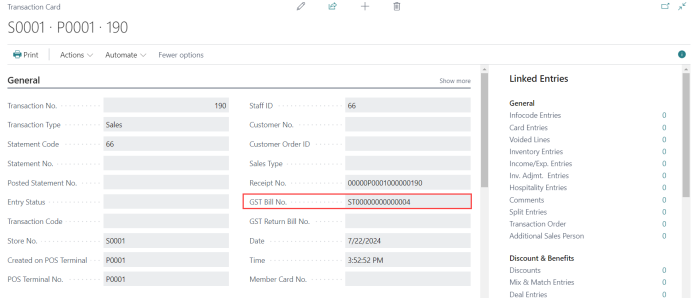
The GST Bill No. is also updated in the Transaction Card:
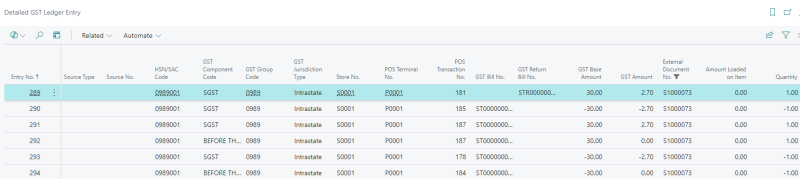
After the statement is posted, the GST Bill No., Store No., POS Terminal No., and POS Transaction No. appear in the Detailed GST Ledger Entry: