Add an Arabic description to each retail item so the item can be printed in Arabic on POS receipts and shown in Arabic on related reports.
- Click the
 icon, enter Items, and select the relevant link.
 - Open the item card you want to update.
- In the Arabic Description field, enter the Arabic text for the item.
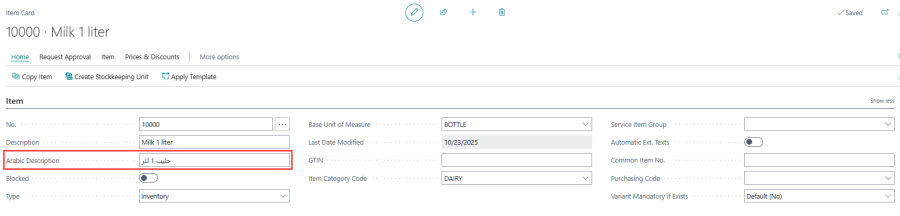
The Arabic description is used by the Print Item Arabic Desc. feature on the POS Functionality Profile. See Print Item Arabic Description for how it is used on the receipt.