In this article
LS Central POS Receipt
The LS Central POS creates a receipt for each sale. This receipt includes what is required by the tax authorities.
The receipt includes the following:
- Company name and address.
- Date and time of the day.
- Receipt number/Transaction number.
- Lines for the sold items with description, quantity, sales price, and tax group ID.
- Terminal ID (number).
- Total of the sale.
- Total for each tax group detailed with tax details of tax for sale.
- Control unit’s serial number.
Receipt examples
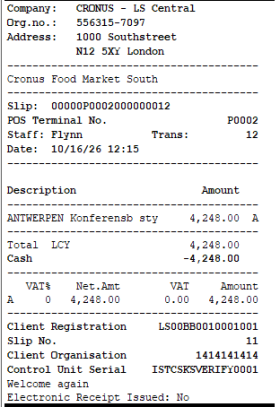
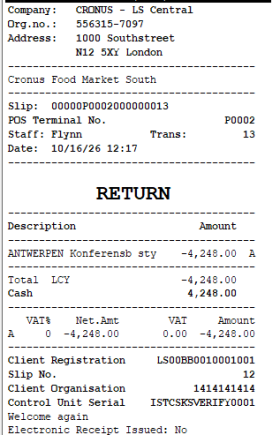
Both options off
Sale and return receipts when both options are off. The company block is printed, and the receipt shows Electronic Receipt Issued: No.
| Sale | Return |
|---|---|
|
|
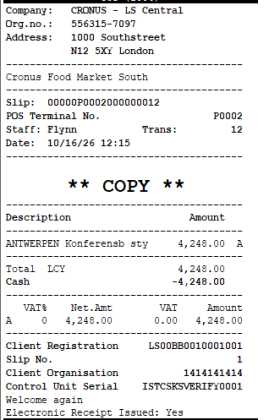
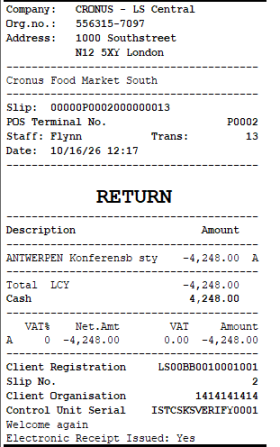
Both options off, receipt sent by email
The receipt copy sent by email shows Electronic Receipt Issued: Yes.
| Sale | Return |
|---|---|
|
|
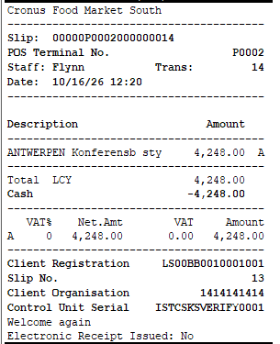
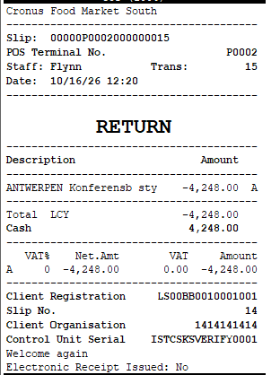
Hide Company Info on Receipt on, Electronic Receipt Text Only on E-Receipts off
The company block is not printed. The Electronic Receipt Issued line is still printed.
| Sale | Return |
|---|---|
|
|
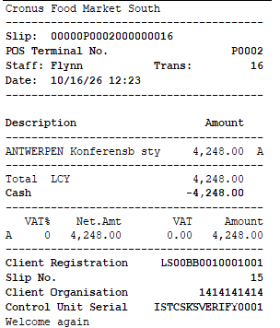
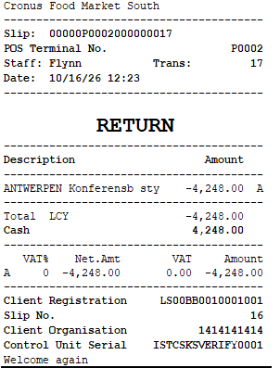
Both options on
The company block is not printed, and no electronic receipt text is printed on the paper receipt.
| Sale | Return |
|---|---|
|
|
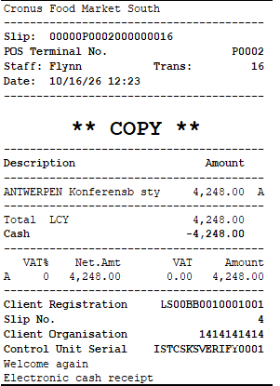
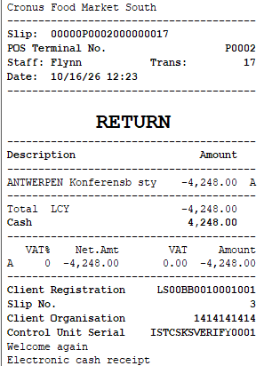
Both options on, receipt sent by email
The text Electronic cash receipt is printed only on the receipt sent by email.
| Sale | Return |
|---|---|
|
|
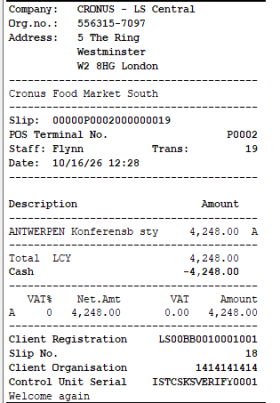
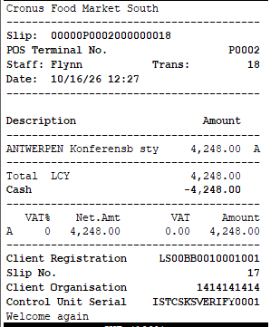
Store has no address
If the store has no address, the receipt uses the address from Company Information. The first receipt is printed with Hide Company Info on Receipt off, and the second with it on.
| Hide Company Info on Receipt off | Hide Company Info on Receipt on |
|---|---|
|
|
Email command canceled
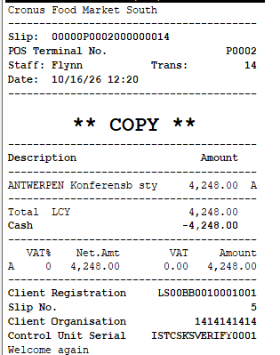
The EMAIL_C command was started, but the email was canceled and the receipt was printed with Print Copy instead. No electronic receipt text is printed on the copy.
| Print Copy after canceling EMAIL_C |
|---|
|
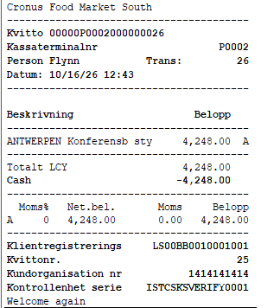
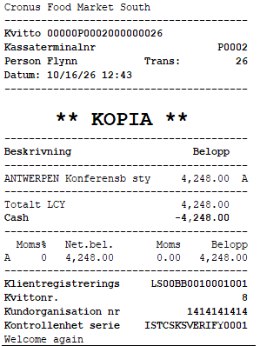
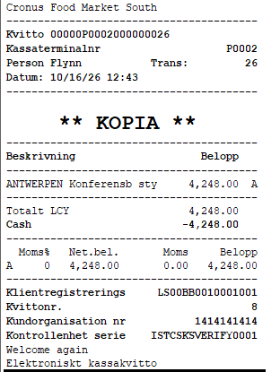
Swedish receipts, both options off and on
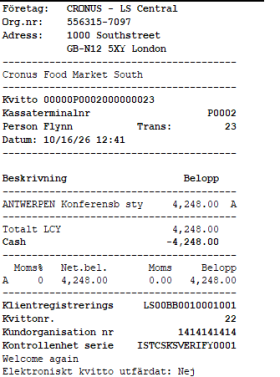
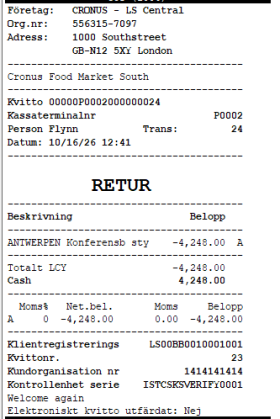
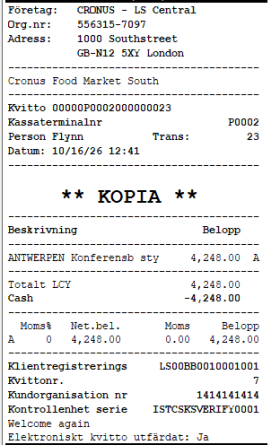
The same receipts printed in Swedish, with both options off and with both options on. The text Elektroniskt kassakvitto is printed only on the receipt sent by email when both options are on.
| Both off, sale | Both off, return | Both off, email copy |
|---|---|---|
|
|
|
| Both on, sale | Both on, copy | Both on, email copy |
|---|---|---|
|
|
|
LS Central X Report
The POS X report contains the following information:
- The company name and corporate.
- VAT registration number.
- Store ID.
- Date and time the report was produced.
- Staff ID.
- Information showing this is an X daily report.
- The terminal identification number.
- Total paid with cash and currency.
- Total for each currency for this report
- Float information.
- Total added cash.
- Total removed tender.
- Net of added cash and removed tender.
- Total Sales including VAT.
- Total Discounts.
- Total Rounding.
- Total Net Sales.
- Total VAT grouped by VAT groups.
- Total sales excluding VAT.
- Total Sales based on item grouping per category.
- Number of Paying Customers.
- Number of Transactions.
- Number of Items sold.
- Number of Refunds and the total amount for refunds.
- Number of Suspended transactions and the total amount for Suspended Transactions.
- Number of Voided Transactions.
- Number of Training Transactions.
- Number of Drawer Openings.
- Number of Logins.
LS Central Z Report
The Z report will contain all the same information as the X report listed above, adding:
- A serial number from an uninterrupted ascending number of series for Z reports.
- Information showing this is a daily Z report.