The seal number for a sales transaction is calculated from several values, one of which is the total payment amount. If payments on a specific tender type must not contribute to that amount, set the Exclude IZEL toggle on the tender type to exclude its payments from the seal calculation.
- Click the
 icon, enter Tender Types, and select the relevant link.
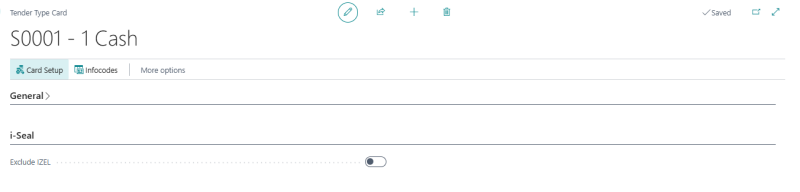
 - Open the tender type whose payments should be excluded from the seal calculation.
- Navigate to the i-Seal FastTab.
- Use the Exclude IZEL toggle:
- Turn On: Payment amounts on this tender type are subtracted from the total used in the seal calculation, so they do not contribute to the seal value.
- Turn Off (default): Payment amounts on this tender type are included in the seal calculation.
Repeat for every tender type that must be excluded.