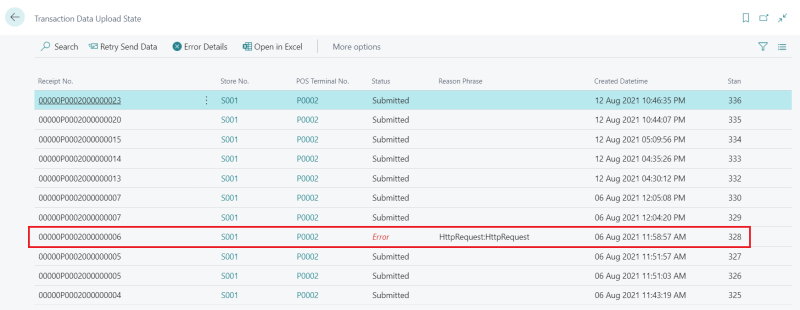
The Transaction Data Staging page lists every CDC transaction that has been queued or sent to the Central Platform. Use the page to monitor the upload status, inspect error details, and manually retry uploads that have failed.
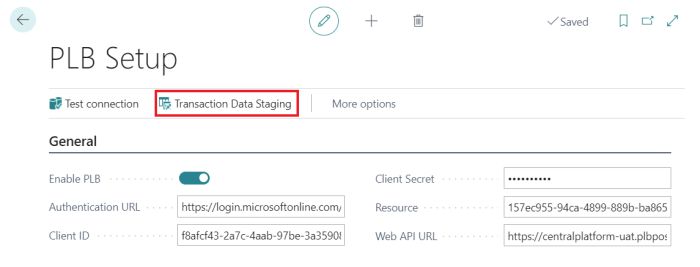
Open the Transaction Data Staging page
- Click the
 icon, enter PLB Setup, and select the relevant link.
 - Choose the Transaction Data Staging action.
Upload statuses
| Status | Meaning |
|---|---|
| Pending | The card entry has been captured at the POS but the sales transaction has not yet been posted. The upload is held until posting. |
| Ready | The sales transaction has been posted. The record is queued for upload to the Central Platform. |
| Submitted | The Central Platform accepted the upload. No further action is needed. |
| Error | The upload failed. The record is eligible for manual or scheduled retry. |
Retry a failed upload
- Select the record with status Error.
- Choose Retry Send Data to resend the record to the Central Platform.
- To see why the upload failed, choose Error Details. The page shows the HTTP status code, reason phrase, and error message returned by the Central Platform.
To retry failed uploads automatically on a recurring schedule, see Scheduled Retry of Failed Uploads.