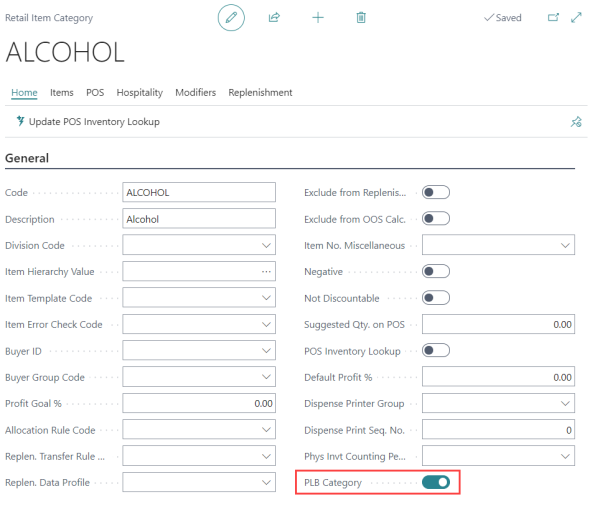
A Retail Item Category groups related product groups under a higher-level classification (for example, Alcohol as a non-food division). When you mark a category as PLB, every item in that category is treated as a restricted item on the POS unless overridden by a more specific rule.
For the order in which the POS evaluates item-level, category-level, and product-group-level PLB flags, see PLB and Assembly BOM Items.
Mark an Item Category as PLB
- Click the
 icon, enter Retail Item Category, and select the relevant link.
 - Open the relevant Item Category record.
- Select the PLB Category check box.