It is possible to debug the communication that goes between Shopee and LS Central.
Open Web Service Setup and in the Logs FastTab, check Client Log On and set Server Log Level to All. When LS Central sends a request to Shopee, it will be logged in the Web Request Log which can be found on this page by clicking the Related - Web Service menu.
Communications to Shopee will have the Request ID starting with SPEE-xxxx.
Handling Tax-Inclusive Price Sync to Shopee
Price synchronization to Shopee may fail for tax-inclusive prices if the store distribution configuration does not match the selected store.
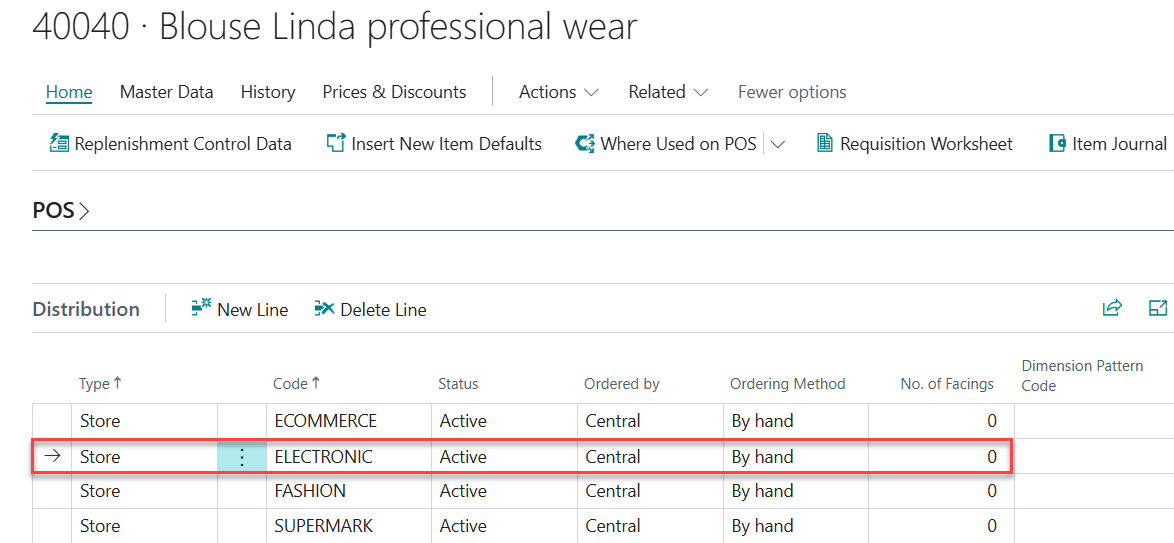
For instance, when syncing prices to store S0007, which is configured as an electronic store, products assigned to a different distribution such as FASHION must also include ELECTRONIC in the store distribution setup. This ensures the product is valid for the selected store.
After updating the distribution setup, run COMMERCE_UPDATE to recalculate and update prices. The corrected prices are then synced successfully to Shopee.